Action-Enabled Copilot
Ask questions, create content, update information, and execute supported workflows after confirmation.
Plan the month, create the assets, adapt each destination, and schedule reviewed content with your brand context attached.
14-Day Money-Back Guarantee
Lifetime and Lifetime Plus include a full 14-day refund window. Founder Edition conditions are shown below.
One connected marketing workspace
Explore the same fictional campaign across Copilot, creative production, social publishing, SEO content, and available reporting.
Workspace-aware assistance
Copilot works with available brand context, media, profiles, content, and reports. Supported workspace changes stay visible before confirmation.
Oolook Copilot
Connected campaign planning

Working in:
Alder & Form
Marketing objective
Plan the new dining collection launch. Prepare Instagram and LinkedIn drafts, then write a supporting SEO article brief.
Objective ready
Copilot begins with the selected brand and available workspace context.
Demonstration content and metrics are fictional. Actual capabilities, models, credit costs, destination settings, report metrics, and results depend on the selected workspace and current product availability.
Ask questions, create content, update information, and execute supported workflows after confirmation.
Prepare, validate, schedule, publish, and monitor content from one connected queue.
Research, score, write, audit, and improve content for traditional search.
Monitor mentions, citations, competitors, prompts, and share of voice across AI engines.
Generate captions, images, carousels, moodboards, and processed media.
Review available profile and post performance from the same brand workspace.
Keep the objective, brand context, creative assets, destination drafts, publishing details, and follow-up work connected.
Step 1
Select the correct workspace and connect the campaign to its audience, positioning, writing direction, visual guidance, and calls to action.
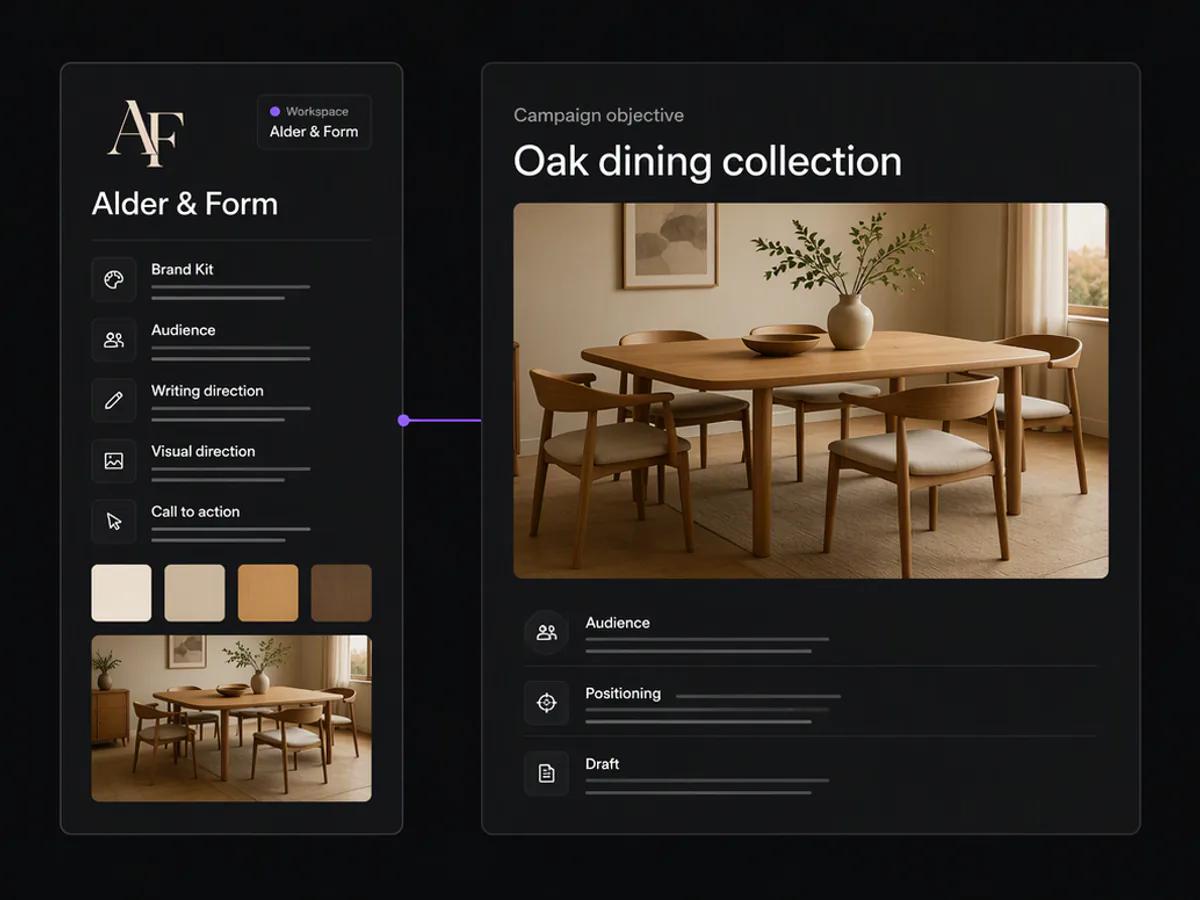
Step 2
Use available workspace context to organize social content, creative requirements, supporting SEO direction, and proposed next actions.
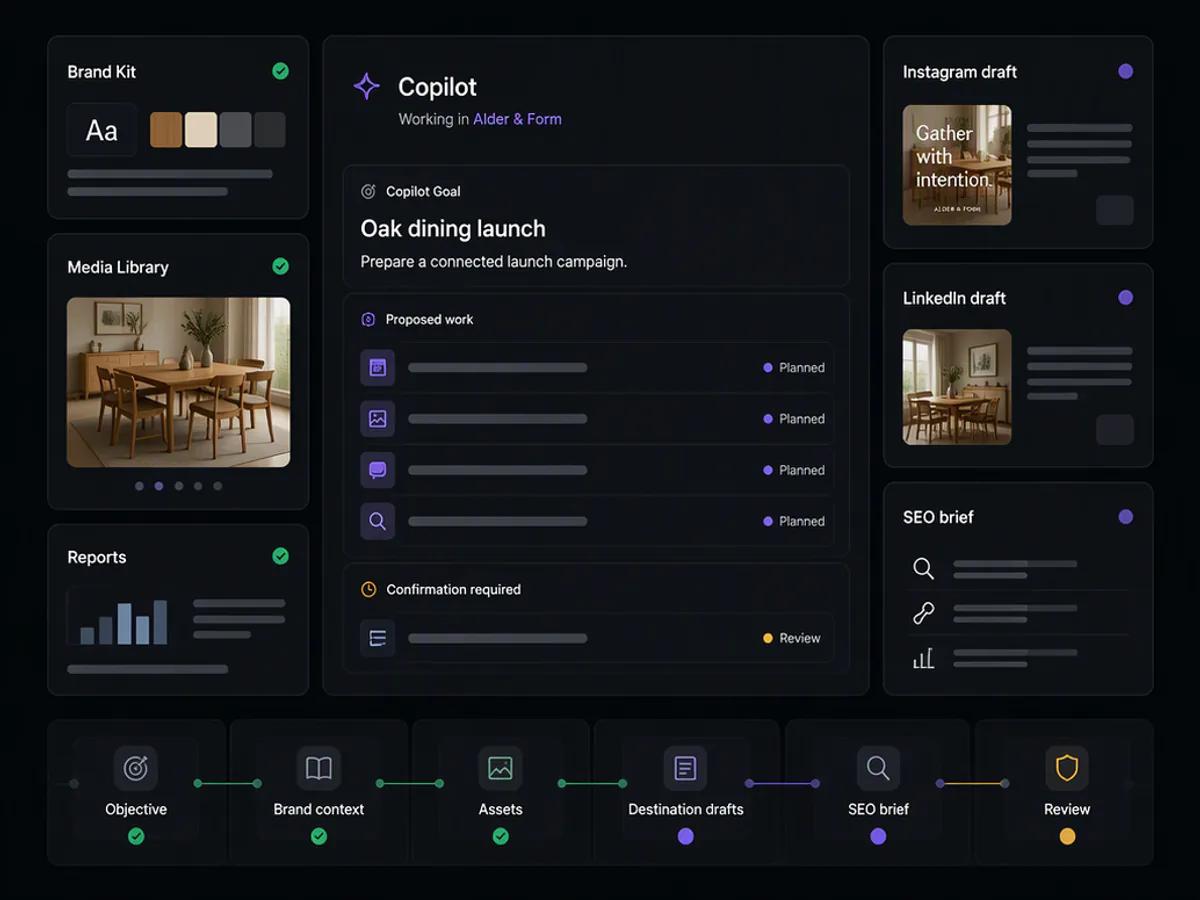
Step 3
Generate or reuse campaign media, then prepare independently editable content for each supported destination.
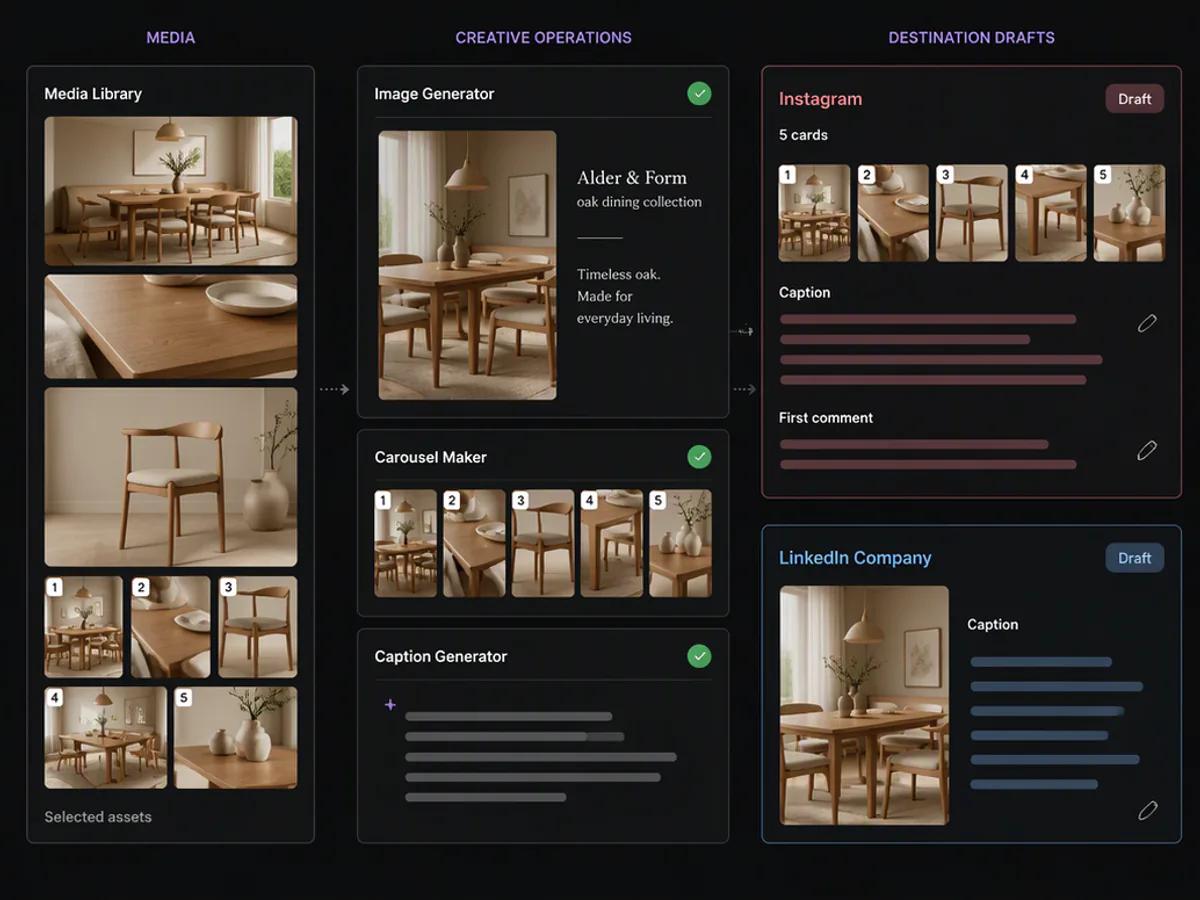
Step 4
Inspect destinations, captions, media, timing, and supported settings before moving separate records into the publishing workflow.
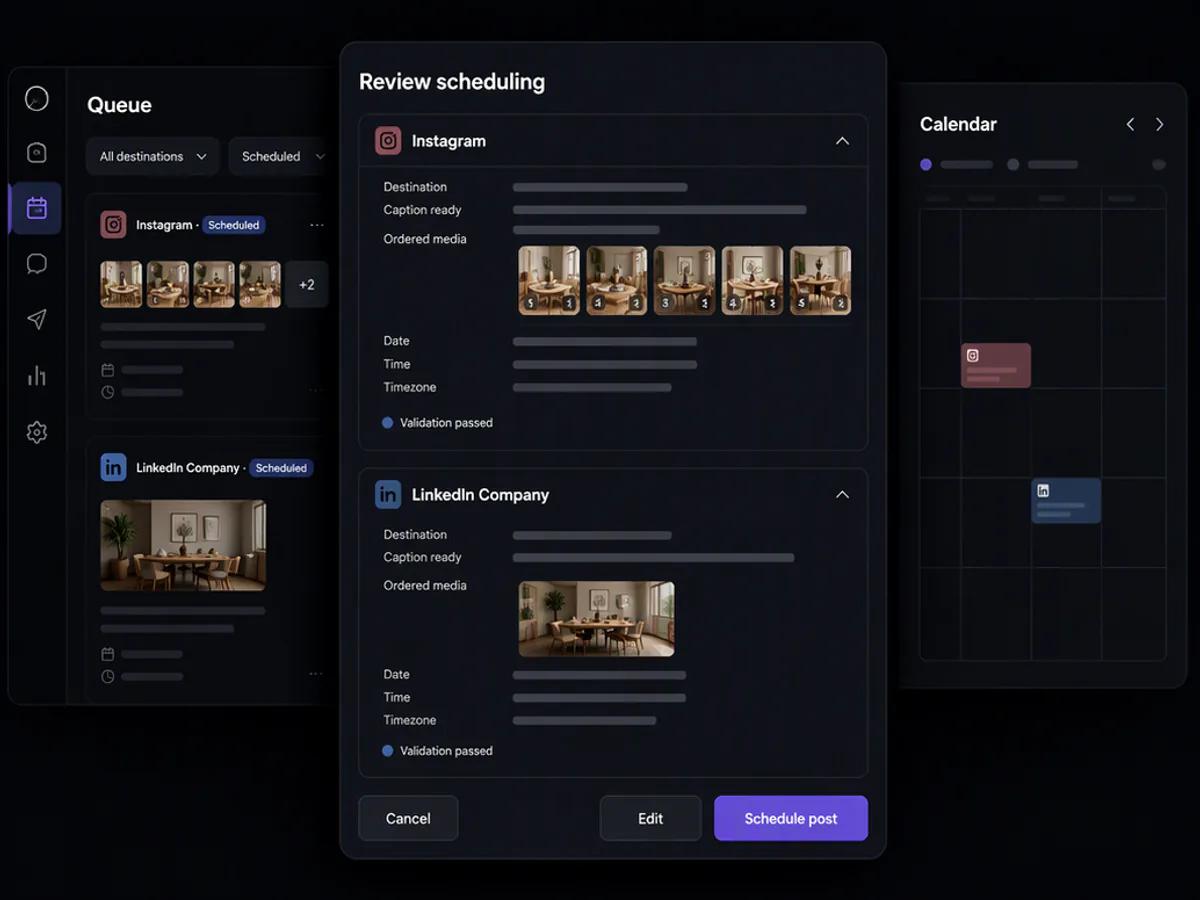
Keep the next action connected to the same brand workspace.
Review the context, content, media, destination, and supported settings before moving the work forward.
Compare Lifetime PackagesMore than an AI chatbot
Copilot works with your current brand, content, media, profiles, schedules, reports, SEO projects, AI visibility data, and application history.
Ask questions without searching through separate dashboards, folders, reports, and project screens.
Move from a recommendation to an authorized action without rebuilding the work somewhere else.
Example multi-step request
“Turn this article into a social campaign, generate channel-specific captions, prepare supporting graphics, save everything to the Media Library, and schedule the posts as drafts.”
Oolook reviews the article and Brand Kit, plans the campaign, creates the assets, prepares the posts, and asks for confirmation before applying supported actions.
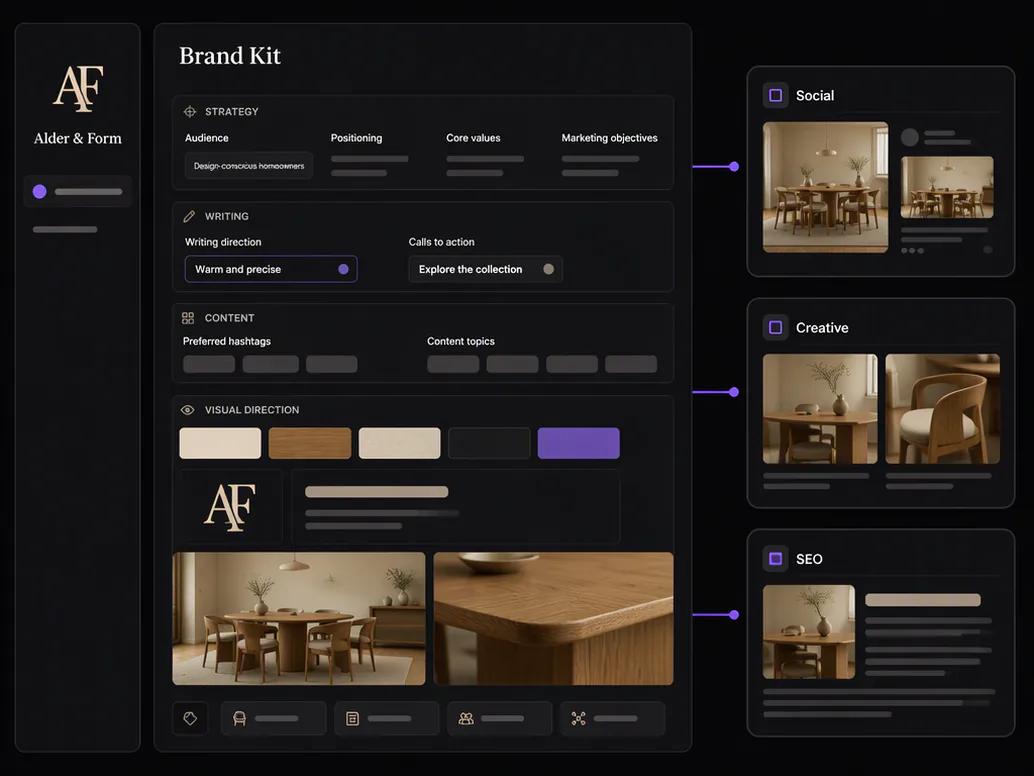
Brand Kit intelligence
Reuse your brand intelligence across social content, SEO writing, visual generation, and Copilot workflows instead of repeating the same instructions every time.
Traditional search and AI search
Create search-focused content, measure AI visibility, compare competitors, and turn the findings into action.
Research, score, write, audit, and improve content using data-guided recommendations.
Understand how your brand appears across supported AI answer engines and where competitors are winning visibility.
Move from a topic into an evaluated article, improve weak areas, prepare supporting social content, and return to available reporting.
Step 1
Start with the topic, audience, geography, tone, internal links, and competitive context required for a useful article.
Step 2
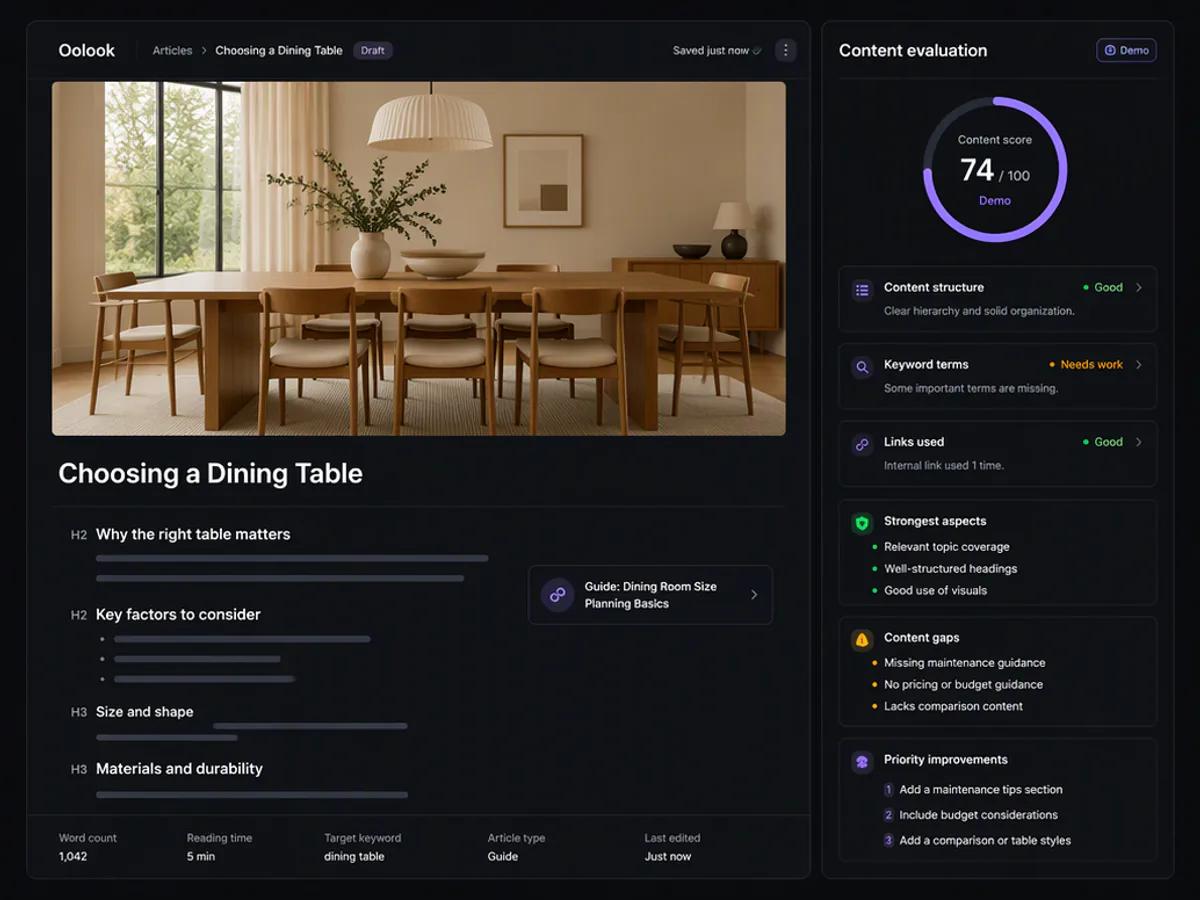
Create the article and review its structure, terms, links, strongest aspects, content gaps, and priority improvements.
Step 3
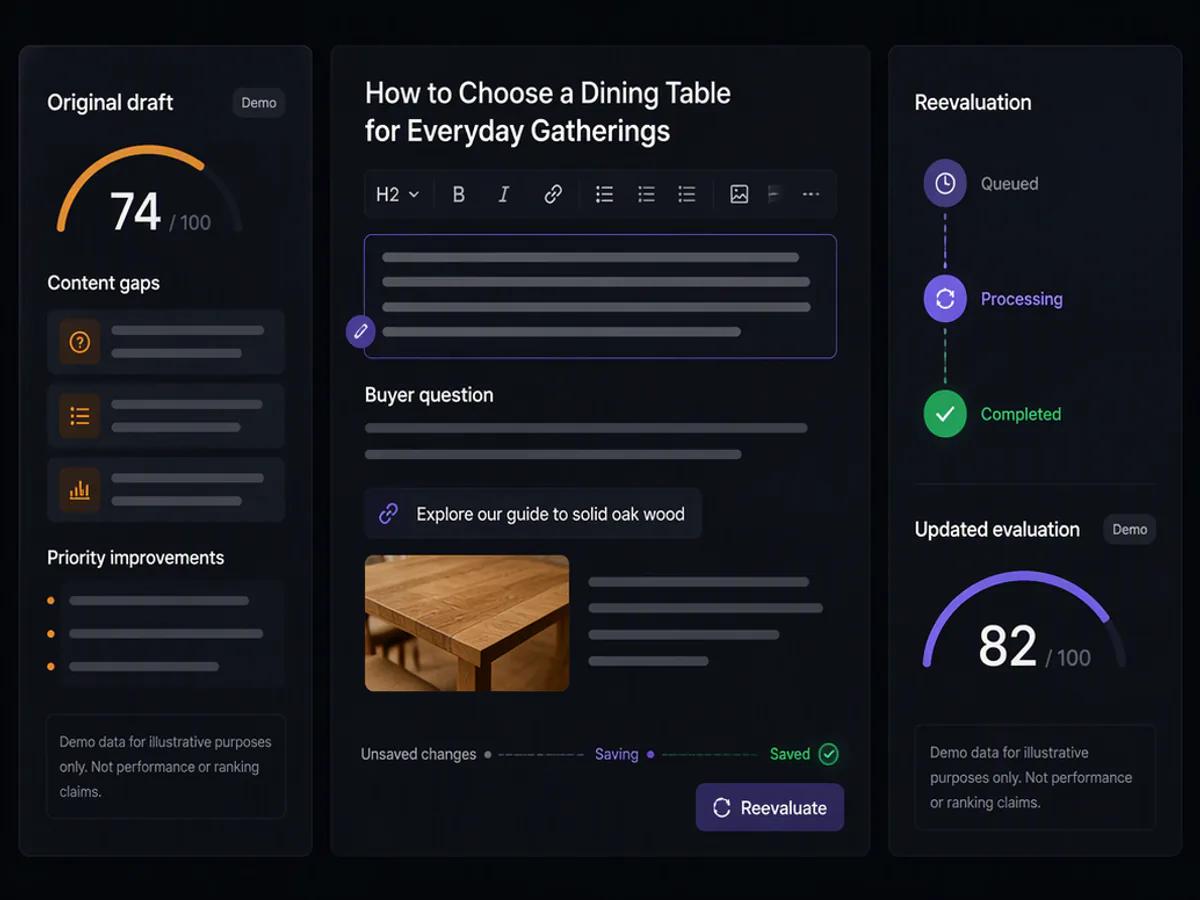
Edit the article manually or use supported optimization, then run a separate evaluation against the revised content.
Step 4
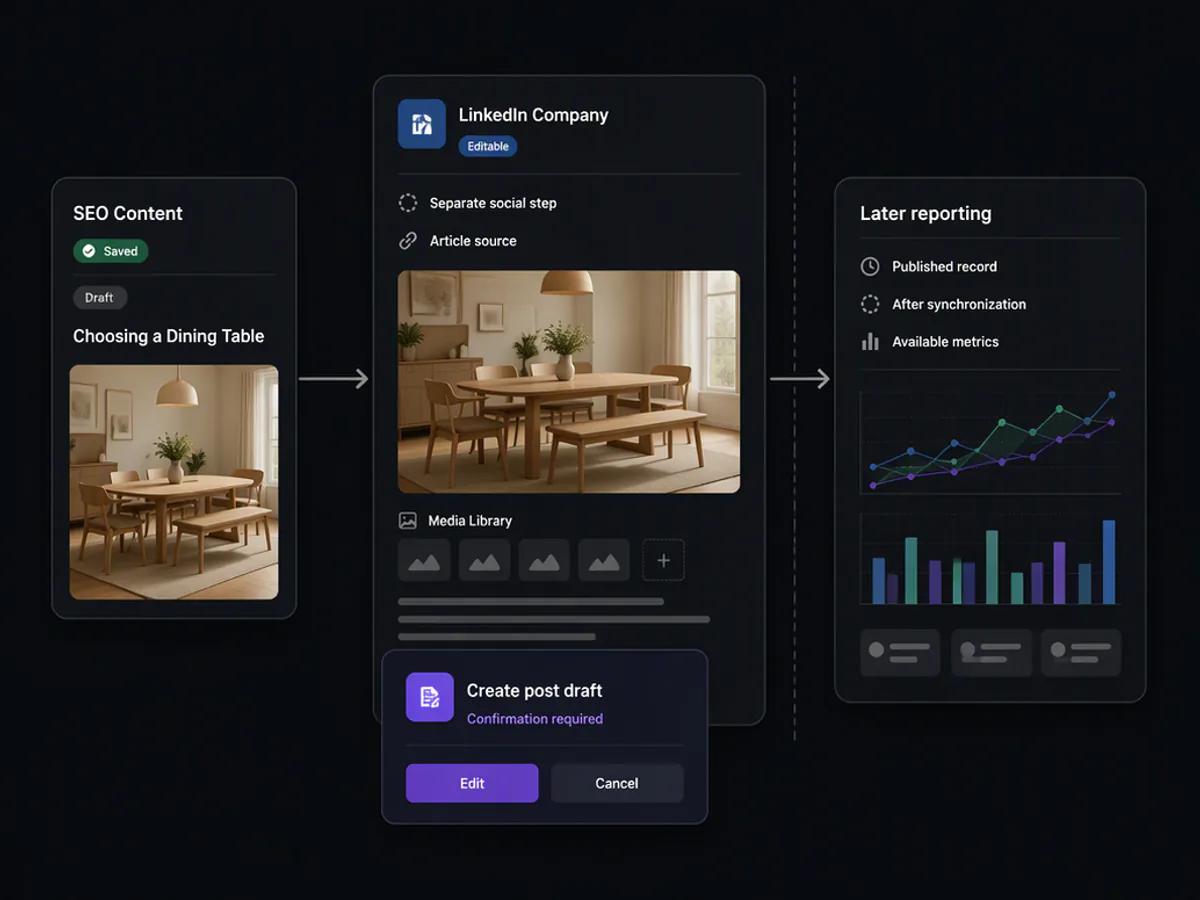
Use the finished article as source context, prepare editable destination content, select existing media, and continue through a separate reviewed social action.
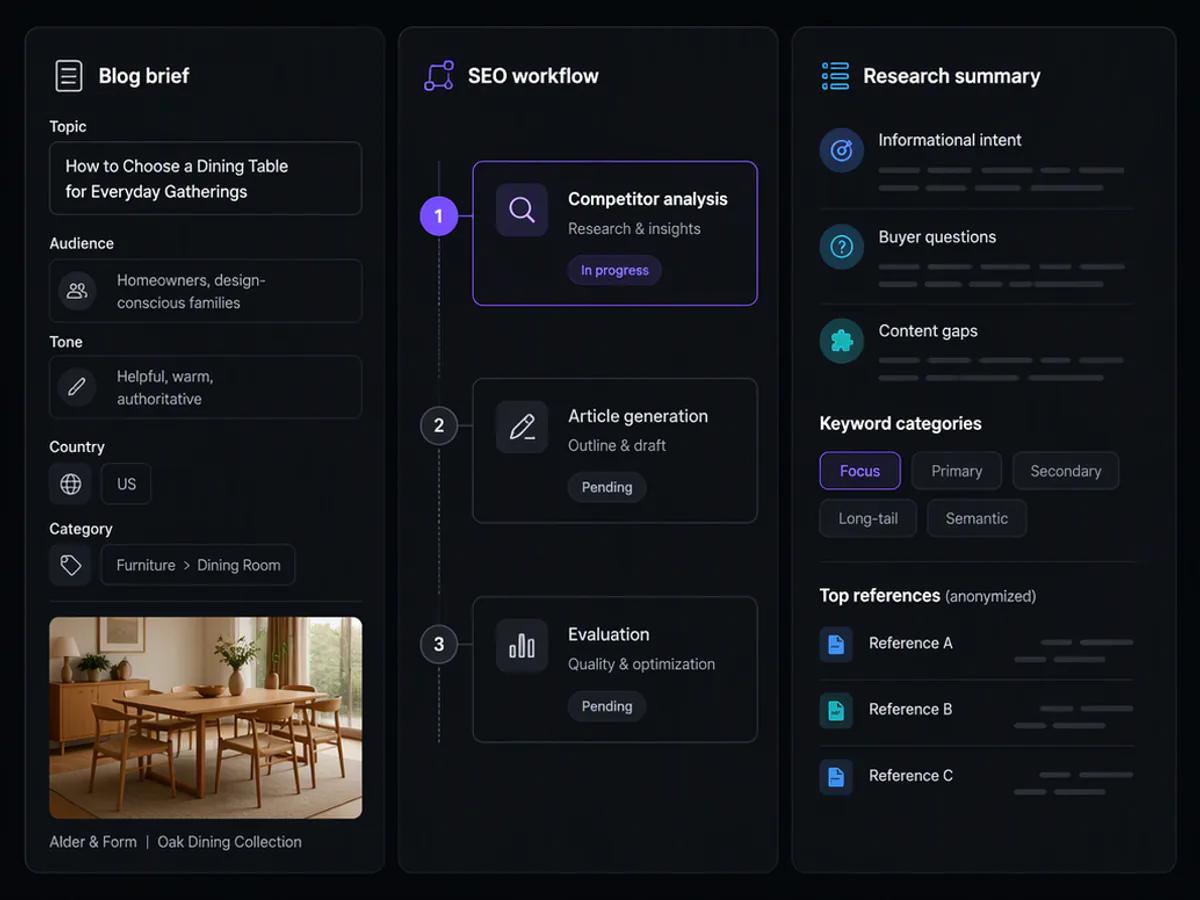
Keep the next action connected to the same brand workspace.
Review the context, content, media, destination, and supported settings before moving the work forward.
Compare Lifetime PackagesFocused AI applications
Create and process marketing assets without moving every task into a separate application.
Turn a topic, website, reference image, and Brand Kit context into 5–30 social carousel cards.
Generate multiple visual options using prompts, reference images, aspect ratios, model levels, and high resolutions.
Remove backgrounds, resize, reframe, upscale, grade colors, and prepare media for publishing.
Current creative model catalog
Explore current image and video models available through Oolook’s creative workflows. Model availability and credit costs can change.
Who Oolook is for
Create consistently without spending the entire day researching, writing, designing, and scheduling.
Build a professional marketing operation without assembling a large collection of separate tools.
Connect brand standards, content creation, publishing, SEO, AI visibility, and reporting.
Keep client brands, profiles, media, schedules, search projects, and reports organized separately.
The cost of disconnected marketing
Oolook connects the capabilities normally spread across social schedulers, AI assistants, SEO tools, AI-visibility platforms, media applications, storage services, and reporting dashboards.
Option 1
Coordinate copywriters, designers, social managers, SEO specialists, analysts, and assistants across separate workflows.
Option 2
Subscribe separately to social scheduling, AI writing, SEO optimization, AI visibility, design, storage, and reporting platforms.
The Oolook Way
Keep brand intelligence, content creation, social publishing, SEO, AI visibility, media, and reporting connected.
Estimate the value gap
Model the potential value associated with additional qualified website traffic while keeping your current conversion rate unchanged.
Every input remains editable.
The conversion-rate default is an illustrative planning assumption, not an Oolook benchmark.
Your current position
Connected execution scenario
Potential value currently uncaptured
Potential monthly gap
$18,750
Potential annual gap
$225,000
+7,500 potential monthly visitors in this scenario
Compare this modeled opportunity with Oolook's one-time launch pricing.
This calculator uses a fixed 30% visitor-growth assumption to illustrate a planning scenario. It is not a forecast, benchmark, or guarantee. Results depend on traffic quality, offer, conversion tracking, execution, market conditions, platform behavior, and other factors. Industry conversion defaults remain editable assumptions.
Three clearly different lifetime packages
Start with social scheduling and analytics, add SEO and GEO when search visibility matters, or choose the complete Founder Edition package.
14-Day Money-Back Guarantee
Lifetime and Lifetime Plus qualify for a full refund within 14 days. Founder Edition remains eligible if the onboarding session has not been used, with consumed promotional-credit value deducted where applicable.
Included foundation
Lifetime
Social scheduling + analytics
Lifetime Plus
Social + analytics + SEO + GEO
Founder Edition
Plus credits, bundles, and founder call
The social execution package for planning, scheduling, publishing, and reviewing available performance.
No recurring software subscription
Secure checkout through Razorpay
Add search-content production and GEO visibility workflows to the complete social package.
No recurring software subscription
Secure checkout through Razorpay
The complete social, analytics, SEO, and GEO package with credits, implementation bundles, and direct founder onboarding.
No recurring software subscription
Secure checkout through Razorpay
Included with Founder Edition
Founder Edition includes the complete PDF implementation library for configuring Oolook and building your first month of on-brand content.
Configure your tone, audience, positioning, topics, calls to action, colors, fonts, and visual direction.
Delivered as a downloadable PDF
Copy-ready prompts for social campaigns, captions, SEO content, AEO research, and carousel creation.
Delivered as a downloadable PDF
A repeatable process for planning, creating, reviewing, and scheduling a complete monthly campaign.
Delivered as a downloadable PDF
A practical reference for platform media, title, privacy, board, and publishing requirements.
Delivered as a downloadable PDF
Templates for organizing topics, campaign goals, publishing dates, formats, and approvals.
Delivered as a downloadable PDF
Structured workflows for search optimization, AI visibility monitoring, and content-gap planning.
Delivered as a downloadable PDF
A monthly process for reviewing available profile, post, search, and AI visibility information.
Delivered as a downloadable PDF
Understand how AI tasks consume credits and plan usage across content, SEO, AEO, and media workflows.
Delivered as a downloadable PDF
Eligible bonus resources and delivery instructions will be sent to the email address used during checkout.

Yogesh Meena
Founder of Oolook
Founder Edition onboarding
Work directly with Yogesh Meena to configure your Brand Kit, review your connected profiles, create your first monthly content plan, prepare an initial campaign, and understand the social, SEO, and AI-visibility workflows relevant to your business.
Minutes 0–10
Business, goals, and website review
Minutes 10–20
Brand Kit configuration
Minutes 20–35
Social content planning and creation
Minutes 35–45
Scheduling workflow
Minutes 45–52
SEO and AI visibility walkthrough
Minutes 52–60
Questions and next steps
Personalized onboarding after purchase
Your booking instructions, preparation checklist, and non-expiring 10,000-credit promo code will be delivered by email. Appointments are coordinated by the Oolook onboarding team.
Transparent AI usage
Core software access, scheduling, publishing, reporting, and brand management remain part of your lifetime entitlement.
The included launch credits are issued once and do not expire. Additional AI credits can be purchased inside Oolook.
Two layers of purchase protection
Choose the package that fits you, explore the Oolook workflow, and receive additional implementation support with Founder Edition.
Oolook Lifetime and Lifetime Plus customers can request a full refund within 14 days of purchase.
Founder Edition refund requests are available within 14 days if the personalized onboarding session has not been used. The published value of consumed promotional credits is deducted from an eligible Founder Edition refund.
Attend your Founder Edition onboarding session and work through your Brand Kit, content plan, creation workflow, scheduling process, SEO, and AI-visibility setup.
If the agreed Brand Kit configuration and personalized creation and scheduling demonstration cannot be completed during the first session, Oolook will arrange a follow-up implementation session at no additional cost.
Questions before you join
Oolook is an AI-powered marketing workspace that connects social media management, SEO content optimization, AI-search visibility, content creation, media, analytics, and marketing execution.
Lifetime access means access for the commercial lifetime of Oolook, subject to the package limits, acceptable-use policy, integration availability, and Terms of Service.
Yes. The lifetime software entitlement includes current and future Oolook features, subject to the published package limits and any usage-based credit requirements.
Every package includes the published workspace limits, Oolook Copilot, Brand Kit, Media Library, and support. Lifetime focuses on social scheduling and analytics. Lifetime Plus adds SEO and GEO. Founder Edition adds credits, implementation bundles, and direct founder onboarding.
Oolook Copilot can read available workspace information, answer questions, generate content, update supported data, and perform supported multi-step actions after receiving confirmation.
Supported workflows include Facebook, Instagram, Pinterest, LinkedIn, LinkedIn Company Pages, YouTube, and TikTok. Integration availability can vary according to platform API capabilities.
AI credits are used when Oolook performs AI-powered work, including Copilot conversations and actions, SEO processing, AEO tracking, caption generation, image generation, carousels, and media processing.
No. Social scheduling, publishing, publishing status, reports, analytics, brand management, and Media Library storage do not consume AI credits.
Founder Edition includes 10,000 one-time AI credits. The included launch credits do not expire.
Yes. Additional AI credits can be purchased from inside the Oolook product.
The 60-minute session includes a product demonstration, personalized onboarding, Brand Kit configuration, social workflow setup, one-month content planning and scheduling assistance, SEO and AEO guidance, and a Q&A session.
After payment, Oolook will email your account instructions and package information. Founder Edition buyers also receive the implementation bundles, AI-credit code, preparation checklist, and founder-session booking instructions.
Lifetime and Lifetime Plus purchases have a 14-day refund window. Founder Edition refunds are available within 14 days if the onboarding session has not been used. The published value of consumed promotional credits is deducted from eligible Founder Edition refunds.
Yes. The displayed lifetime-offer prices include applicable taxes.
Oolook lifetime launch
Choose social execution, add SEO and GEO, or get the complete Founder Edition implementation package.
Secure payment through Razorpay • Prices include applicable taxes
Connected social management
Create Once. Prepare Every Channel. Publish From One Place.
Manage supported social workflows without rebuilding your process for every platform.
Schedule and Publish
Prepare drafts, publish immediately, schedule content, and manage your queue.
Platform Validation
Check relevant media, title, board, privacy, and content requirements before submission.
Media Library
Store uploads, AI outputs, documents, logos, videos, and processed media by brand.
Reports and Analytics
Review the profile and post metrics supplied by connected social networks.
Supported Social Channels