Oolook vs SocialPilot

Do You Need Agency-Scale Social Scheduling or a Brand-Aware Marketing Workspace?

SocialPilot connects multi-network publishing, bulk scheduling, Social Inbox, client approvals, analytics, and white-label agency workflows. Oolook connects structured brand context, native creative production, advanced media processing, controlled publishing, reporting, and SEO content.

Comparison researched and reviewed on October 1, 2026

The short answer

Choose Based on Whether Agency Operations or Creative Execution Is the Bottleneck

SocialPilot is scheduling- and agency-first. Oolook is designed to connect brand context, creative production, media operations, publishing, reporting, and search content.

Choose Oolook for brand-aware creative execution

Oolook is the stronger fit when you need structured Brand Kits, workspace-aware Copilot, native image and carousel generation, moodboards, advanced media processing, confirmation-based actions, and SEO article workflows.

Choose SocialPilot for agency scheduling and white-label delivery

SocialPilot is the stronger fit when bulk scheduling, client approvals, Social Inbox, review management, white-label reports, a branded client platform, or high account volume are central requirements.

Feature comparison

Oolook vs SocialPilot at a Glance

Compare what each product contributes to brand management, content creation, publishing, client collaboration, reporting, agency delivery, and cost.

Decision areaOolookSocialPilot
Best suited toTeams that want structured brand context, native creative production, reusable media, controlled publishing, reporting, and SEO article workflows.Agencies, brands, and teams that prioritize multi-account scheduling, bulk workflows, approvals, Inbox, reporting, and white-label client delivery.
Operating modelUses separate brand workspaces containing Brand Kit context, media, profiles, posts, reports, and search projects.Organizes clients, account groups, users, Content Libraries, calendars, approvals, Inbox activity, and reports across connected social accounts.
Multi-brand managementEach brand workspace keeps its Brand Kit, Media Library, profiles, schedules, content, and reports separate.Uses clients, groups, libraries, user access, and social-account assignments to organize multiple brands.
Brand contextA structured Brand Kit can guide supported Copilot, social, visual, media, and SEO workflows.AI Pilot supports brand voice customization and custom fields, but a comparable structured visual Brand Kit was not verified.
AI assistantCopilot can inspect available workspace information and prepare supported actions for confirmation.AI Pilot generates ideas, captions, variations, rewrites, hashtags, translations, and platform-oriented social copy.
AI action controlSupported workspace changes are presented for confirmation before execution.AI Pilot assists inside the composer. Autonomous inspection and execution across profiles, reports, and media were not verified.
AI allowanceAI work consumes plan credits, with current allowances loaded from the pricing API.Reviewed allowances range from 500 credits on Essentials to unlimited AI usage on Ultimate.
AI visual generationProvides native image generation with references and coordinated carousel generation.Native AI image, video, and coordinated carousel generation were not verified. Canva and the image editor support visual creation.
MoodboardsCan turn references and brand context into reusable visual direction.A native moodboard-generation workflow was not verified.
Content LibraryMedia Library supports uploaded and generated assets, search, processing, organization, and reuse by brand.Content Library stores captions, hashtags, media, and reusable content across multiple libraries for teams and clients.
Media processingIncludes background removal, resizing, reframing, palette extraction, color grading, and image or video upscaling.Provides cropping, resizing, rotation, filters, color adjustments, annotations, stickers, and watermarks. Comparable upscaling and palette extraction were not verified.
Social publishingSupports drafts, immediate publishing, scheduling, destination controls, platform validation, queue states, retries, and status monitoring.Provides calendars, smart queues, custom schedules, immediate publishing, repeat posts, platform customization, and publishing statuses.
Bulk schedulingSupports scheduling and queue management within current plan limits.Supports bulk CSV scheduling for reviewed batches of up to 500 posts.
Supported networksSupports established Facebook, Instagram, Pinterest, LinkedIn, YouTube, and TikTok workflows.Supports Facebook, Instagram, LinkedIn, X, Threads, TikTok, Pinterest, YouTube, Google Business Profile, Bluesky, Tumblr, and selected group workflows.
Social InboxA mature unified engagement Inbox is not positioned as an established advantage.Standard and higher plans include a Social Inbox for selected comments, messages, and mentions, with team-management features.
Review managementReview-management workflows are outside the established comparison scope.Supports selected Facebook and Google Business review-management workflows, including AI-assisted replies.
AnalyticsProvides available profile and post metrics from connected supported networks.Provides profile, post, audience, content-type, campaign, and team analytics, with deeper history and competitor reports on higher plans.
Agency reportingReporting remains organized around each brand workspace.Premium and higher plans provide white-label reports, scheduled reports, and client-focused reporting workflows.
Full white-label platformA full white-label client platform is not positioned as an established Oolook advantage.Ultimate and higher offerings provide reviewed custom branding, domain, sender email, login experience, and platform rebranding.
Client approvalsSupports shared-content feedback and reviewable Copilot actions, with plan-dependent collaboration.Supports manager and client approvals, shareable review workflows, permissions, and client access.
Shopify integrationNative ecommerce-catalog automation is outside the established comparison scope.Provides a Shopify integration for selected product-sharing workflows.
SEO content workflowSupports researched article generation, evaluation, editing, reevaluation, and optimization.A comparable native keyword, SERP, content-scoring, page-audit, and SEO article workflow was not verified.
Free accessOffers an available Free plan, with current limits loaded from the pricing API.Does not offer a permanent Free plan. Reviewed paid plans include a 14-day trial without a credit card.
Pricing basisPlans scale through brand workspaces, profiles, posts, storage, AI credits, reports, and support.Uses flat plan allowances for accounts, users, AI credits, clients, analytics, approvals, and white-label capabilities, with extra account and user charges.

Product names, plans, prices, network APIs, AI limits, add-ons, and commercial terms can change. Confirm purchase-critical requirements on each vendor's current official pages.

Oolook Copilot in action

Turn a Content Objective Into Scheduled Posts

Plan, prepare, review, and schedule destination-specific social content from the selected brand workspace. See how this connected Oolook workflow relates to teams evaluating SocialPilot.

Oolook Copilot

Brand-aware content preparation

Working in: Alder & Form
Ask anything
Brand details shown here are fictional. Actual output uses available information from the selected Brand Kit.
Prepare captions and creativeReview the publishing detailsConfirm and monitor publication
  1. 1

    Step 1

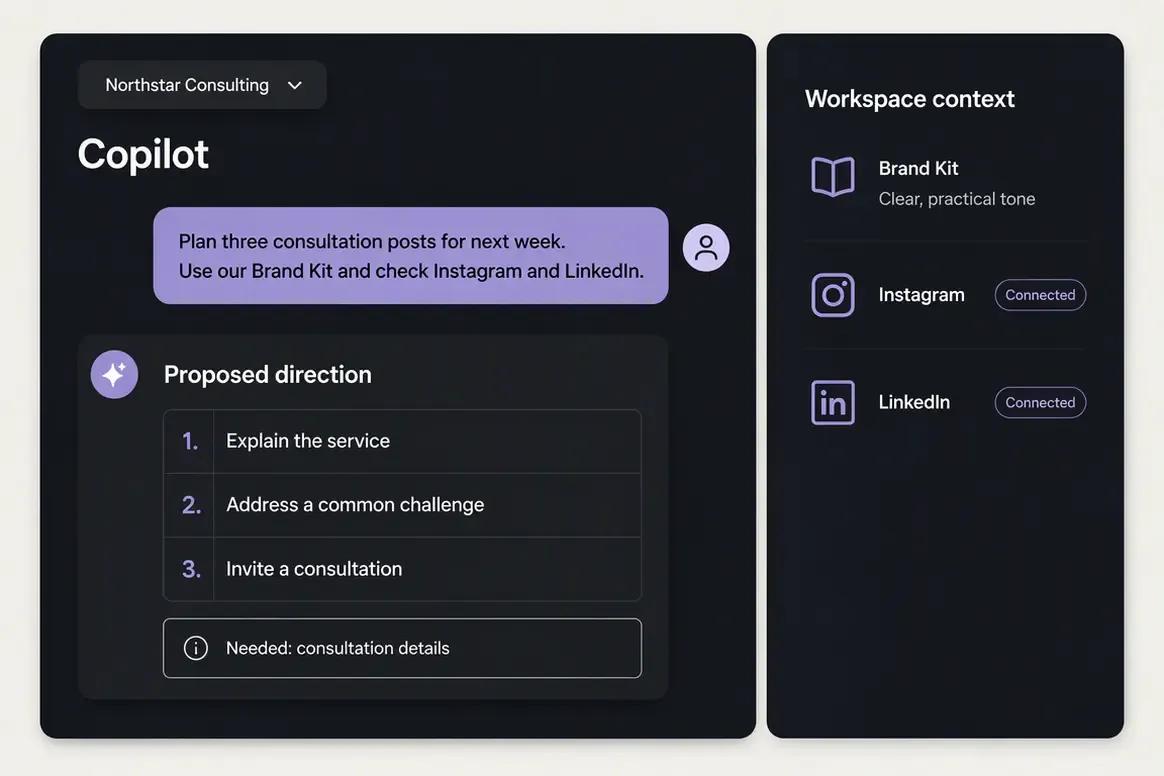
    Give Copilot the content objective

    Select the brand workspace and tell Copilot what you want to promote, who the content should reach, which social profiles should be used, and when the campaign should run. Copilot can use available Brand Kit and workspace context while identifying information that still needs confirmation.

    Ask Oolook Copilot
    “Help me prepare three posts for next week promoting our consultation service. Use our Brand Kit and check our connected Instagram and LinkedIn profiles.”
    Oolook Copilot receiving a social content objective inside a brand workspace
  2. 2

    Step 2

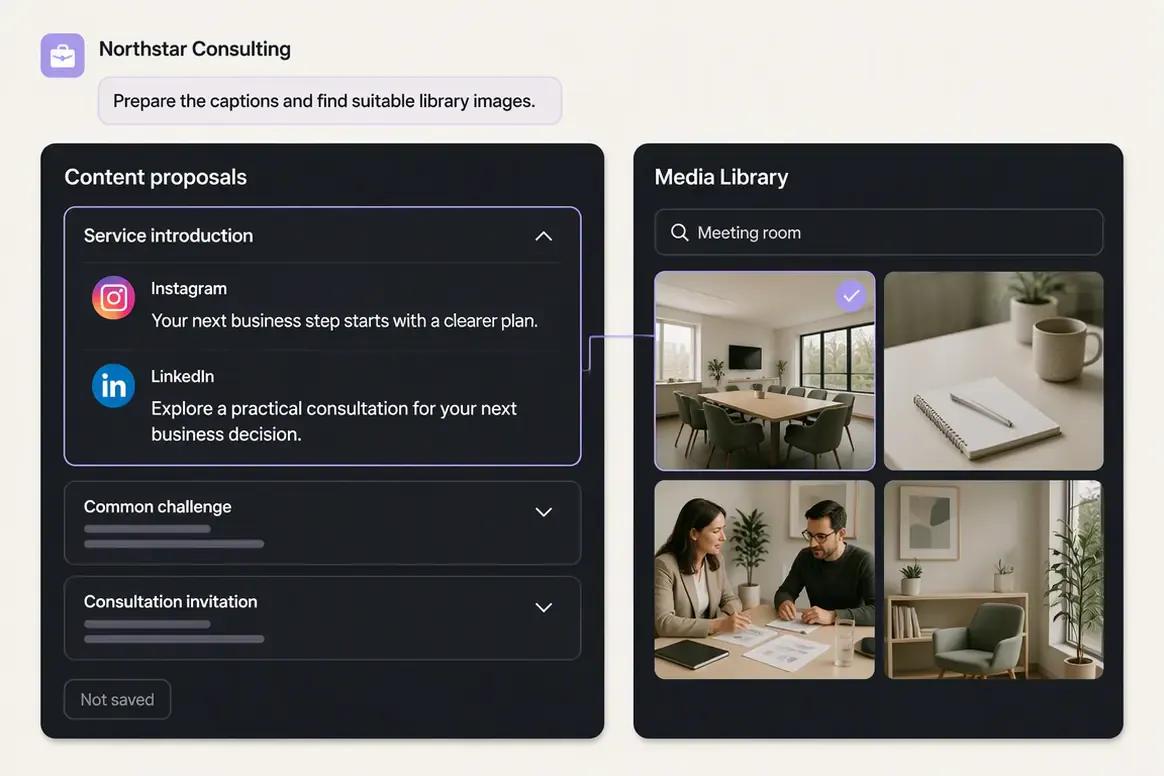
    Prepare captions and creative

    Ask Copilot to prepare destination-specific captions and find relevant media from the brand's Media Library. If suitable media is unavailable, continue into an image or carousel generation workflow and review the generated output.

    Ask Oolook Copilot
    “Draft captions for these three posts and find suitable images in our Media Library.”
    Oolook Copilot preparing social captions and selecting brand media
  3. 3

    Step 3

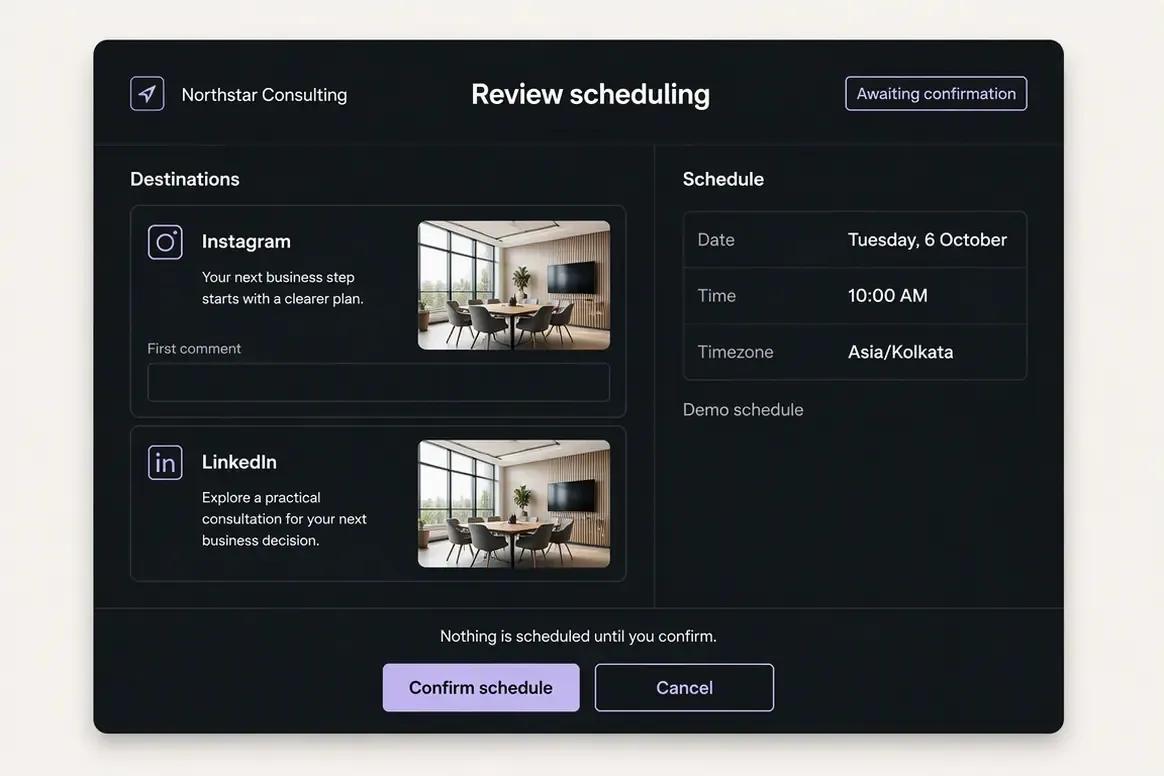
    Review the publishing details

    Inspect the caption, selected media, destination, date, time, timezone, and supported platform settings. Copilot prepares the supported scheduling action so the complete change can be reviewed before confirmation.

    Ask Oolook Copilot
    “Prepare this post for Instagram and LinkedIn next Tuesday at 10 AM. Show me every publishing detail before scheduling.”
    Oolook social scheduling action ready for confirmation
  4. 4

    Step 4

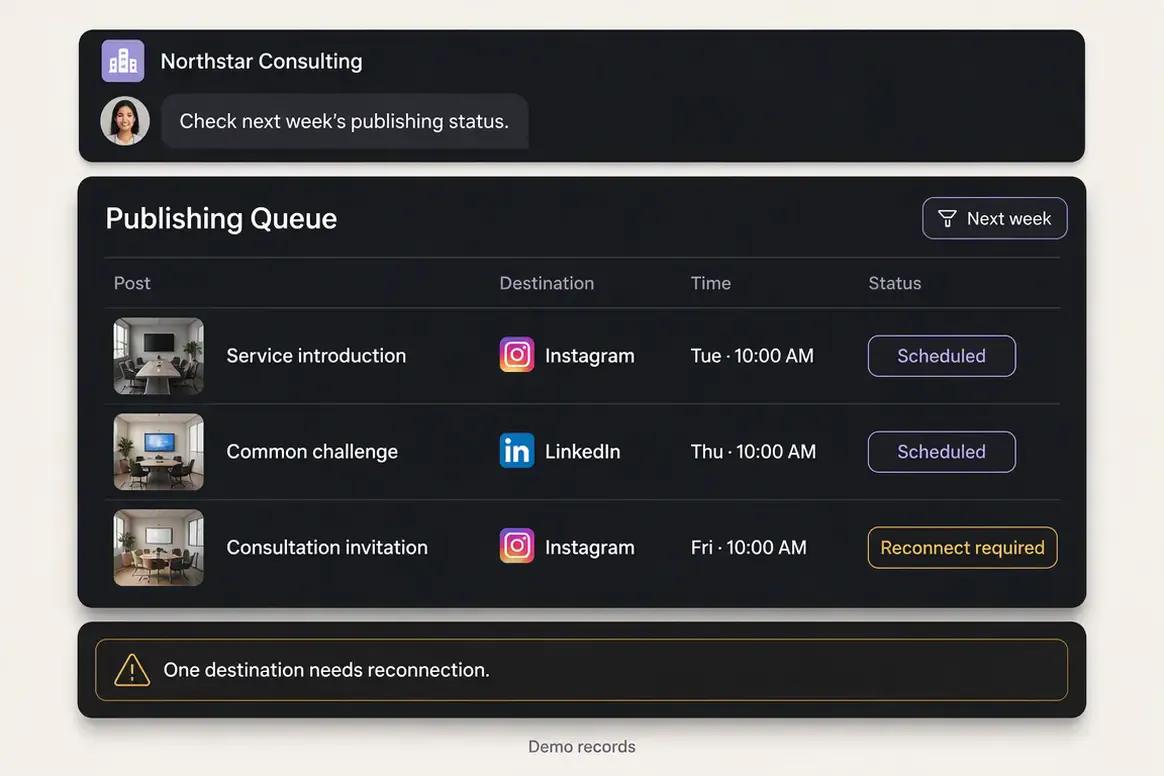
    Confirm and monitor publication

    Confirm the approved action and monitor the post through its scheduled, queued, publishing, completed, or attention-required state. Copilot can help inspect the available status information without hiding the underlying publishing state.

    Ask Oolook Copilot
    “Check the publishing status of the posts scheduled for next week and show me anything that needs attention.”
    Oolook publishing queue showing scheduled post statuses

Keep the Work Connected With Oolook Copilot

Move from brand context to reviewable content and supported actions without rebuilding the same marketing context across disconnected tools.

Start With Oolook

Why teams choose Oolook

Connect Creative Production to the Full Brand Workflow

Oolook connects structured brand context, coordinated creative production, media processing, controlled publishing, reporting, and search-content execution.

Give Copilot structured workspace context

Oolook Copilot can work with available Brand Kit information, media, connected profiles, drafts, schedules, reports, search projects, and application history.

Review supported actions before execution

Oolook separates recommendations from workspace changes. Supported actions are prepared for confirmation so your team can inspect what will happen before execution.

Create coordinated brand assets

Generate images with references, coordinated carousel cards, and visual direction inside the selected brand workspace.

Process and reuse existing media

Find an existing asset, then resize, reframe, upscale, remove its background, extract its palette, or adjust its colors without leaving the Media Library.

Connect social execution with SEO content

Continue into researched article generation, evaluation, editing, reevaluation, and optimization without rebuilding the brand context in another product.

Where SocialPilot is stronger

SocialPilot Is Built for Agency Publishing and White-Label Delivery

SocialPilot has clear advantages when bulk scheduling, client approvals, branded reporting, review management, and white-label agency delivery are central requirements.

Bulk CSV scheduling for large content batches.
Smart queues, custom schedules, repeat posts, and multi-network publishing.
Competitive account allowances for agencies and multi-brand teams.
Client management, permissions, approvals, and shareable review workflows.
White-label reports on eligible plans.
Full white-label platform branding on Ultimate and higher offerings.
Social Inbox for selected comments, messages, and mentions.
Facebook and Google Business review-management workflows.
Content Library for reusable media, captions, hashtags, and templates.
Canva, cloud-storage, Shopify, WordPress, Zapier, RSS, and browser integrations.

Workflow comparison

Two Different Ways to Scale Client Social Operations

Oolook starts with structured brand context and connects creative work to controlled execution. SocialPilot starts with clients, accounts, calendars, bulk publishing, approvals, reporting, and agency branding.

With Oolook

  1. 1Create a dedicated workspace for the brand.
  2. 2Configure structured Brand Kit information.
  3. 3Connect supported profiles and organize reusable media.
  4. 4Ask Copilot to inspect workspace information or prepare content.
  5. 5Generate captions, images, carousels, or visual direction.
  6. 6Process existing media when new generation is unnecessary.
  7. 7Review captions, media, and supported settings by destination.
  8. 8Confirm supported actions and monitor publication status.
  9. 9Review reports or continue into an SEO article workflow.

With SocialPilot

  1. 1Create the agency account and add the required clients.
  2. 2Connect and group social accounts for each brand.
  3. 3Assign users, roles, permissions, and client access.
  4. 4Store reusable media, captions, and hashtags in Content Libraries.
  5. 5Use AI Pilot to generate or adapt social copy.
  6. 6Create designs through Canva or edit uploaded images.
  7. 7Schedule individually, through smart queues, or by bulk CSV.
  8. 8Send content through manager or client approval.
  9. 9Deliver analytics, white-label reports, or a branded client experience.

Current pricing

Compare Plans Against Your Real Monthly Workload

Compare the brands, social profiles, posts, storage, AI credits, reporting, and support your team actually needs.

Current Oolook plans

Loaded from Oolook's pricing API when this page opens.

Open the standard pricing page

Loading current Oolook plans…

SocialPilot plans

Public pricing reviewed on October 1, 2026.

Check current SocialPilot pricing

SocialPilot Essentials

$30/month or $25.50/month when billed annually

The reviewed /plans card includes 7 social accounts, 1 user, 500 AI credits, core scheduling, Content Library, tags, and analytics. A lower live /pricing card also existed, so verify the active checkout rate.

SocialPilot Standard

$50/month or $42.50/month when billed annually

Includes 15 social accounts, 3 users, 1,000 AI credits, team workflows, Social Inbox, analytics, and manager approvals under the reviewed /plans card.

SocialPilot Premium

$100/month or $85/month when billed annually

Includes 25 social accounts, 6 users, 5,000 AI credits, bulk scheduling, advanced analytics, client approvals, competitor reports, and white-label reports.

SocialPilot Ultimate

$200/month or $170/month when billed annually

Includes 50 social accounts, unlimited reviewed users and AI usage, advanced security, full white-label capabilities, a dedicated account manager, and migration support.

SocialPilot Enterprise

Custom pricing

Sales-led plan for custom accounts, users, clients, AI usage, SSO, API access, onboarding, support, and commercial requirements.

Do not compare price without comparing usage

Oolook plans scale through brand workspaces, profiles, posts, storage, AI credits, reports, and support. SocialPilot plans scale through social accounts, users, AI allowances, clients, approvals, analytics, and white-label capabilities. Compare your account count, team size, approval process, publishing volume, creative requirements, reports, branding, and SEO workflows.

SocialPilot prices and limits can change after the research date. Oolook values are loaded from its pricing API. Currency conversions outside INR are approximate. Confirm taxes, promotions, add-ons, checkout currency, and final billing terms before purchasing.

Make the decision

Do Not Choose on Account Allowances Alone

SocialPilot earns its place when bulk publishing, client approvals, white-label reporting, and agency operations matter. Oolook becomes more relevant when structured brand context, native creative production, advanced media processing, controlled actions, and SEO execution must remain connected.

Oolook is likely the better fit if:

  • You need structured Brand Kits connected to daily execution.
  • You want Copilot to inspect available workspace information.
  • You want supported actions presented for confirmation.
  • You need native AI images, coordinated carousels, and moodboards.
  • Background removal, upscaling, palette extraction, or color grading matter.
  • You need detailed destination controls and publishing job states.
  • You want social execution and evaluated SEO article workflows together.

SocialPilot is likely the better fit if:

  • Bulk scheduling is central to your agency workflow.
  • You need client approvals and account-level permissions.
  • White-label reports are required for client delivery.
  • You want a fully branded client platform on a higher plan.
  • Social Inbox and review management are important.
  • You manage a large number of social accounts.
  • Canva-based creation and basic editing cover your creative needs.

Questions before you choose

Oolook vs SocialPilot FAQs

Straight answers to the practical questions buyers ask before choosing between Oolook and SocialPilot.

What is the main difference between Oolook and SocialPilot?+

SocialPilot focuses on multi-account publishing, bulk scheduling, client approvals, Social Inbox, analytics, reviews, and agency white-label delivery. Oolook focuses on structured Brand Kits, workspace-aware Copilot actions, native creative generation, advanced media processing, controlled publishing, reporting, and SEO article workflows.

Is Oolook a SocialPilot alternative?+

Yes. Both products support multi-brand social publishing, AI-assisted captions, calendars, queues, collaboration, media, and reporting. SocialPilot is stronger for agency white-label workflows and bulk scheduling, while Oolook provides deeper creative, media-processing, and SEO capabilities.

Does SocialPilot have a permanent free plan?+

No permanent Free plan was identified. SocialPilot offers a reviewed 14-day trial without a credit card.

Why does SocialPilot have two pricing pages?+

Both /pricing and /plans displayed live rate cards during research, with different account limits and some different prices. Confirm the active checkout card and included features before purchasing.

Can SocialPilot generate AI images or videos?+

Native AI image and video generation were not verified. AI Pilot focuses on social copy, ideas, variations, hashtags, tone, and brand voice. Canva and the image editor support visual creation.

Does SocialPilot support bulk scheduling?+

Yes. SocialPilot supports bulk CSV scheduling for reviewed batches of up to 500 posts.

Does SocialPilot provide white-label reporting?+

Yes. Premium and higher reviewed plans include white-label reports. Ultimate adds a more complete branded platform experience.

Does SocialPilot provide a Social Inbox?+

Yes, on eligible plans. The Inbox covers selected comments, messages, and mentions, with support varying by social network.

Which product has stronger creative tools?+

Oolook is likely stronger when native image generation, coordinated carousels, moodboards, background removal, upscaling, palette extraction, or color grading are required.

Which product has stronger SEO tools?+

Oolook supports researched article generation, evaluation, editing, reevaluation, and optimization. A comparable native SEO suite was not verified for SocialPilot.

Which product is better for agencies?+

SocialPilot is likely stronger when an agency prioritizes bulk scheduling, client approvals, white-label reports, a branded dashboard, account volume, and review management. Oolook is likely stronger when every client requires structured Brand Kit context, native creative generation, media processing, and SEO workflows.

Can I migrate automatically from SocialPilot to Oolook?+

No one-click migration was verified. Migration would likely require exporting reports and available data, downloading media, reconnecting accounts, recreating schedules, and building Oolook workspaces and Brand Kits.

Research and sources

Check the Details That Matter to Your Purchase

This comparison uses established Oolook product information and official SocialPilot product, pricing, plans, features, AI Pilot, integration, white-label, and Help Center sources.

SocialPilot is a trademark of its respective owner. Oolook is not affiliated with or endorsed by SocialPilot. Product capabilities, plans, prices, limits, AI terms, integrations, and policies can change. Confirm current official information before purchasing. If you identify an inaccurate statement, contact Yogesh@oolook.in.

Build around the brand

Connect Brand Context, Creative Production, Media, and Execution

Use Oolook to connect your Brand Kit, Copilot, creative tools, reusable Media Library, social publishing, reporting, and SEO content workflows.