Oolook for Content Creators

Turn Content Ideas Into Reusable, Publishable Assets

Move from a topic or campaign idea into captions, images, carousels, processed media, destination-specific drafts, supported publishing, and performance follow-up.

Oolook Copilot

SEO article workflow

Working in: Alder & Form
Ask anything
This demonstration does not show live ranking data. Article output and evaluation depend on the supplied project context.
Repurpose an articleCreate a visual content seriesPlan next week's content

Supported actions are prepared for review and confirmation. Publishing capabilities and formats depend on current Oolook availability and the destination network.

AI marketing tools for content creators

Create More Formats Without Rebuilding the Idea

Use Oolook to keep your voice, visual direction, source material, generated assets, destination drafts, and publishing records connected.

Define your creator brand

Keep Your Voice and Visual Direction Reusable

Store available audience, positioning, writing preferences, visual references, recurring topics, and calls to action inside the selected Brand Kit.

  • Define reusable writing preferences
  • Organize visual direction and references
  • Keep recurring topics connected to the brand
  • Review outputs before treating them as on-brand
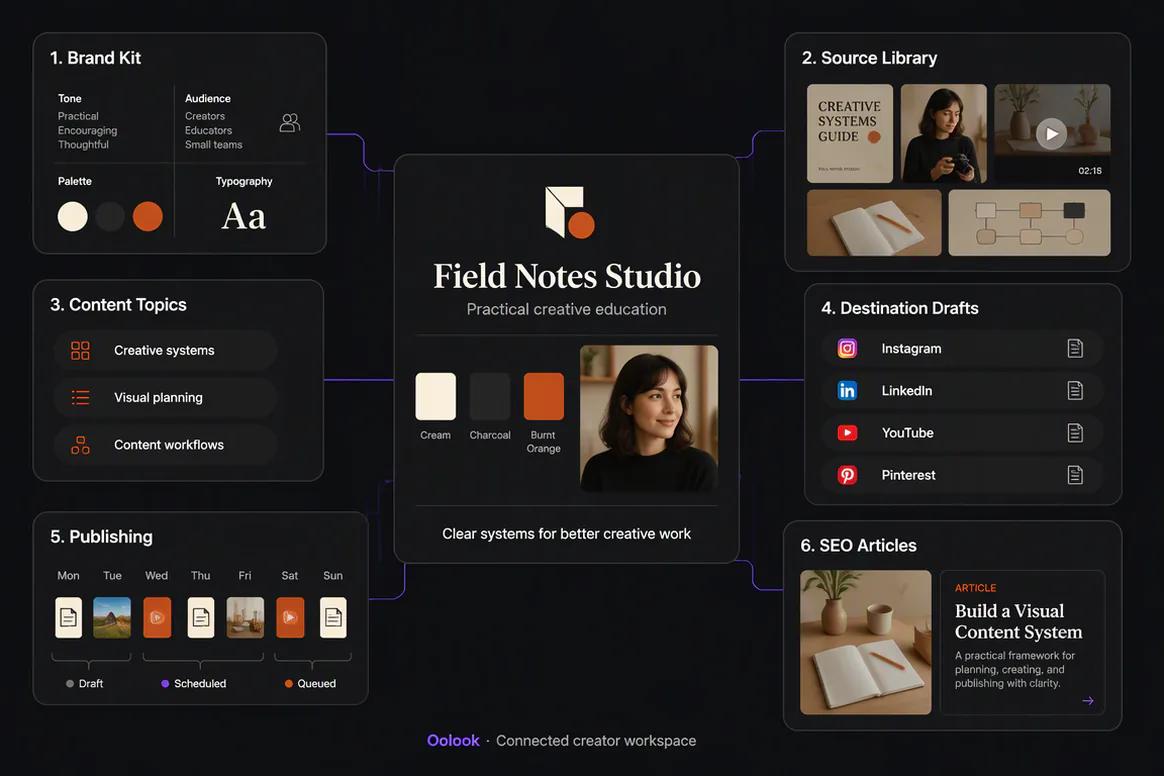
Content creator Brand Kit configured inside Oolook

Create multiple formats

Generate Captions, Images, and Coordinated Carousels

Turn a source idea into the visual and written assets required by the campaign while keeping every output connected to the same workspace.

  • Generate captions and editable variants
  • Create images using prompts and references
  • Build coordinated social carousels
  • Save approved outputs to the Media Library
Creator captions images and carousels generated with Oolook

Repurpose approved content

Adapt One Idea for Several Destinations

Prepare separate destination drafts instead of copying identical content across platforms without reviewing format, tone, media, or settings.

  • Repurpose approved articles and campaign ideas
  • Edit destination-specific captions independently
  • Reuse existing media before generating duplicates
  • Prepare eligible content for scheduling
Creator content adapted for several social destinations

Learn and continue

Use Available Results to Plan the Next Content Test

Review accessible profile and post information, identify observable patterns, and prepare follow-up content without assuming unsupported causes.

  • Review available profile and post metrics
  • Compare eligible published content
  • Prepare a grounded follow-up variation
  • Return the new draft to controlled publishing
Content creator reviewing available post performance in Oolook

Creator campaign examples

Turn One Approved Idea Into Several Useful Content Formats

Connect creator-brand context, source fidelity, visual production, destination drafts, and publishing without rebuilding the idea.

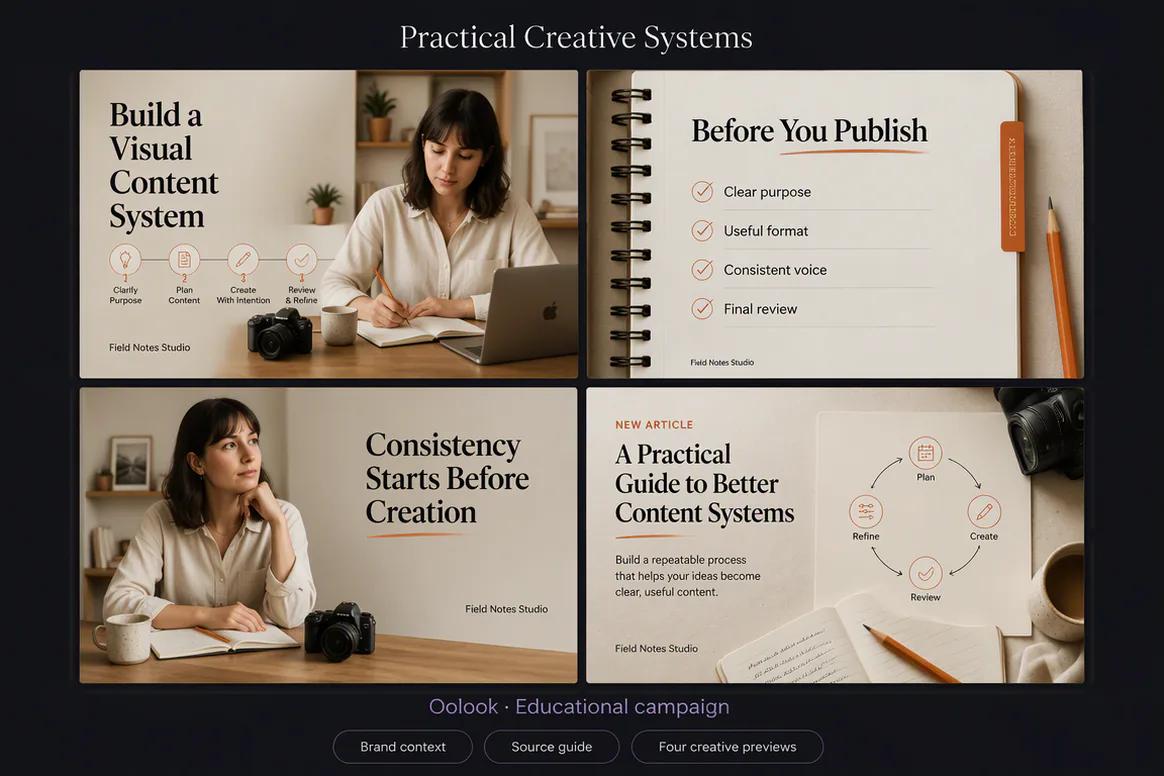
Oolook displaying an educational creator campaign

Educational Creator Campaign

Combine an educational carousel, visual checklist, creator viewpoint, and supporting article promotion.

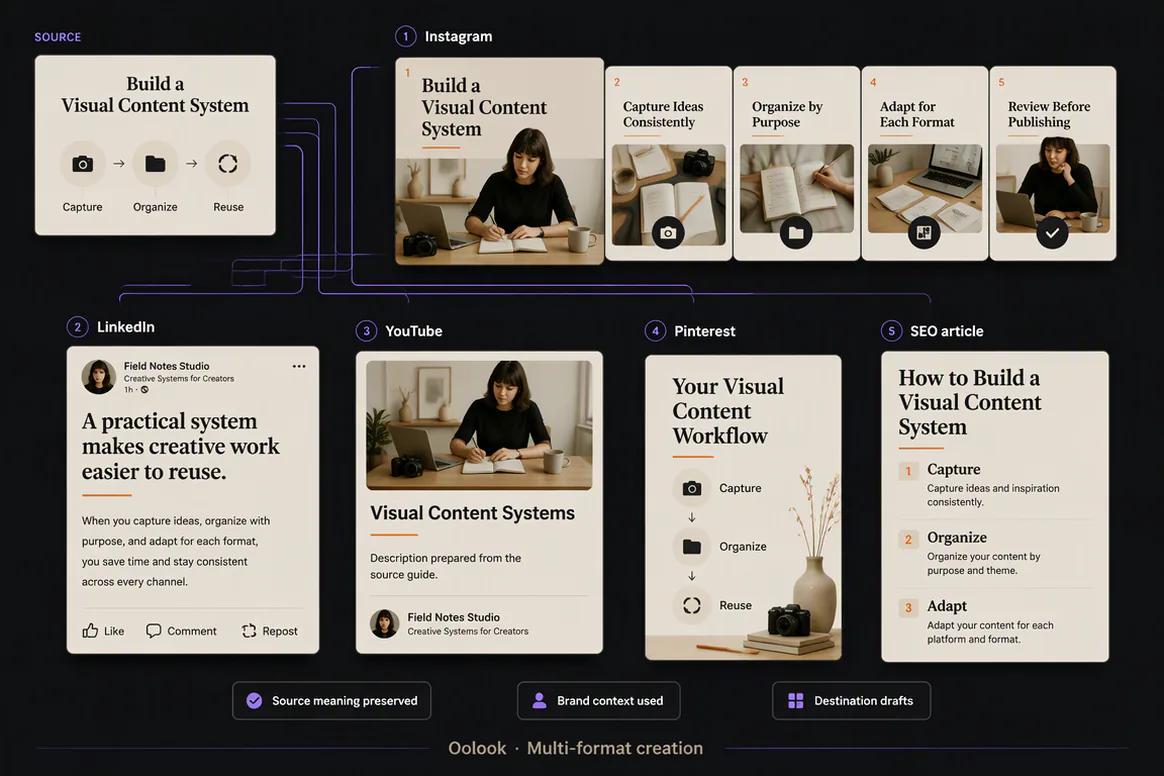
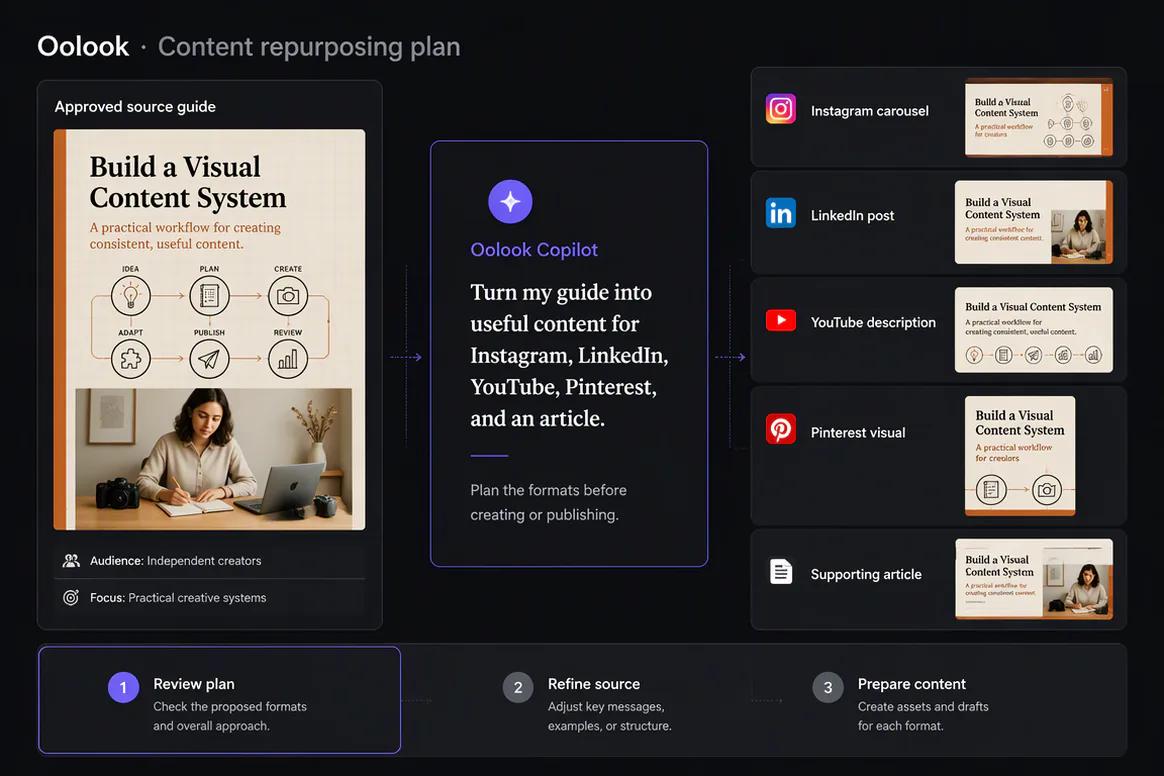
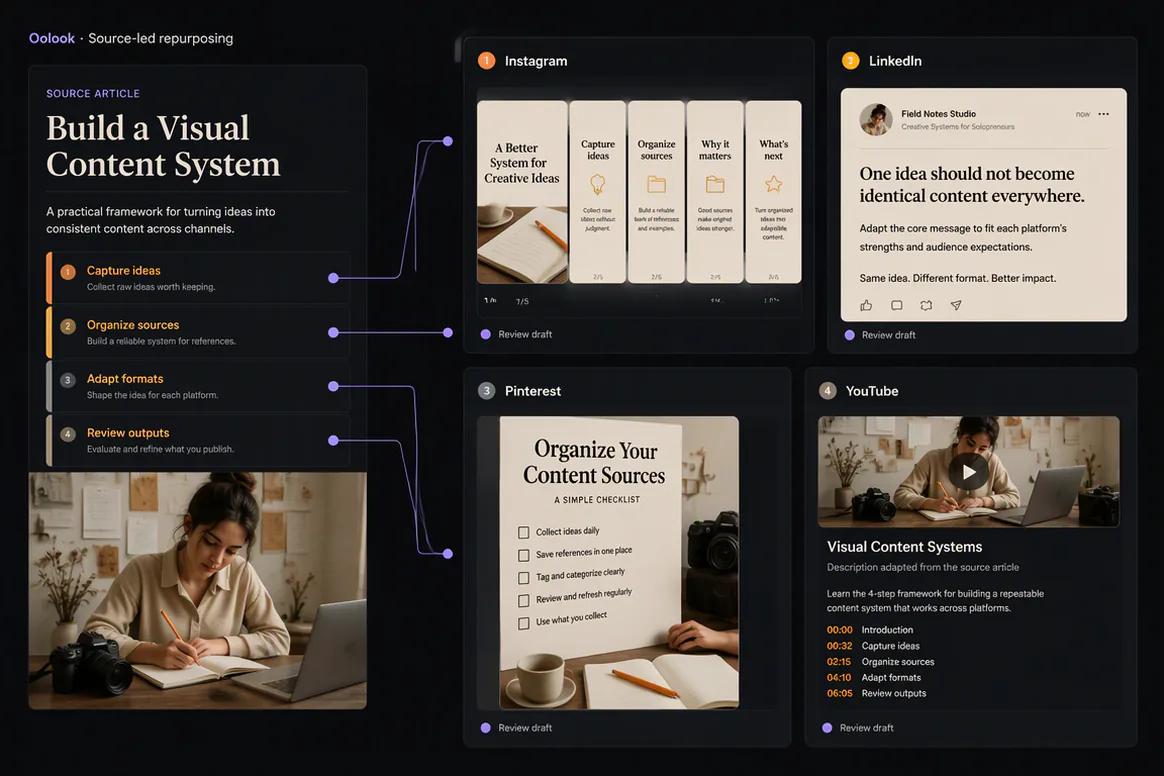
Oolook displaying an article repurposed into several creator formats

Article Repurposing

Adapt one approved source into Instagram, LinkedIn, Pinterest, and YouTube supporting content.

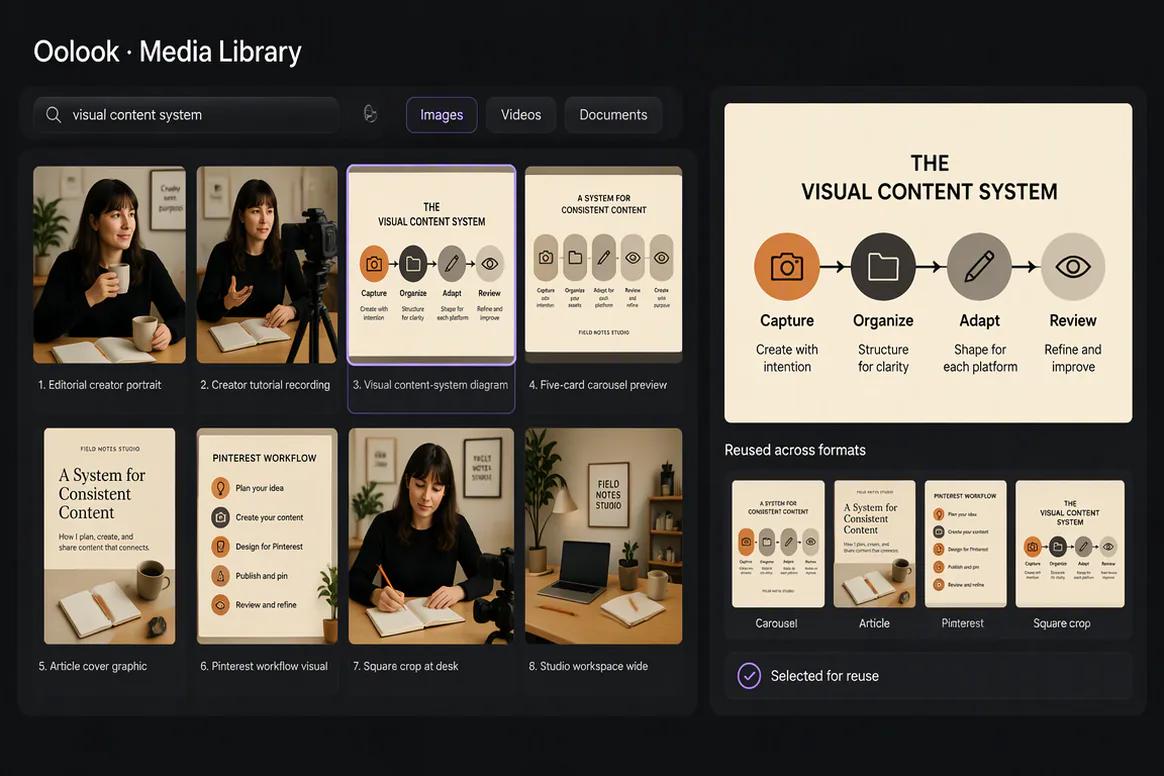
Oolook displaying a creator Media Library

Creator Asset Library

Organize approved photography, video, generated visuals, carousel cards, and article graphics.

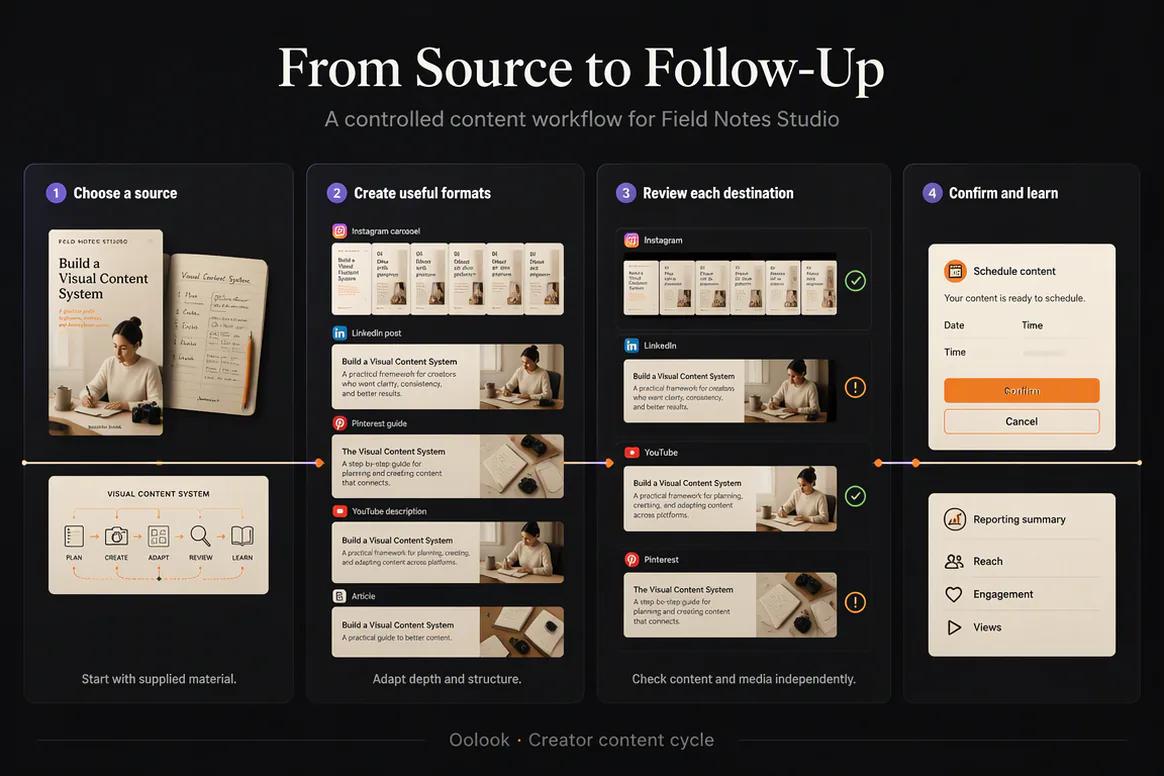
Oolook displaying a complete creator content cycle

Creator Content Cycle

Select the source, create useful formats, review each destination, and use available reporting for follow-up.

Oolook Copilot in action

How Oolook Copilot Supports Content Creators

Move from an approved idea into several reviewable content formats.

01

Provide the source idea

Start with a topic, article, campaign brief, product update, reference, or approved piece of media.

02

Apply creator context

Use available audience, voice, visual direction, topics, and calls to action.

03

Prepare the formats

Create captions, images, carousels, media variations, and destination-specific drafts.

04

Review and confirm

Check quality, accuracy, brand alignment, destination settings, and timing before execution.

Built for Content Creators

Create Content for Different Creator Workflows

Available models, formats, references, social destinations, credit costs, and publishing behavior depend on current Oolook availability.

Caption variants

Prepare editable copy using supported brand, source, campaign, and destination context.

Marketing images

Generate visual assets using prompts, references, models, and supported output controls.

Social carousels

Turn a topic or approved source into a coordinated multi-card narrative.

Repurposed content

Adapt approved ideas and assets into several destination-specific drafts.

Practical marketing jobs

Use Oolook for Recurring Creator Work

Connect each format to a clear source idea, audience, and publishing objective.

Repurpose an approved article

Create an educational carousel

Prepare a visual content series

Generate supporting campaign images

Schedule a week of social content

Prepare follow-up content from available results

One connected workspace

Everything Connected to the Creator Workflow

Keep voice, visual direction, source material, generated assets, drafts, publishing records, and available reporting together.

Brand Kit

Use available audience, positioning, writing preferences, visual direction, topics, and calls to action.

Oolook Copilot

Inspect available workspace information and prepare supported marketing actions for review.

Creative applications

Generate captions, images, coordinated carousels, moodboards, and other supported marketing assets.

Media Library

Find, organize, process, and reuse uploaded and generated assets inside the selected brand.

Controlled publishing

Prepare drafts, validate supported requirements, schedule content, and monitor publication states.

Available reporting

Review accessible profile and post information from supported connected networks.

Why Oolook

Replace Disconnected Marketing Handoffs for Content Creators

Oolook connects brand context, creative production, reusable media, publishing, available reporting, and SEO content inside one operating environment.

Workflow
Disconnected tools
Oolook
Brand context
Instructions are repeated across writing and creative tools
Available Brand Kit information remains connected
Creative
Copy, images, and carousels are prepared separately
Creative outputs remain associated with the campaign
Media
Approved assets are scattered across folders
Media remains organized inside the brand workspace
Publishing
Approved content moves into another scheduler
Drafts continue into controlled publishing
Follow-up
Reports are separated from future content work
Available reporting can inform the next action

Step-by-step guide

How Content Creators Can Use Oolook

Follow a controlled workflow from workspace setup to content production, publication, and review.

  1. 1

    Select the correct brand workspace

    Keep Brand Kit information, media, profiles, drafts, schedules, reports, and SEO content associated with the correct brand.

  2. 2

    Configure the available brand context

    Add identity, audience, positioning, writing preferences, visual direction, topics, and calls to action.

  3. 3

    Define the marketing objective

    State the campaign, audience, offer, destinations, publishing period, and approved source material.

  4. 4

    Prepare the content and creative

    Use Copilot, focused applications, and existing Media Library assets to create the required work.

  5. 5

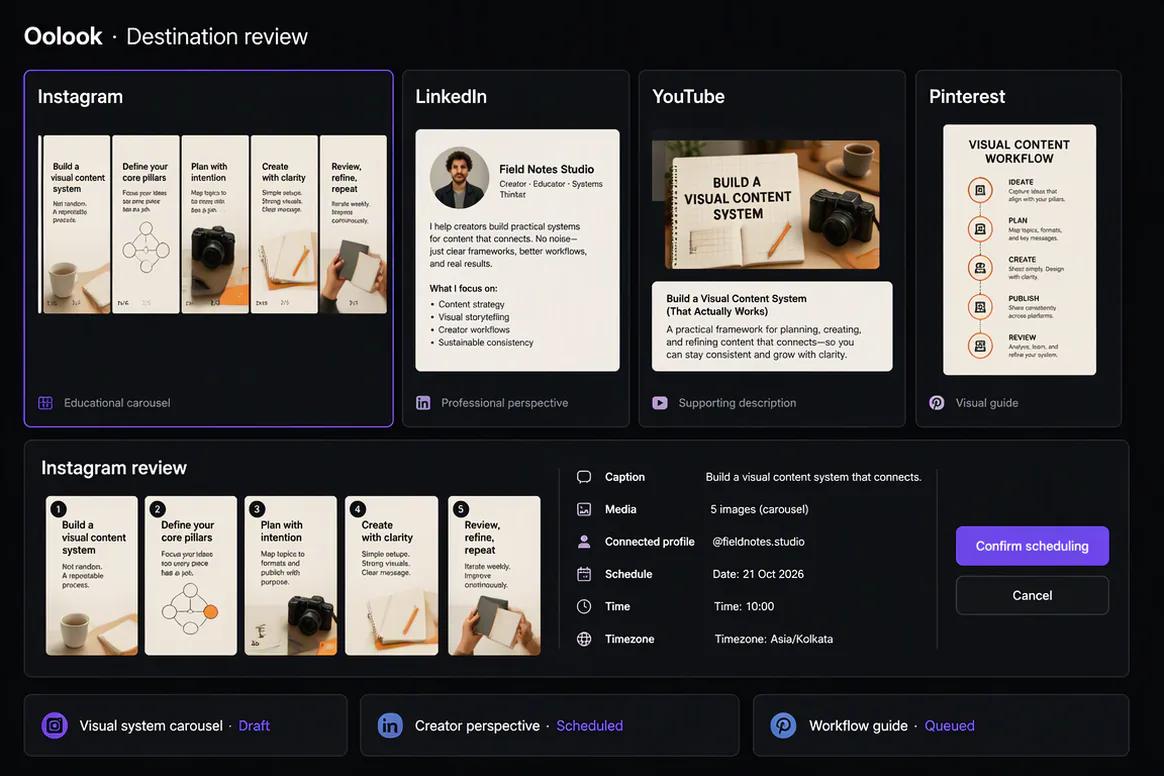
    Review every destination

    Check the copy, media, profile, date, time, timezone, and supported platform-specific settings.

  6. 6

    Confirm supported actions

    Approve publishing or other workspace changes only after reviewing the complete action.

  7. 7

    Review available results

    Use accessible profile and post information to prepare the next grounded content action.

Frequently asked questions

Your Content Creators Questions, Answered

What is an AI marketing tool for content creators?+

It is software that helps creators prepare copy, visual assets, media variations, destination drafts, publishing actions, or performance follow-up with AI assistance.

Can Oolook learn my creator brand?+

Oolook's Brand Kit stores structured audience, positioning, writing, visual, topic, and call-to-action information that can guide supported workflows.

Can Oolook create social media images?+

Yes. Oolook supports credit-based image generation using currently available models, references, aspect ratios, and output controls.

Can Oolook generate carousels?+

Yes. Oolook supports coordinated carousel-card generation using topics, references, websites, platforms, and Brand Kit context.

Can I repurpose existing content?+

Yes. Approved articles, campaign ideas, and Media Library assets can be adapted into supported social content workflows.

Can I schedule creator content?+

Oolook supports drafts, scheduling, validation, queue states, retries, and publication-status monitoring where currently supported.

Does generation use AI credits?+

Supported AI operations use credits. Exact costs depend on the current application, model, settings, and pricing configuration.

Does Copilot publish without confirmation?+

No. Supported workspace changes are presented for confirmation before execution.

Start with Oolook

Turn Your Next Idea Into a Connected Content Workflow

Bring your creator Brand Kit, Copilot, images, carousels, reusable media, controlled publishing, and available reporting together.