Oolook for Marketing Agencies

Run Multi-Brand Marketing Work Without Mixing Client Context

Keep each client's Brand Kit, creative assets, social profiles, drafts, publishing records, reports, SEO content, and Copilot activity inside a separate workspace.

Oolook Copilot

Brand-aware content preparation

Working in: Alder & Form
Ask anything
Brand details shown here are fictional. Actual output uses available information from the selected Brand Kit.
Prepare a client campaignFind approved client assetsReview scheduled client content

Supported actions are prepared for review and confirmation. Publishing capabilities and formats depend on current Oolook availability and the destination network.

AI marketing platform for agencies

Move Client Work From Brief to Execution in One Workspace

Use Oolook to organize separate client brands, prepare content and creative, adapt destinations, monitor publishing, review available results, and continue into SEO content.

Separate every client

Keep Client Brands, Assets, Profiles, and Reports Apart

Create a dedicated workspace for each client so instructions, creative assets, connected profiles, content, publishing records, and reports remain correctly scoped.

  • Maintain a separate Brand Kit for each client
  • Keep profiles and publishing records with the correct brand
  • Organize uploaded and generated assets by client
  • Reduce accidental mixing of brand context and media
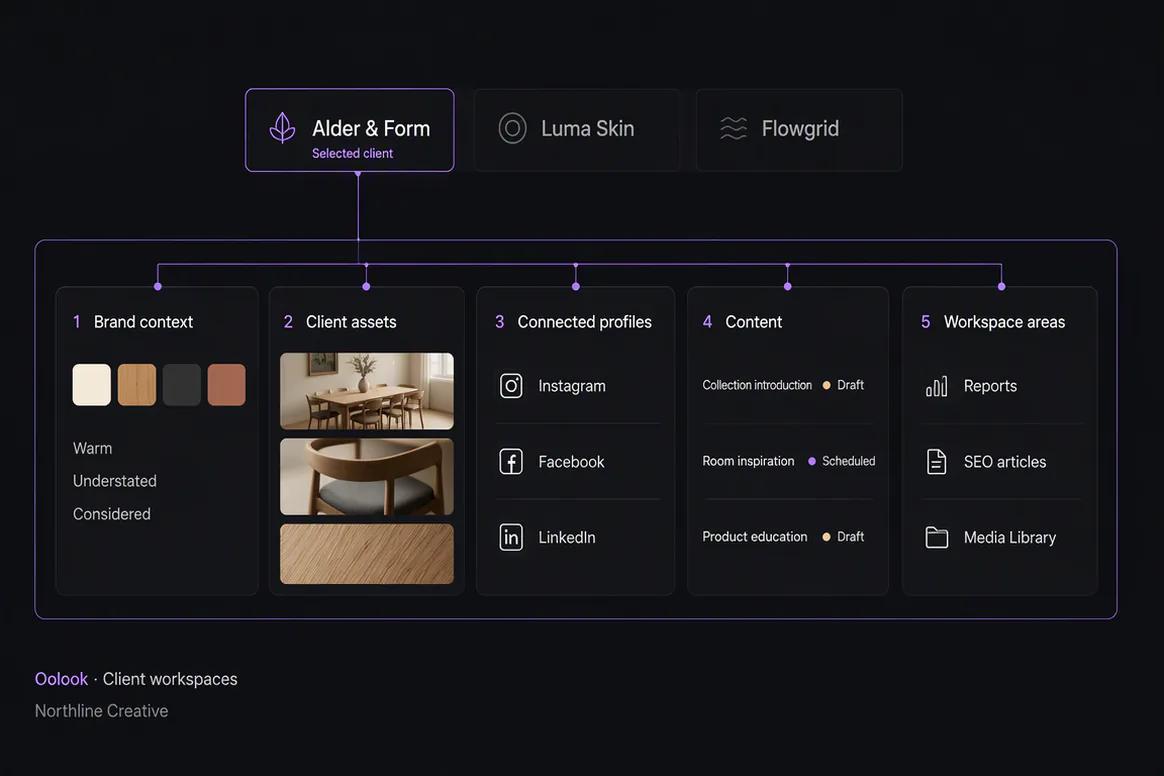
Separate client marketing workspaces organized inside Oolook

Prepare client campaigns

Turn the Approved Brief Into Copy and Creative

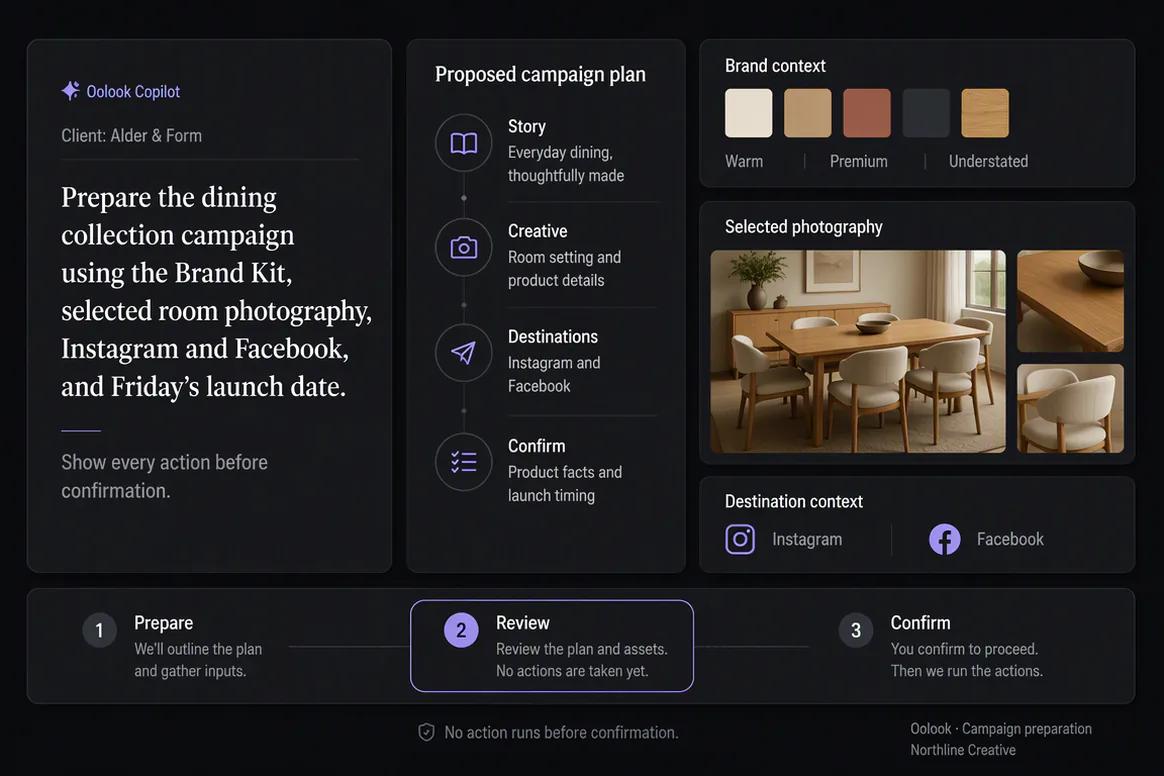
Use available client context to prepare captions, images, coordinated carousels, and destination-specific drafts without rebuilding the brief across several tools.

  • Use the client's available Brand Kit information
  • Generate captions and editable destination variants
  • Create images and coordinated carousels
  • Reuse approved assets from the client Media Library
Client campaign copy and creative assets prepared with Oolook

Keep execution reviewable

Inspect Every Client Publishing Action Before It Runs

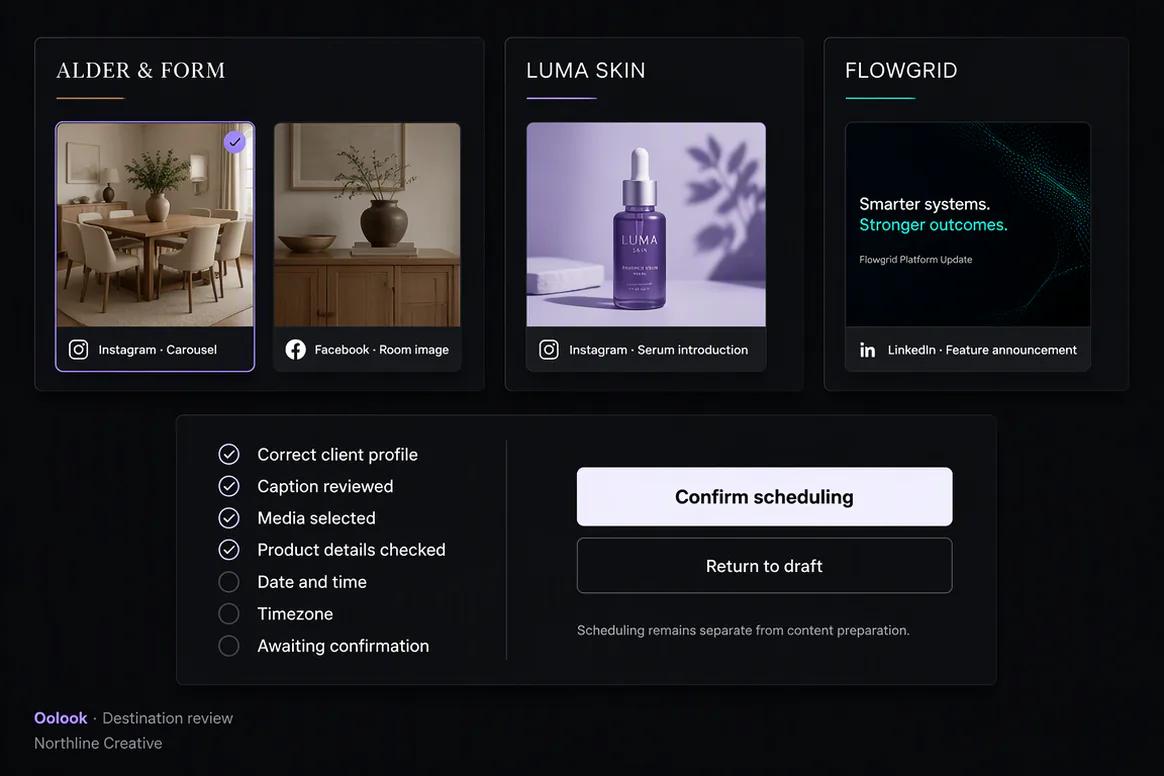
Review the selected workspace, destination, caption, media, date, time, timezone, and supported settings before confirming a change.

  • Keep client content editable as drafts
  • Review separate destination versions
  • Validate supported publishing requirements
  • Confirm only approved client actions
Client social publishing actions prepared for agency review

Report and continue

Connect Available Results to the Next Client Action

Review accessible profile and post information, separate evidence from assumptions, and prepare follow-up content using the same client context.

  • Review available profile and post metrics
  • Compare eligible published content
  • Prepare grounded follow-up content
  • Continue into supported SEO article workflows
Agency reviewing client social performance and preparing follow-up content

Agency campaign examples

Keep Client Delivery Connected Without Mixing Brand Context

Move from the selected client workspace into approved campaign deliverables, multi-client oversight, separated assets, and controlled execution.

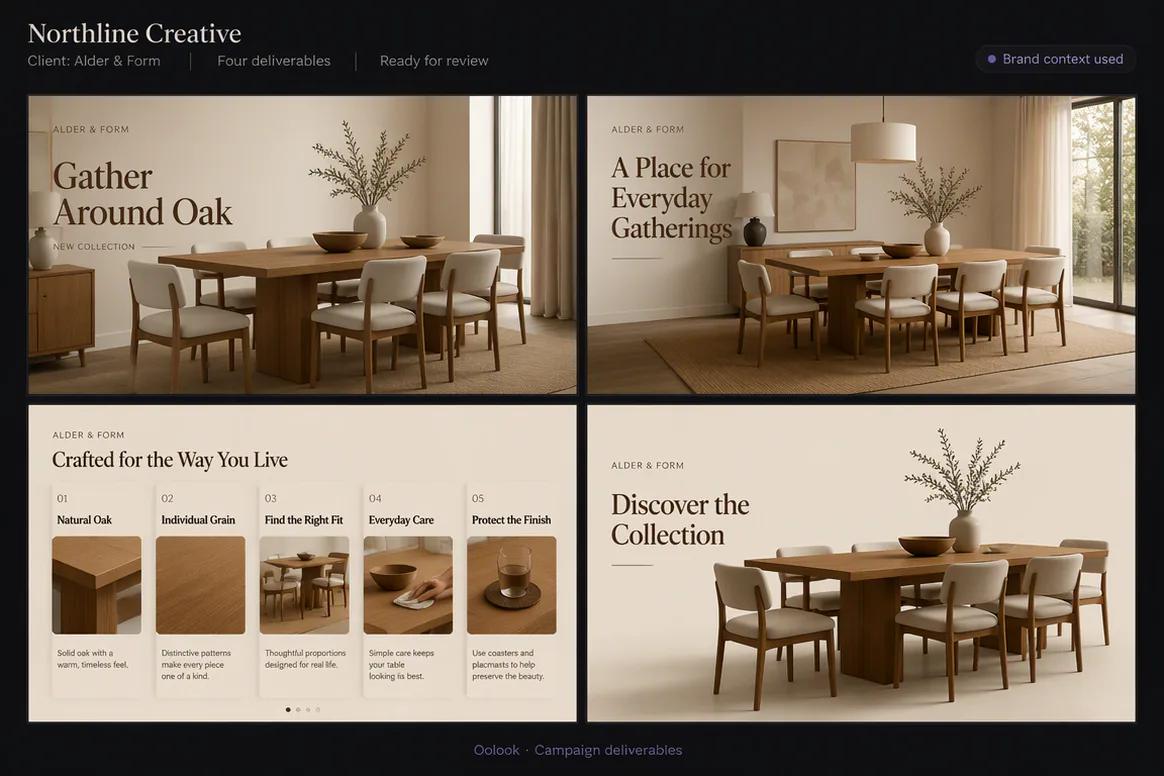
Oolook displaying a completed agency client campaign

Client Campaign Delivery

Prepare a coordinated set of client deliverables using the correct Brand Kit, assets, profiles, and campaign context.

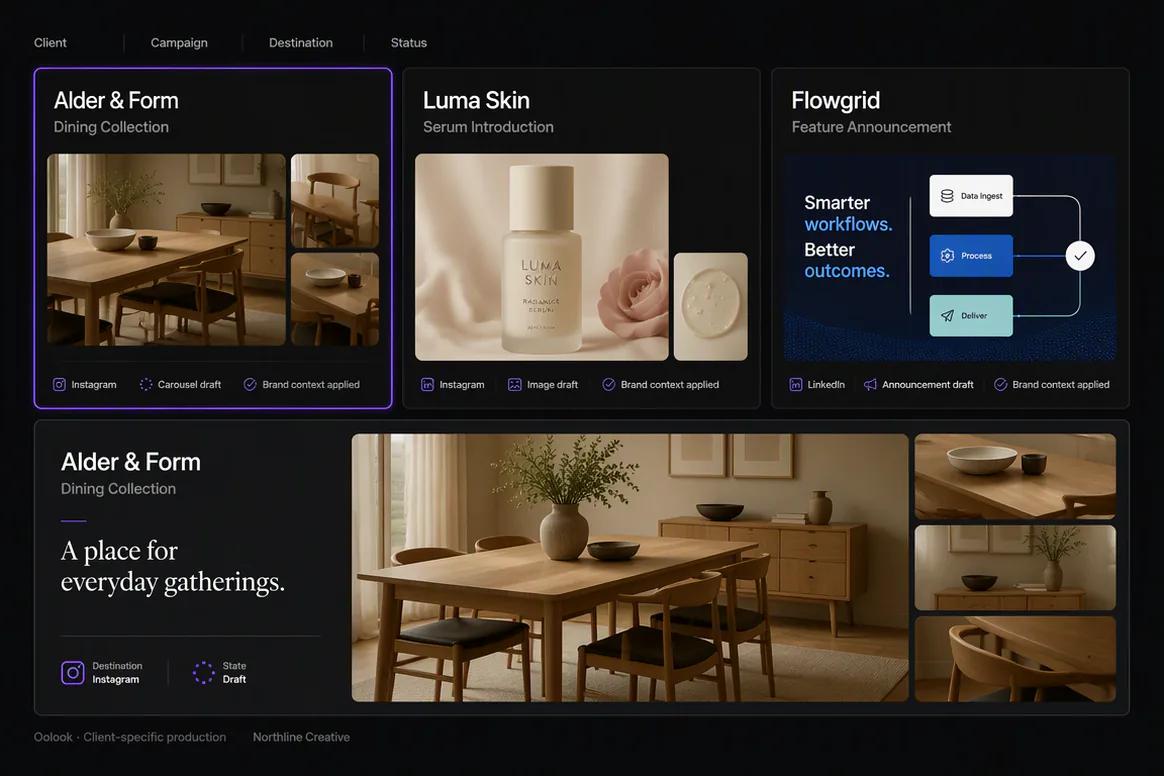
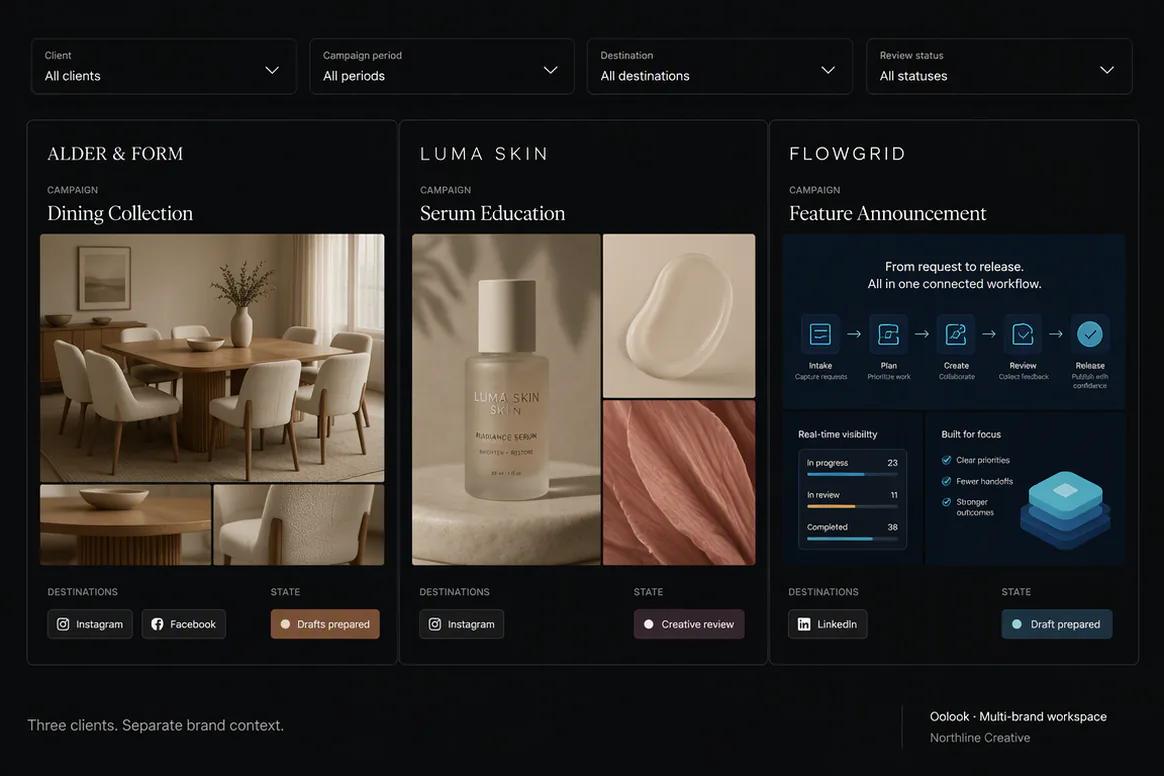
Oolook displaying several separate client campaigns

Multi-Client Overview

Review campaigns for several clients while keeping every workspace and its records clearly separated.

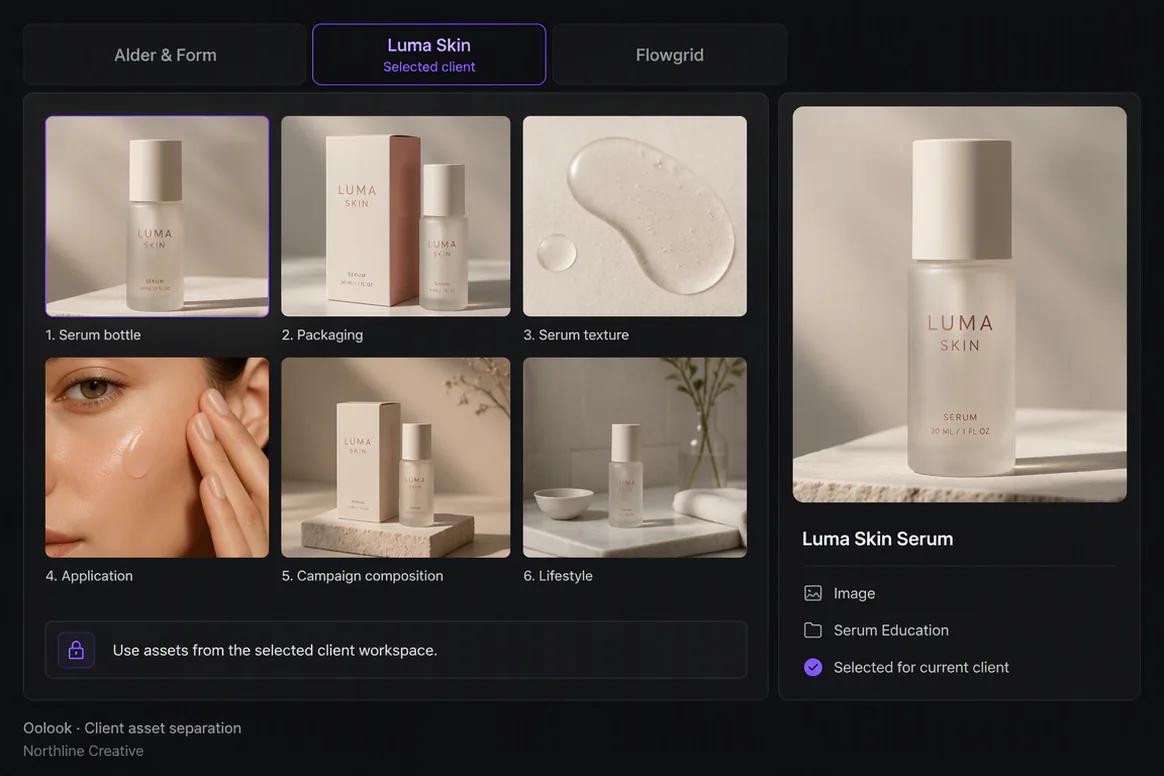
Oolook displaying separate client asset collections

Client Asset Separation

Keep approved uploaded, generated, and processed assets associated with the correct client workspace.

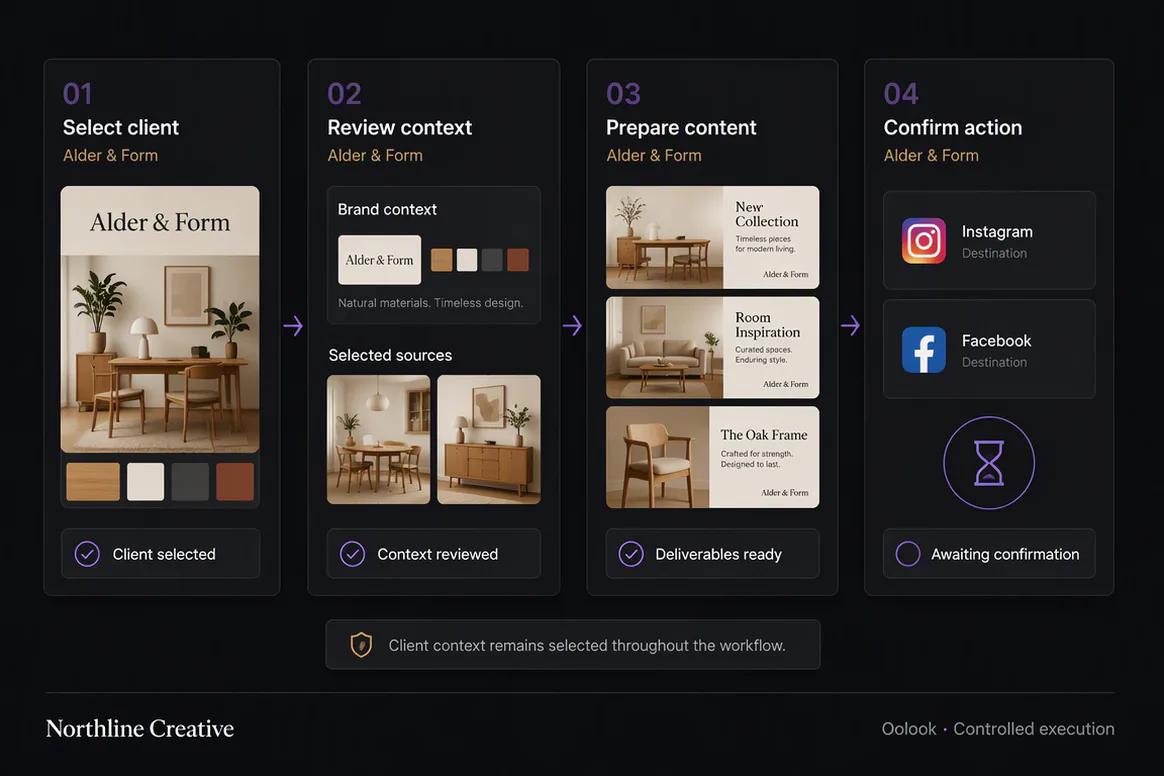
Oolook displaying a controlled agency execution workflow

Agency Execution Workflow

Select the client, review its context, prepare deliverables, and confirm only the intended publishing actions.

Oolook Copilot in action

How Oolook Copilot Supports Client Delivery

Keep every request scoped to the selected client workspace and every supported change visible before execution.

01

Select the client

Open the correct workspace before asking Copilot to inspect information or prepare content.

02

Provide the brief

State the objective, audience, offer, destinations, timing, approved sources, and client constraints.

03

Prepare the deliverables

Create the captions, creative assets, destination drafts, or SEO content required by the engagement.

04

Review and confirm

Inspect client accuracy, brand alignment, destinations, media, settings, and timing before execution.

Built for Marketing Agencies

Support the Work Agencies Deliver Repeatedly

Seats, workspaces, profiles, posts, storage, reports, AI credits, and permissions depend on the selected Oolook plan.

Client campaigns

Prepare coordinated social content around an approved client brief.

Creative production

Generate and process client images, carousels, and supporting media.

Social publishing

Prepare, validate, schedule, and monitor supported destination actions.

SEO content

Research, generate, evaluate, edit, and manage client article workflows.

Practical marketing jobs

Use Oolook for Recurring Agency Work

Keep each deliverable connected to the client context and the records required to execute it.

Onboard a new client brand

Prepare a multi-platform client campaign

Find and reuse approved client assets

Review next week's scheduled deliverables

Identify publishing actions requiring attention

Create and improve client SEO articles

One connected workspace

Everything Connected Inside Each Client Workspace

Oolook organizes the brand guidance, creative assets, profiles, publishing records, reports, and SEO work required for client execution.

Brand Kit

Use available audience, positioning, writing preferences, visual direction, and calls to action.

Oolook Copilot

Inspect available workspace information and prepare supported marketing actions for review.

Creative applications

Generate captions, images, coordinated carousels, moodboards, and other supported assets.

Media Library

Find, organize, process, and reuse uploaded and generated assets inside the selected brand.

Controlled publishing

Prepare drafts, validate supported requirements, schedule content, and monitor publication states.

Available reporting

Review accessible profile and post information from supported connected networks.

Why Oolook

Replace Disconnected Marketing Handoffs for Agencies

Oolook connects brand context, content production, reusable media, publishing, reporting, and SEO work inside the same operating environment.

Workflow
Disconnected tools
Oolook
Brand context
Re-entered in every writing and creative tool
Reused from the selected Brand Kit
Creative
Copy and visuals are prepared separately
Captions, images, and carousels stay connected
Media
Assets are scattered across folders and downloads
Approved media remains organized by brand
Publishing
Final content moves into another scheduler
Drafts continue into controlled publishing
Follow-up
Reports are separated from the next content action
Available reporting stays connected to execution

Step-by-step guide

How Marketing Agencies Can Use Oolook

Follow a controlled workflow from brand setup to content production, publication, and review.

  1. 1

    Create or select the brand workspace

    Keep Brand Kit information, media, profiles, drafts, schedules, reports, and SEO content associated with the correct brand.

  2. 2

    Configure the available brand context

    Add identity, audience, positioning, writing preferences, visual direction, topics, and calls to action.

  3. 3

    Define the marketing objective

    State the campaign, audience, offer, destinations, publishing period, and required source material.

  4. 4

    Prepare the content and creative

    Use Copilot, focused applications, and existing Media Library assets to create the required work.

  5. 5

    Review each destination

    Check the copy, media, profile, date, time, timezone, and supported platform-specific settings.

  6. 6

    Confirm supported actions

    Approve publishing or other workspace changes only after the complete action has been reviewed.

  7. 7

    Review available results

    Use accessible profile and post information to prepare the next grounded content action.

Frequently asked questions

Your Marketing Agencies Questions, Answered

What is an AI marketing platform for agencies?+

It is a workspace that helps agencies organize client context and prepare marketing content, creative assets, publishing actions, reports, or SEO content with AI assistance.

Can Oolook manage multiple client brands?+

Yes. Oolook uses separate brand workspaces. Current workspace, profile, storage, post, report, seat, and AI-credit allowances depend on the selected plan.

Can each client have a separate Brand Kit?+

Yes. Each brand workspace can maintain its own structured Brand Kit information.

Can agencies organize client media separately?+

Yes. The Media Library keeps uploaded, generated, and processed assets associated with the selected brand workspace.

Can Oolook create client social content?+

Oolook supports captions, images, coordinated carousels, moodboards, media processing, drafts, and destination-specific publishing workflows.

Can agencies create SEO articles with Oolook?+

Yes. Oolook supports article research, generation, evaluation, editing, reevaluation, optimization, and management.

Does Copilot execute client actions without approval?+

No. Supported workspace changes are presented for confirmation before execution.

Does Oolook include enterprise agency approvals?+

Seats, permissions, feedback, and Enterprise terms depend on the current plan. Complex enterprise approval depth should not be assumed without verification.

Start with Oolook

Connect Client Brand Context to Marketing Delivery

Organize each client workspace, prepare brand-aware creative, control publishing actions, review available results, and manage SEO content.