Oolook for Multi-Brand Marketing

Manage Multiple Brands Without Mixing Their Marketing Context

Keep every Brand Kit, Media Library, social profile, draft, publishing record, report, SEO project, and Copilot interaction associated with the correct workspace.

Oolook Copilot

Brand-aware content preparation

Working in: Alder & Form
Ask anything
Brand details shown here are fictional. Actual output uses available information from the selected Brand Kit.
Switch to the correct brandFind brand-specific assetsReview scheduled brand content

Supported actions are prepared for review and confirmation. Publishing capabilities and formats depend on current Oolook availability and the destination network.

Multi-brand marketing management

Build a Separate Marketing Operating Context for Every Brand

Use individual workspaces to reduce accidental mixing of brand guidance, creative assets, connected profiles, social content, reports, and SEO work.

Separate the workspaces

Keep Every Brand's Context and Records Isolated

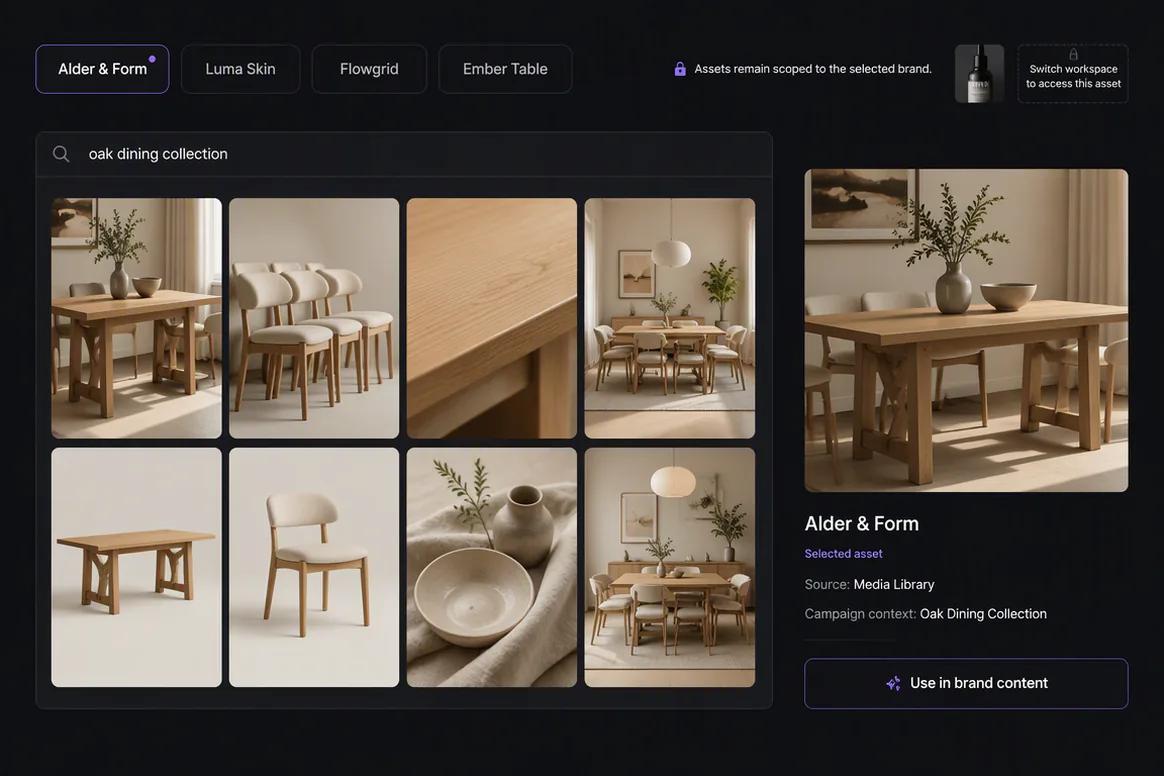
Organize each brand inside a dedicated workspace containing its available Brand Kit information, media, profiles, drafts, publishing records, reports, and SEO content.

  • Maintain a separate Brand Kit for each brand
  • Associate social profiles with the correct workspace
  • Keep drafts and publishing records brand-scoped
  • Reduce cross-brand context and asset mistakes
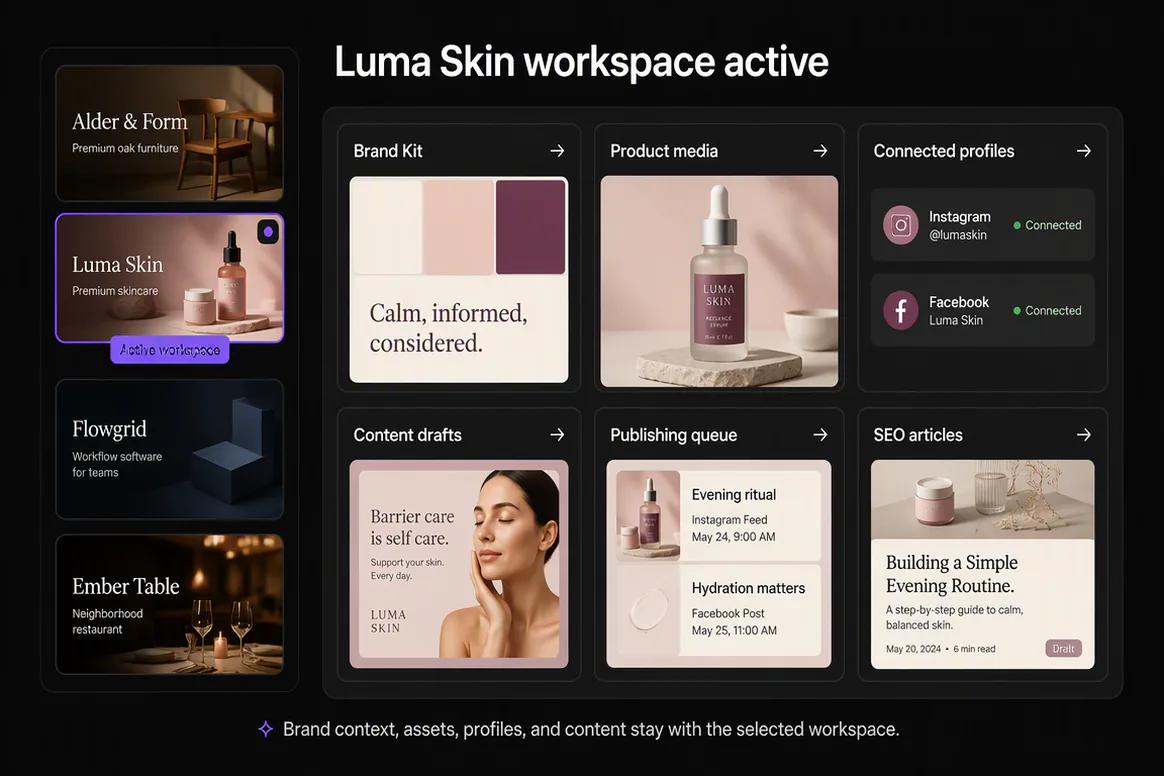
Several brand-specific marketing workspaces organized in Oolook

Preserve brand differences

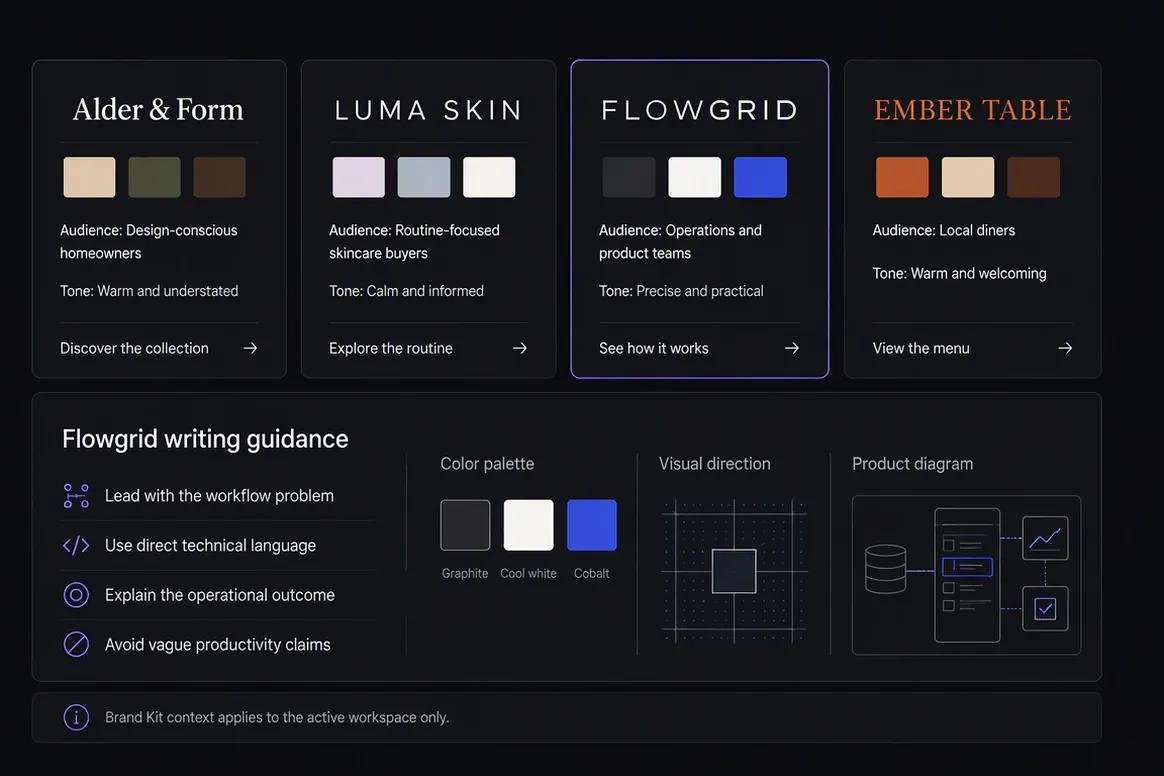
Give Each Brand Its Own Writing and Visual Direction

Keep audience, positioning, tone, writing preferences, colors, visual references, topics, and calls to action distinct.

  • Store different audiences and positioning
  • Maintain separate writing preferences
  • Use brand-specific visual references
  • Review outputs against the selected brand
Distinct Brand Kits configured for multiple brands in Oolook

Control destination actions

Review the Workspace, Profile, Media, and Timing Together

Check that each publishing action uses the correct brand, connected profile, caption, asset, date, time, timezone, and supported settings.

  • Confirm the active brand workspace
  • Review the selected destination profile
  • Use only approved brand-specific media
  • Confirm supported actions before execution
Multi-brand social publishing action prepared for review

Keep follow-up scoped

Review Reports and Prepare Content for the Correct Brand

Use available profile and post information within the relevant workspace and prepare follow-up content without carrying assumptions into another brand.

  • Review available brand-specific reports
  • Compare eligible content within the right scope
  • Prepare grounded follow-up actions
  • Keep SEO projects associated with the correct brand
Brand-specific reports and follow-up content inside Oolook

Multi-brand examples

Operate Several Brands Without Mixing Their Marketing Records

Keep Brand Kits, assets, profiles, campaign drafts, publishing actions, reports, and SEO content separated by workspace.

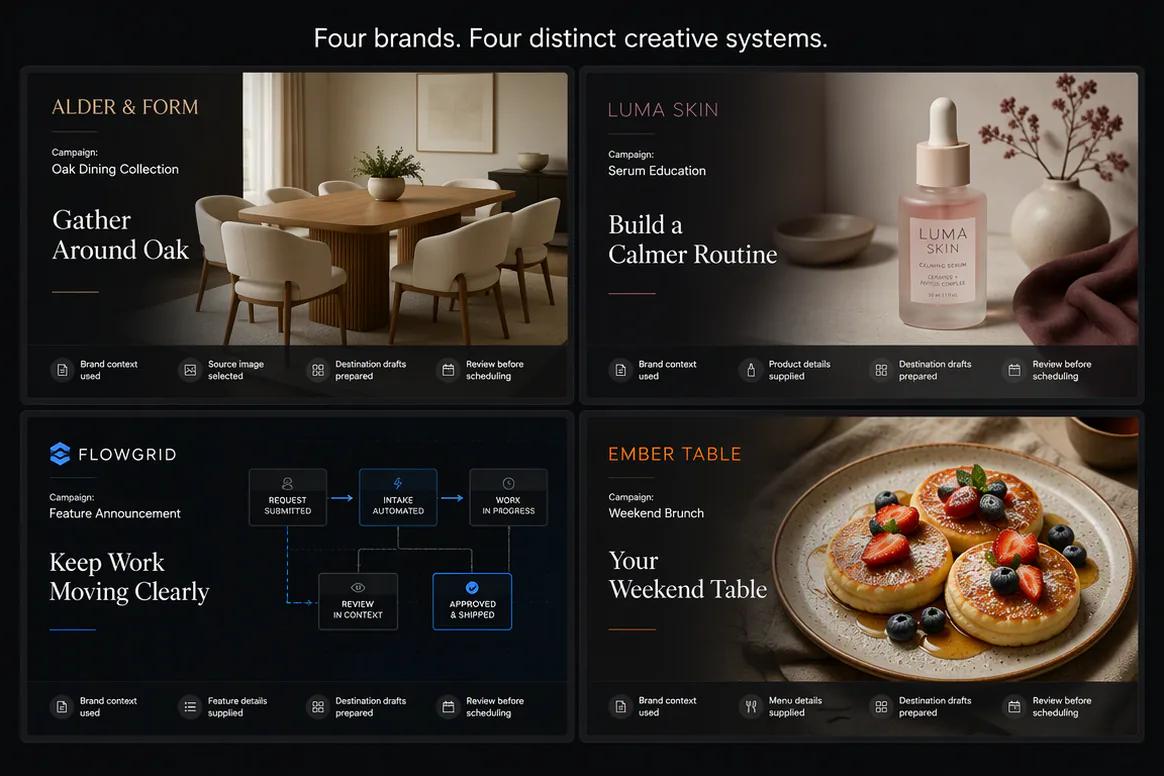
Oolook displaying campaigns for four separate brands

Four-Brand Campaign Board

Review distinct campaigns while preserving the correct products, brand guidance, assets, and destinations.

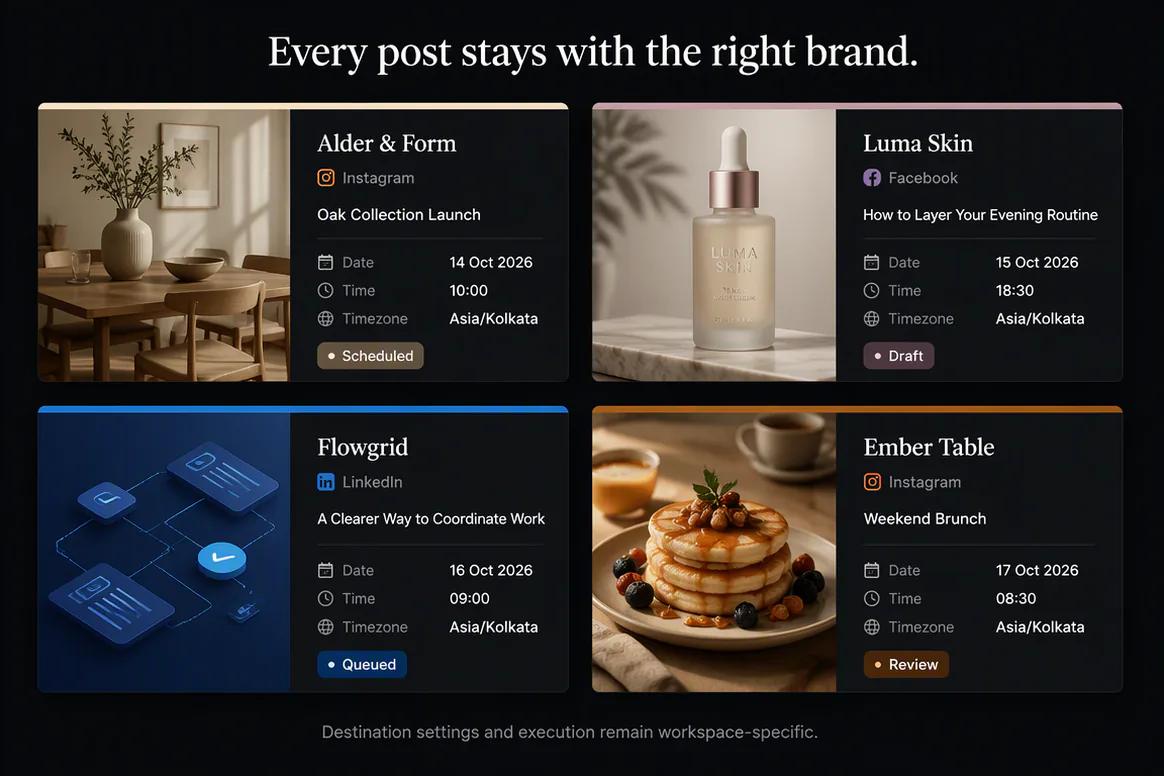
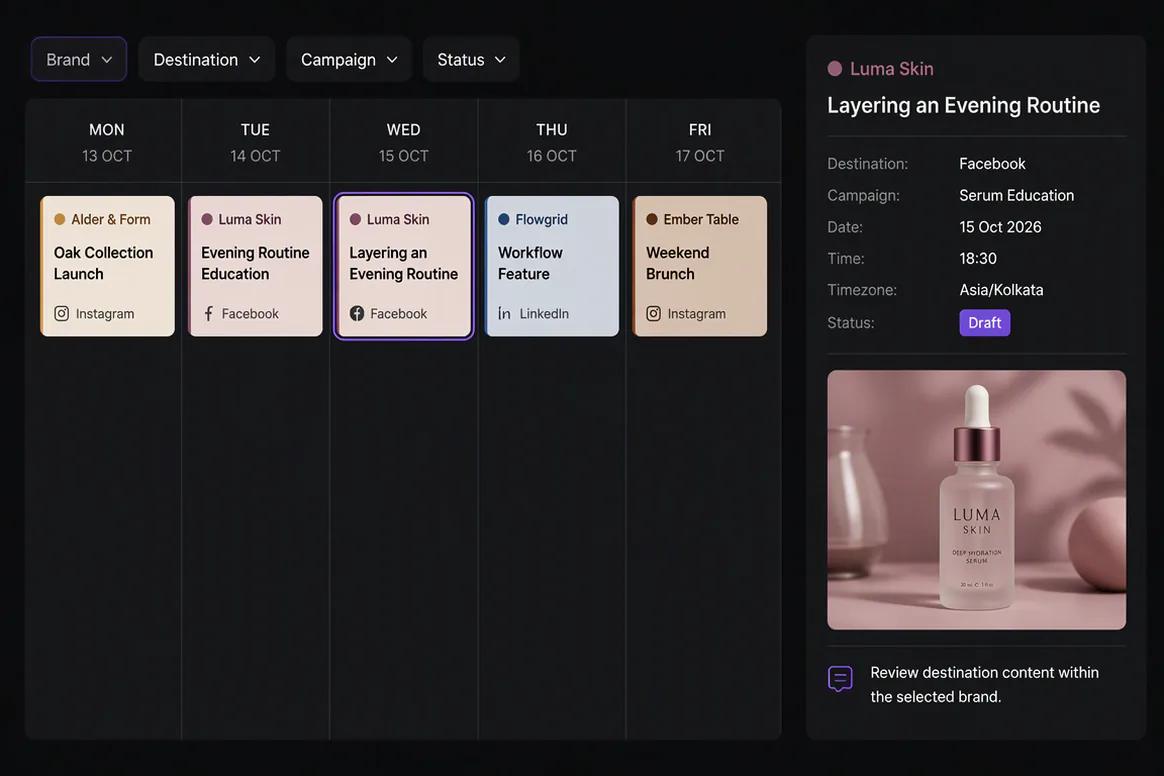
Oolook displaying a multi-brand content calendar

Multi-Brand Calendar

Plan content for several brands with clear labels, destinations, campaigns, times, and statuses.

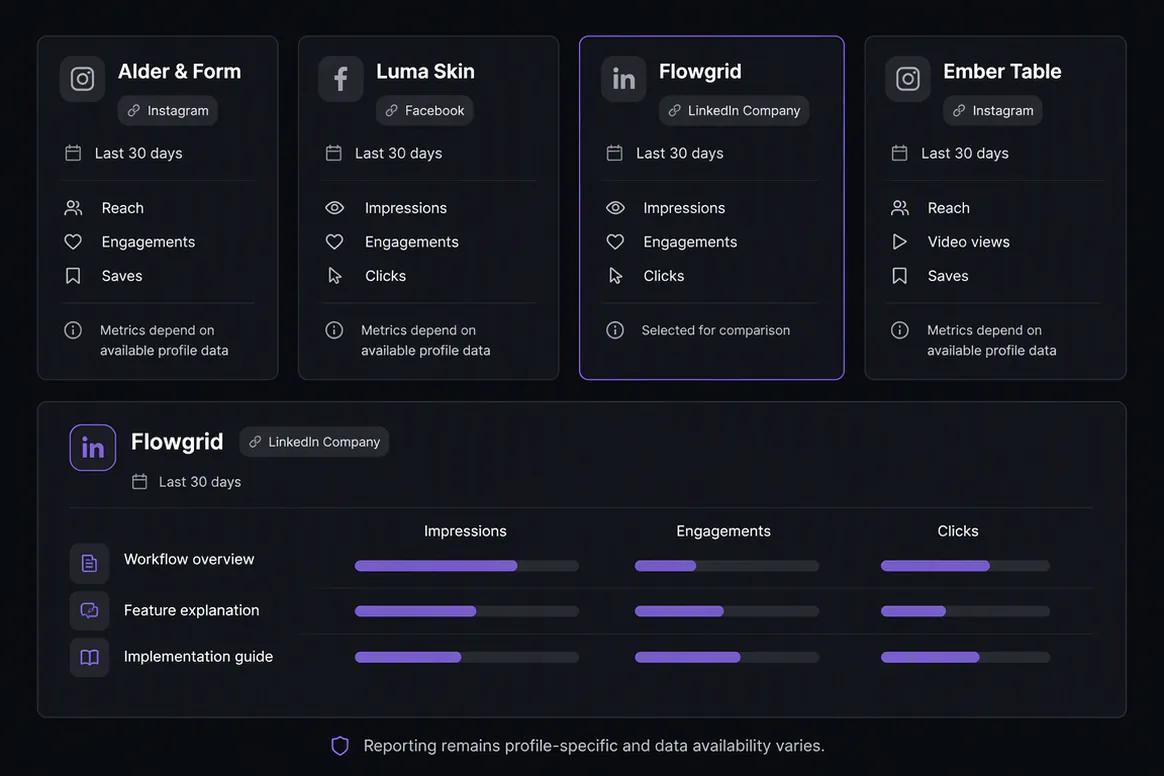
Oolook displaying separate reports for several brands

Brand-Specific Reporting

Keep available profile and post information scoped to the correct brand workspace.

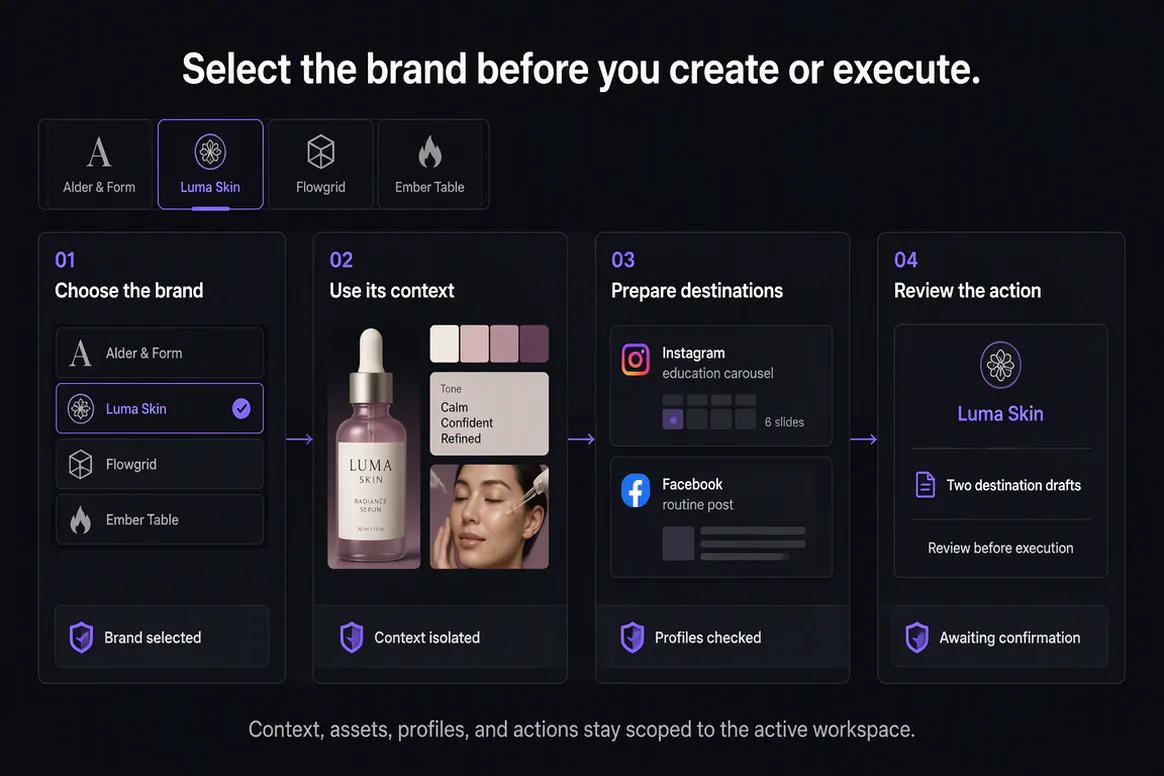
Oolook displaying a controlled multi-brand operating workflow

Multi-Brand Workflow

Select the brand, use its context, prepare its content, and confirm only its intended actions.

Oolook Copilot in action

How Oolook Copilot Supports Multi-Brand Marketing

Keep every request and supported action scoped to the selected brand workspace.

01

Select the brand

Open the correct workspace before asking Copilot to inspect information or prepare marketing work.

02

Inspect brand context

Use available Brand Kit, Media Library, profile, draft, schedule, report, and SEO information from that workspace.

03

Prepare the action

Create the required content, creative, publishing details, media operation, or SEO workflow.

04

Review and confirm

Verify the brand, records, assets, destinations, settings, and timing before execution.

Built for Multi-Brand Marketing

Keep Recurring Marketing Work Scoped by Brand

The number of workspaces, profiles, posts, reports, storage, seats, permissions, and AI credits depends on the selected Oolook plan.

Brand workspaces

Keep each brand's operating context and marketing records separated.

Brand-specific creative

Prepare captions, images, carousels, and processed media with the correct context.

Brand publishing

Review profiles, destination settings, schedules, and publication states by workspace.

Brand SEO content

Keep article research, generation, evaluation, and management associated with the correct brand.

Practical marketing jobs

Use Oolook for Recurring Multi-Brand Operations

Keep each task associated with the correct brand before content creation or execution begins.

Onboard a new brand workspace

Configure a separate Brand Kit

Organize brand-specific creative assets

Review upcoming content by brand

Identify publishing issues by workspace

Manage separate SEO article projects

One connected workspace

Everything Connected Inside Each Brand Workspace

Keep brand guidance, creative production, reusable media, publishing, available reporting, and SEO content correctly scoped.

Brand Kit

Use available audience, positioning, writing preferences, visual direction, topics, and calls to action.

Oolook Copilot

Inspect available workspace information and prepare supported marketing actions for review.

Creative applications

Generate captions, images, coordinated carousels, moodboards, and other supported marketing assets.

Media Library

Find, organize, process, and reuse uploaded and generated assets inside the selected brand.

Controlled publishing

Prepare drafts, validate supported requirements, schedule content, and monitor publication states.

Available reporting

Review accessible profile and post information from supported connected networks.

Why Oolook

Replace Disconnected Marketing Handoffs for Multi-Brand Operators

Oolook connects brand context, creative production, reusable media, publishing, available reporting, and SEO content inside one operating environment.

Workflow
Disconnected tools
Oolook
Brand context
Instructions are repeated across writing and creative tools
Available Brand Kit information remains connected
Creative
Copy, images, and carousels are prepared separately
Creative outputs remain associated with the campaign
Media
Approved assets are scattered across folders
Media remains organized inside the brand workspace
Publishing
Approved content moves into another scheduler
Drafts continue into controlled publishing
Follow-up
Reports are separated from future content work
Available reporting can inform the next action

Step-by-step guide

How Multi-Brand Operators Can Use Oolook

Follow a controlled workflow from workspace setup to content production, publication, and review.

  1. 1

    Select the correct brand workspace

    Keep Brand Kit information, media, profiles, drafts, schedules, reports, and SEO content associated with the correct brand.

  2. 2

    Configure the available brand context

    Add identity, audience, positioning, writing preferences, visual direction, topics, and calls to action.

  3. 3

    Define the marketing objective

    State the campaign, audience, offer, destinations, publishing period, and approved source material.

  4. 4

    Prepare the content and creative

    Use Copilot, focused applications, and existing Media Library assets to create the required work.

  5. 5

    Review every destination

    Check the copy, media, profile, date, time, timezone, and supported platform-specific settings.

  6. 6

    Confirm supported actions

    Approve publishing or other workspace changes only after reviewing the complete action.

  7. 7

    Review available results

    Use accessible profile and post information to prepare the next grounded content action.

Frequently asked questions

Your Multi-Brand Marketing Questions, Answered

What is multi-brand marketing software?+

Multi-brand marketing software helps organize marketing context, assets, profiles, content, publishing, and reporting across more than one brand.

How does Oolook organize multiple brands?+

Oolook uses separate brand workspaces. Each workspace can maintain its own Brand Kit, Media Library, profiles, drafts, publishing records, reports, SEO content, and AI activity.

Can every brand have a separate Brand Kit?+

Yes. Structured Brand Kit information remains associated with the selected brand workspace.

Can every brand have a separate Media Library?+

Yes. Uploaded, generated, and processed assets remain associated with the selected brand workspace.

Can I connect different social profiles by brand?+

Connected profiles are associated with brand workspaces. Exact network support, profile limits, and capabilities depend on current APIs and the selected plan.

Can Copilot access the wrong brand automatically?+

Copilot operates within the selected workspace and its available permissions. Users should still verify the active brand before confirming an action.

Can I review reports separately by brand?+

Available profile and post information remains connected to the relevant brand workspace and supported network.

How many brands can I manage?+

The number of available brand workspaces depends on the current Oolook plan and commercial terms.

Start with Oolook

Keep Every Brand's Marketing Context and Execution Separate

Connect distinct Brand Kits, assets, profiles, content, publishing records, reports, SEO projects, and Copilot actions inside separate workspaces.