Oolook for Marketing Asset Reuse

Find, Process, and Reuse Existing Marketing Assets

Search the selected brand's Media Library, choose an approved source asset, prepare a new version when required, and connect it to another campaign.

Oolook Copilot

Media Library discovery

Working in: Alder & Form
Ask anything
Demonstration assets are fictional. Actual results depend on media stored in the selected brand workspace.
Find an existing campaign assetPrepare media for another platformReuse approved product photography

Supported actions are prepared for review and confirmation. Publishing capabilities and formats depend on current Oolook availability and the destination network.

Marketing asset reuse

Use the Assets You Already Created Before Generating Again

Keep uploaded, generated, and processed media discoverable by brand, then continue into resizing, reframing, background removal, upscaling, palette, color, content, or publishing workflows.

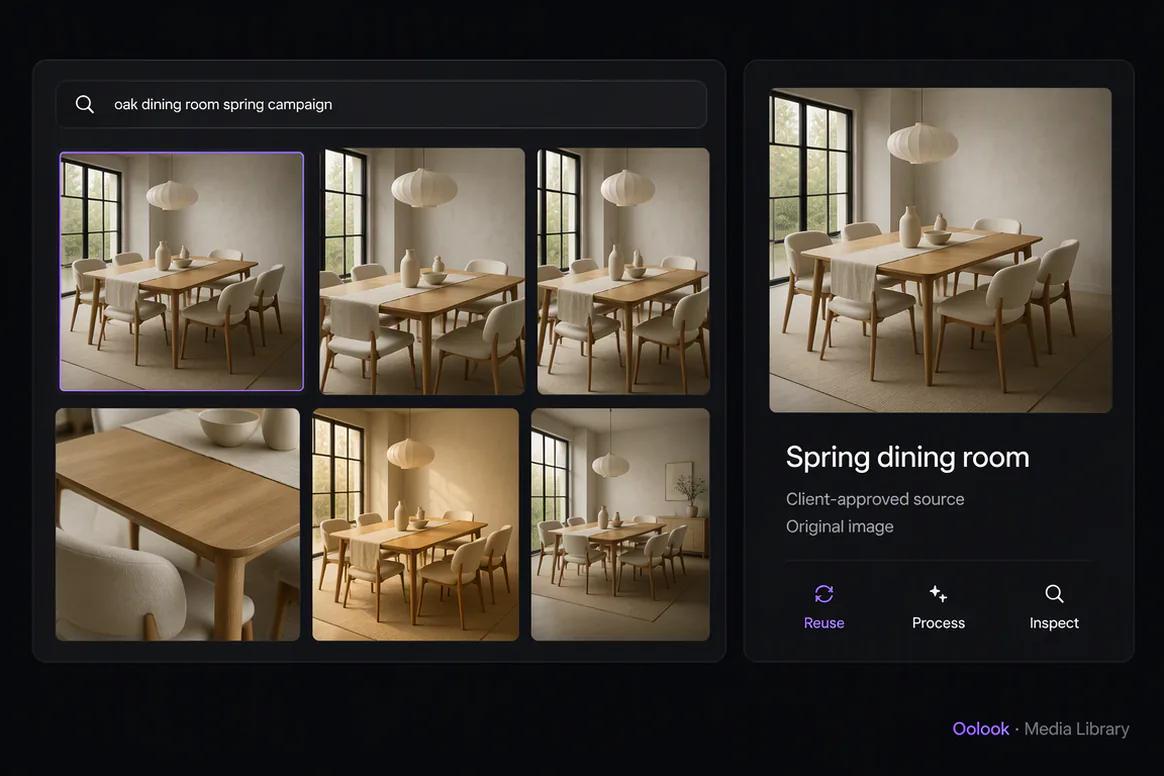
Search existing media

Find Relevant Assets Inside the Brand Workspace

Use available structured and semantic discovery to locate approved campaign assets without relying only on remembered filenames.

  • Search inside the selected brand
  • Find uploaded and generated media
  • Review available asset details
  • Avoid unnecessary duplicate creation
Existing marketing assets discovered inside the Oolook Media Library

Review the source

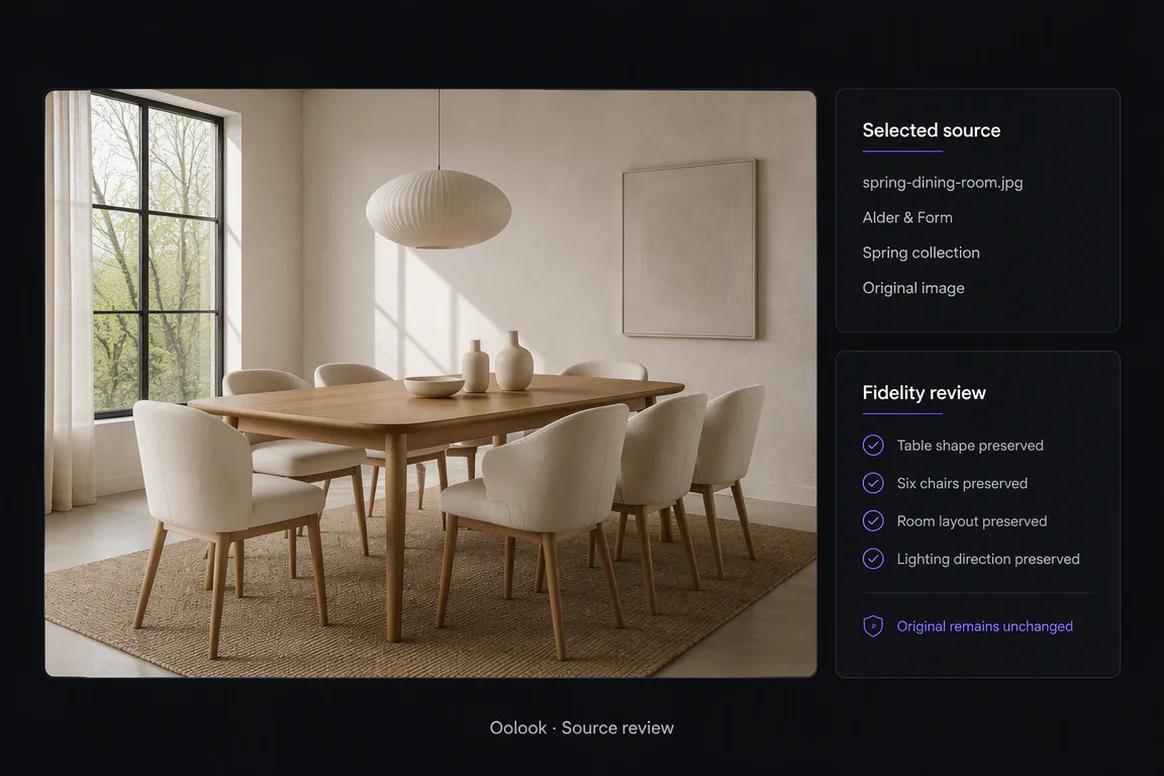
Choose an Approved Asset Before Processing

Check the source, brand, campaign relevance, product accuracy, quality, and usage suitability before creating a new version.

  • Verify the asset belongs to the correct brand
  • Check product and campaign accuracy
  • Keep the original source intact
  • Confirm the intended new use
Approved campaign asset reviewed before reuse

Prepare a new version

Process Existing Media for Its Next Marketing Job

Use supported processing when an approved asset needs another size, crop, background, resolution, palette, or color treatment.

  • Resize or reframe eligible images
  • Remove eligible image or video backgrounds
  • Upscale eligible media
  • Use supported palette and color workflows
Existing marketing media processed for reuse in Oolook

Return to execution

Save the Output and Connect It to New Content

Store the approved processed version in the Media Library and continue into captions, carousels, destination drafts, or supported publishing.

  • Save the processed result by brand
  • Attach it to a destination-specific draft
  • Use it as an approved creative reference
  • Keep the new asset available for future campaigns
Processed marketing asset saved and reused in a new campaign

Asset reuse examples

Extend the Value of Approved Marketing Assets

Find an existing source, review it, create non-destructive processed versions, and connect the selected outputs to new campaigns.

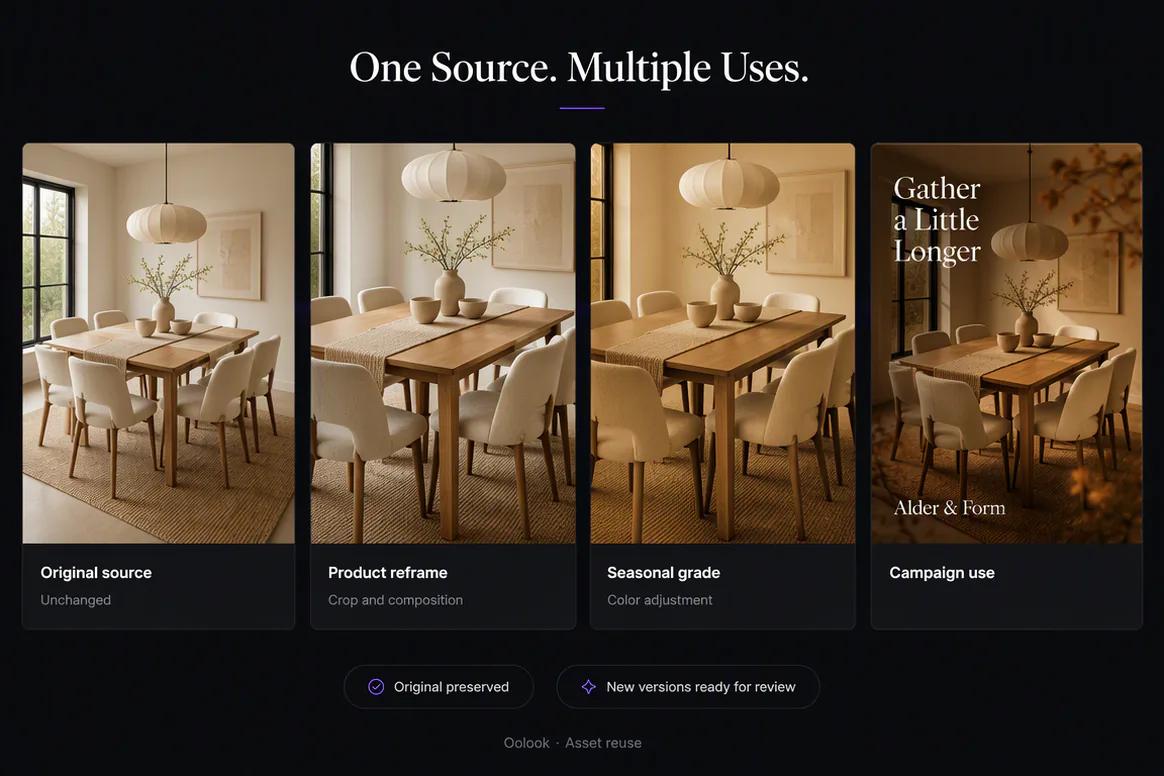
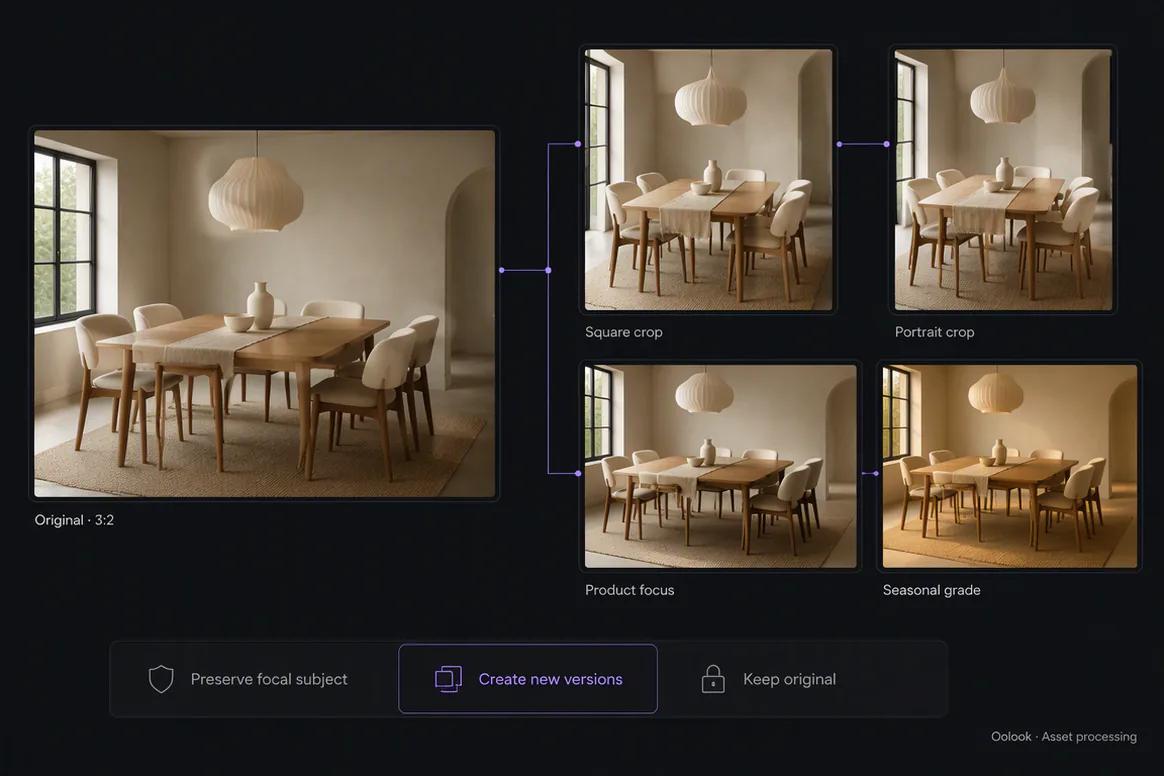
Oolook comparing an original asset with several reused versions

Original and Reused Versions

Preserve the approved source while creating reframed, adjusted, and campaign-ready variations.

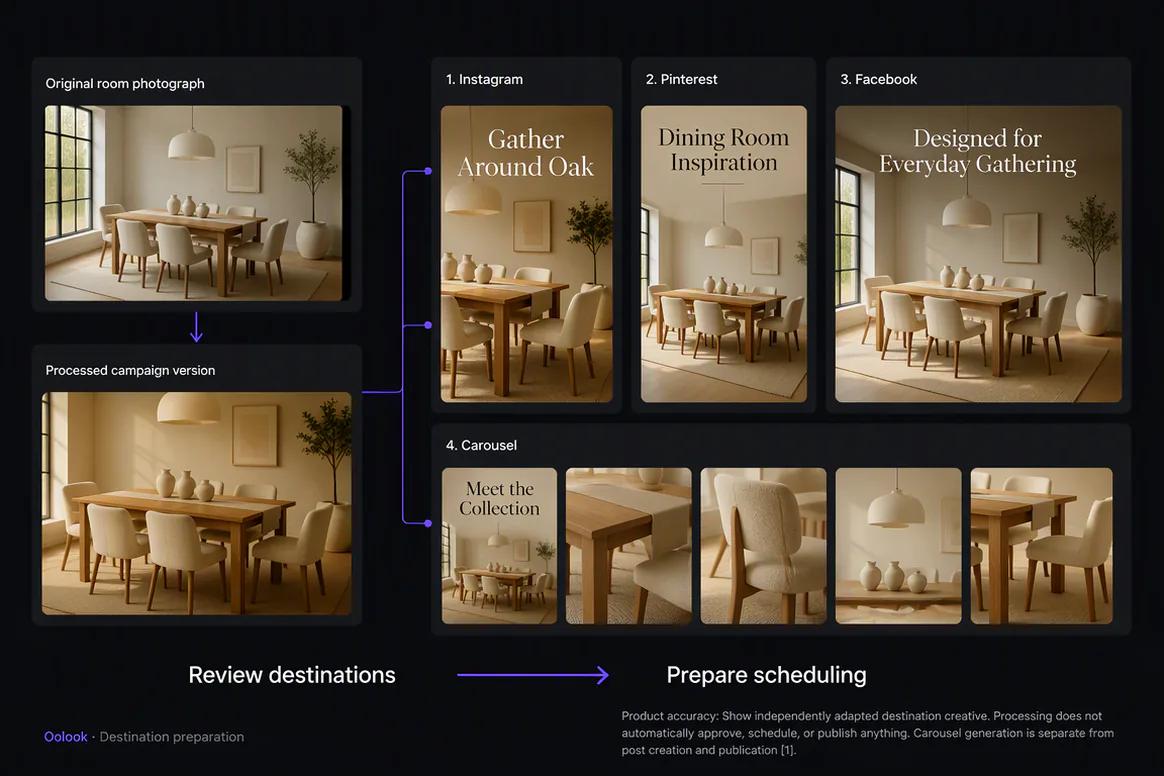
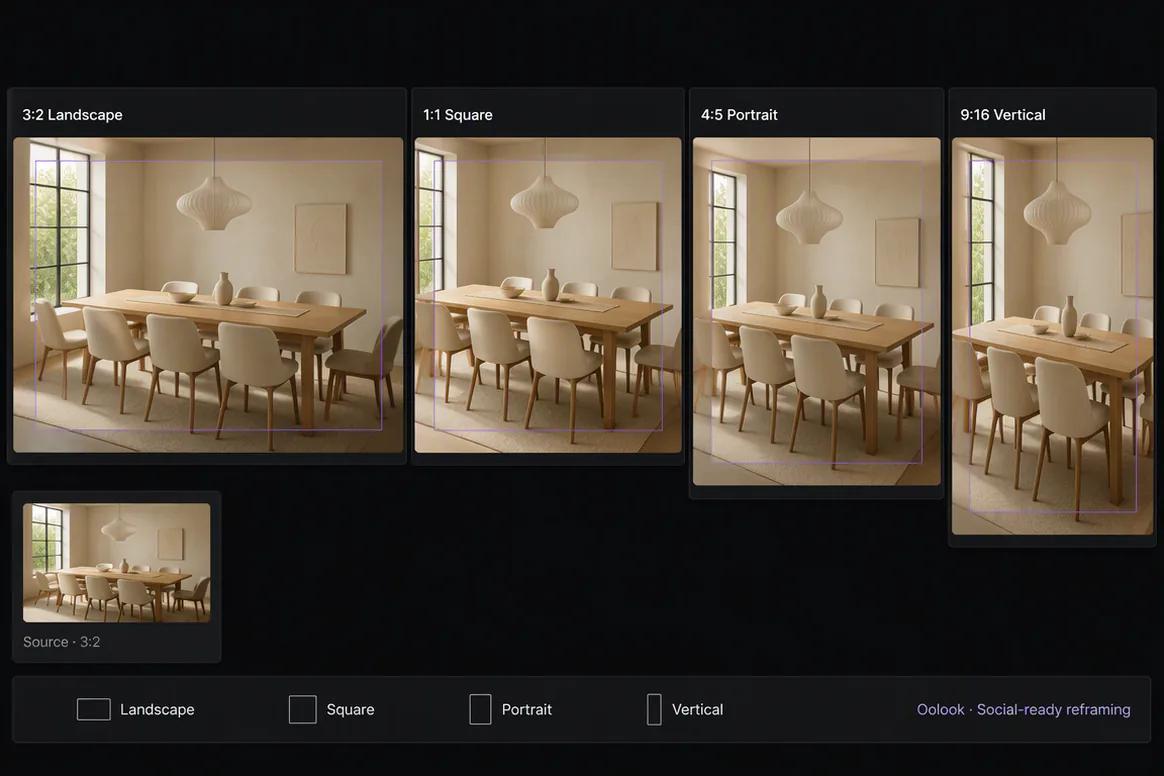
Oolook displaying one asset adapted into several platform formats

Cross-Platform Asset Set

Prepare landscape, square, portrait, and vertical versions with controlled subject placement.

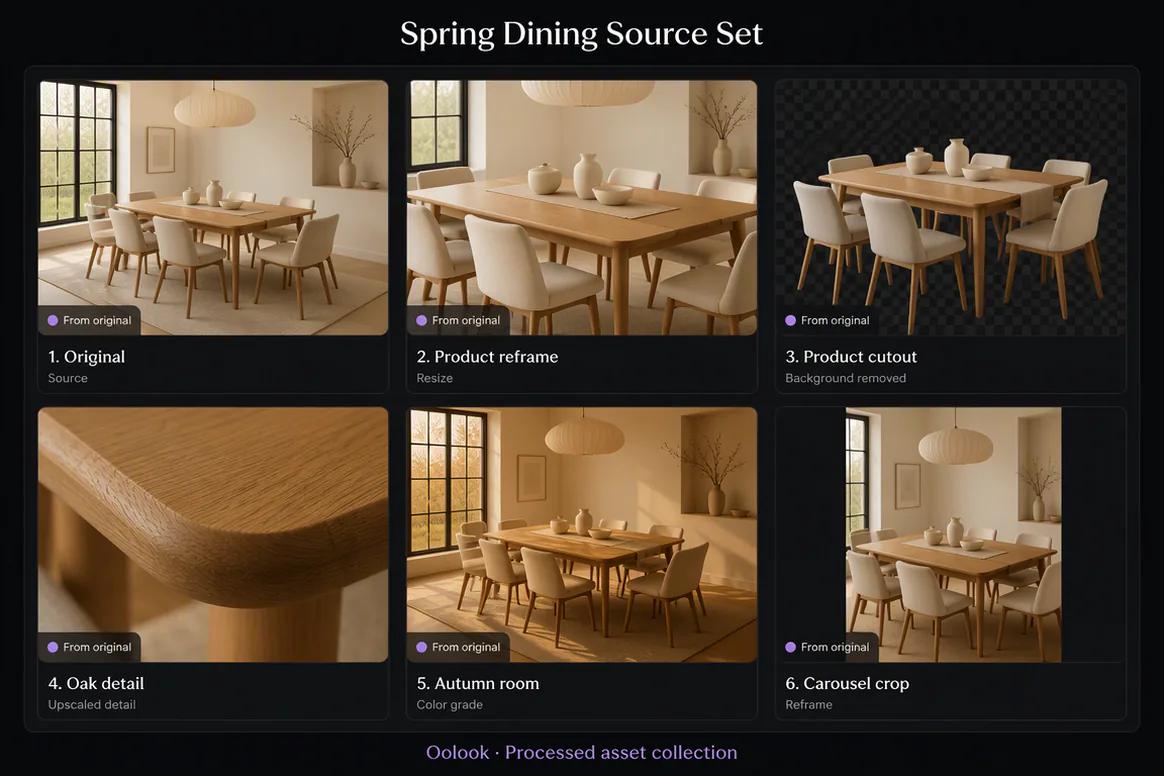
Oolook displaying a collection of processed campaign assets

Processed Asset Collection

Keep the source, operation, approval state, and campaign usage visible for each output.

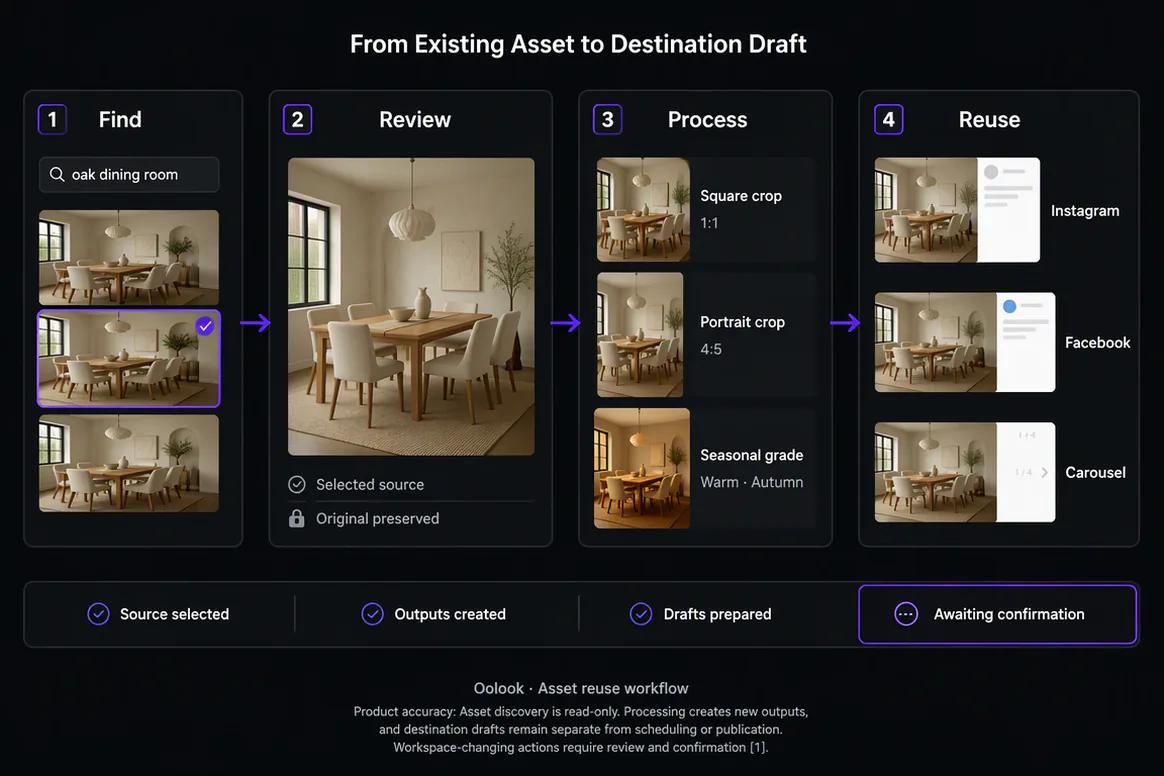
Oolook displaying the complete marketing asset reuse workflow

Complete Asset Reuse Workflow

Search, review, process, save, and reuse approved media without replacing the original.

Oolook Copilot in action

How Oolook Copilot Supports Marketing Asset Reuse

Keep the source asset, intended transformation, credit impact, output, and next action visible.

01

Describe the required asset

Tell Copilot what the source contains, which campaign it belongs to, and how it should be reused.

02

Find and review the source

Inspect relevant Media Library matches and select the approved asset.

03

Prepare the new version

Review the processing workflow, settings, output requirements, and displayed credit cost.

04

Confirm and reuse

Approve the supported action, save the result, and connect it to the new campaign.

Built for Marketing Asset Reuse

Reuse Existing Assets Across Different Marketing Needs

Available processing operations, formats, limits, and credit costs depend on the current Oolook application.

Cross-platform resizing

Prepare an existing visual for another supported campaign format or destination.

Background changes

Create eligible background-removed outputs for new layouts or campaign uses.

Resolution improvement

Upscale eligible images or videos when a higher-resolution output is required.

Creative references

Reuse approved assets as references in supported generation and campaign workflows.

Practical marketing jobs

Use Oolook for Recurring Asset Reuse

Extend the useful life of approved media while keeping the source and new output organized.

Reuse product photography in a new campaign

Prepare an image for another platform

Reframe an asset around the main subject

Remove a background for a new layout

Upscale an approved lower-resolution asset

Use an existing image as a creative reference

One connected workspace

Everything Connected to Asset Reuse

Keep discovery, source review, processing, storage, content preparation, and publishing inside the selected brand workspace.

Brand Kit

Use available audience, positioning, writing preferences, visual direction, topics, and calls to action.

Oolook Copilot

Inspect available workspace information and prepare supported marketing actions for review.

Creative applications

Generate captions, images, coordinated carousels, moodboards, and other supported assets.

Media Library

Find, organize, process, and reuse uploaded and generated assets inside the selected brand.

Controlled publishing

Prepare drafts, validate supported requirements, schedule content, and monitor publication states.

Available reporting

Review accessible profile and post information from supported connected networks.

Why Oolook

Replace Repeated Asset Handoffs With Connected Reuse

Oolook connects the source, brand context, creative production, reusable media, destination preparation, publishing, and available reporting.

Workflow
Disconnected tools
Oolook
Source context
Copied into a separate writing or creative tool
Kept inside the selected brand workspace
Brand guidance
Repeated manually for every new output
Reused from available Brand Kit information
Creative assets
Downloaded, duplicated, and moved between tools
Found and reused through the Media Library
Destinations
Identical content is copied everywhere
Each destination can be reviewed independently
Execution
Final drafts move into another scheduler
Supported actions continue into controlled publishing

Step-by-step guide

How to Reuse Marketing Assets

Follow a controlled workflow from approved source material to destination-specific execution.

  1. 1

    Select the correct brand workspace

    Use the workspace containing the relevant Brand Kit, source material, media, profiles, drafts, and reports.

  2. 2

    Choose the approved source

    Find and select an approved image, video, document, generated output, or processed asset from the selected brand's Media Library.

  3. 3

    Define the new marketing objective

    State the audience, message, destinations, formats, timing, and desired call to action.

  4. 4

    Prepare the required formats

    Create the captions, images, carousels, media variations, or destination drafts required by the objective.

  5. 5

    Review accuracy and brand alignment

    Check claims, meaning, tone, visual direction, product details, and source fidelity.

  6. 6

    Review every destination

    Inspect the caption, media, profile, date, time, timezone, and supported platform settings.

  7. 7

    Confirm and monitor

    Approve supported actions and follow their publication states and available results.

Frequently asked questions

Your Marketing Asset Reuse Questions, Answered

What is marketing asset reuse?+

Marketing asset reuse means using an approved existing image, video, document, generated output, or processed asset in another campaign or format.

What assets can Oolook store?+

The Media Library can store supported uploads, generated outputs, processed assets, documents, images, and videos associated with a brand.

Can Oolook search for existing assets?+

Yes. Oolook supports structured and semantic Media Library discovery, subject to current product availability and available asset information.

Can I resize an existing asset?+

Yes. Eligible assets can continue into supported resizing and reframing workflows.

Can I remove a background or upscale media?+

Oolook supports eligible image and video background removal and image or video upscaling, subject to current limits.

Can processed outputs be saved?+

Yes. Completed processed outputs can be saved to the selected brand's Media Library.

Does processing use AI credits?+

Credit usage depends on the current processing application and operation. Credit-consuming actions should display their cost before confirmation.

Does Copilot delete or replace the original automatically?+

No. Destructive asset actions require confirmation, and processing workflows should preserve the original source while creating a new output.

Start with Oolook

Reuse the Marketing Assets You Already Have

Connect Media Library discovery, source review, processing, storage, content preparation, and controlled publishing.