Oolook for Content Repurposing

Repurpose Approved Content Into New Marketing Formats

Turn an article, campaign idea, product update, event, or approved source into captions, images, carousels, and destination-specific drafts.

Oolook Copilot

SEO article workflow

Working in: Alder & Form
Ask anything
This demonstration does not show live ranking data. Article output and evaluation depend on the supplied project context.
Repurpose an articleCreate a carousel from a topicAdapt a campaign idea

Supported actions are prepared for review and confirmation. Publishing capabilities and formats depend on current Oolook availability and the destination network.

AI content repurposing

Reuse the Core Idea Without Copying the Same Output Everywhere

Preserve the approved meaning and evidence while adapting structure, depth, copy, media, and calls to action for each new format.

Choose an approved source

Start With Content Worth Reusing

Select an approved article, campaign, product update, event, customer question, or existing content record as the source.

  • Keep the original meaning visible
  • Identify claims that must remain accurate
  • Choose the audience and new objective
  • Avoid repurposing outdated information
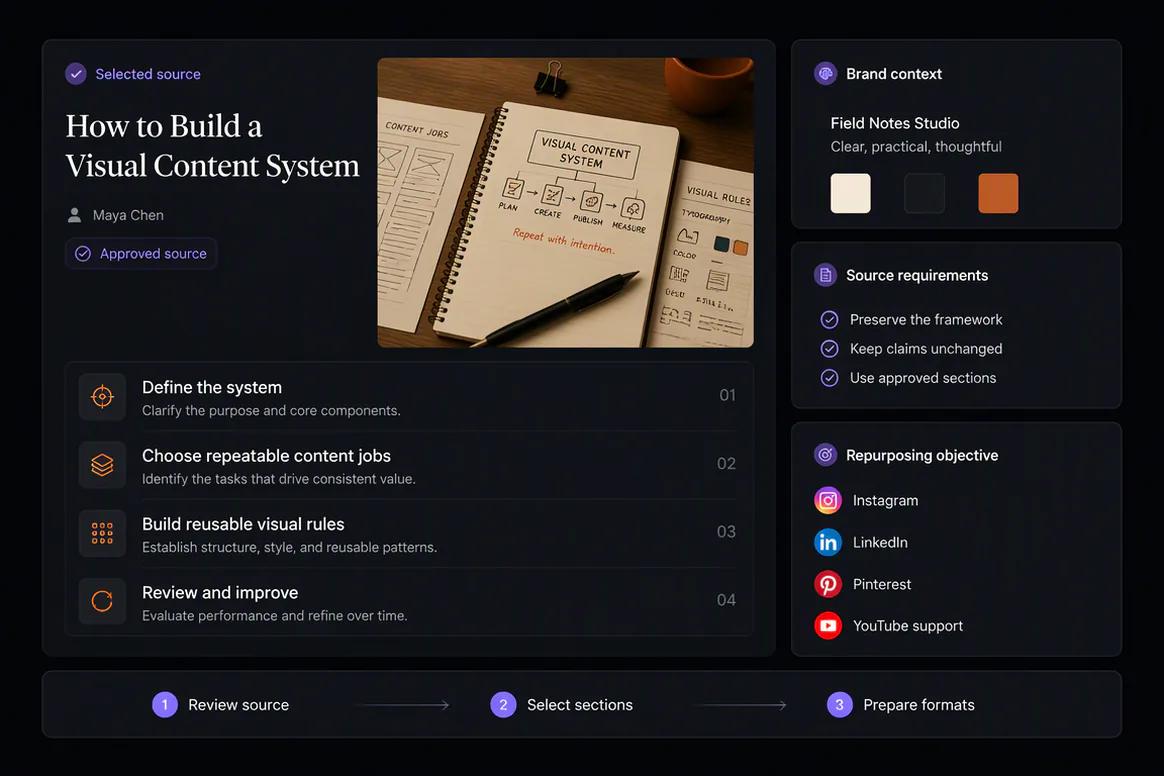
Approved source content selected for repurposing in Oolook

Create new formats

Turn One Source Into Copy and Visual Content

Prepare captions, images, and coordinated carousels around the approved source instead of summarizing it into identical posts.

  • Create destination-specific caption variants
  • Turn key ideas into a carousel narrative
  • Generate supporting visuals where appropriate
  • Use approved Media Library assets
Article repurposed into captions images and carousel content

Adapt each destination

Change the Format Without Changing the Facts

Review each destination separately so the hook, depth, copy, media, and call to action fit the platform and intended audience.

  • Prepare separate destination drafts
  • Preserve important source claims
  • Review supported platform settings
  • Keep incomplete content editable
Repurposed content adapted for several social destinations

Publish and evaluate

Move Approved Variations Into Controlled Publishing

Confirm supported actions, monitor publication states, and review available information before preparing another variation.

  • Schedule eligible repurposed content
  • Monitor queued and attention-required states
  • Review available post metrics
  • Prepare follow-up variations from approved observations
Repurposed content published and reviewed through Oolook

Repurposing examples

Turn One Approved Source Into Several Useful Formats

Preserve the source meaning while adapting its structure, depth, creative treatment, and call to action for each destination.

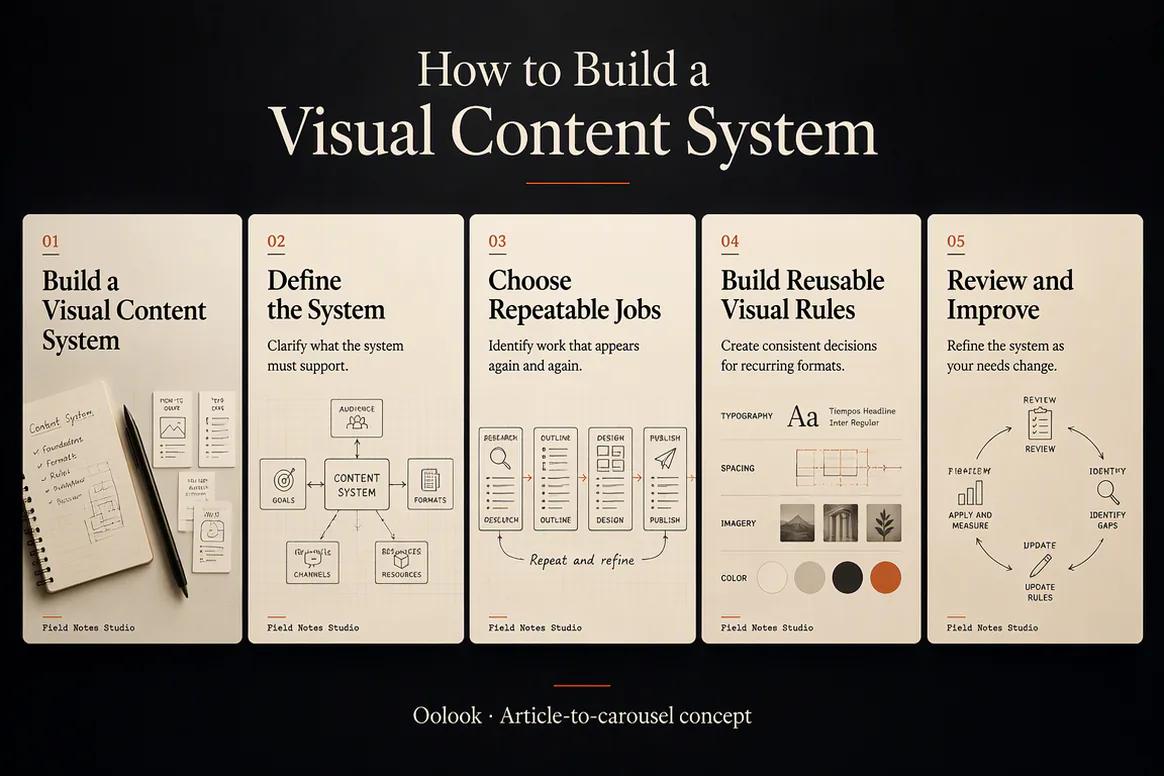
Oolook displaying an article converted into a social carousel

Article to Carousel

Turn approved article sections into a clear multi-card educational narrative.

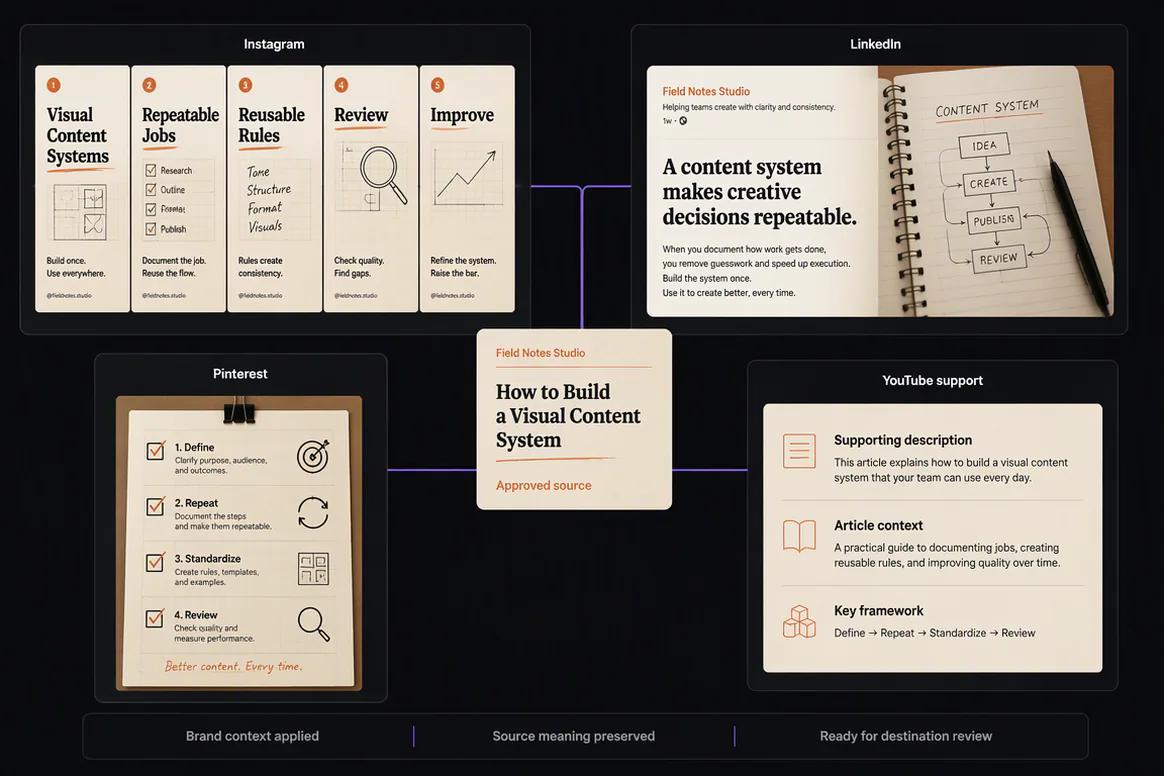
Oolook displaying an article adapted into several social posts

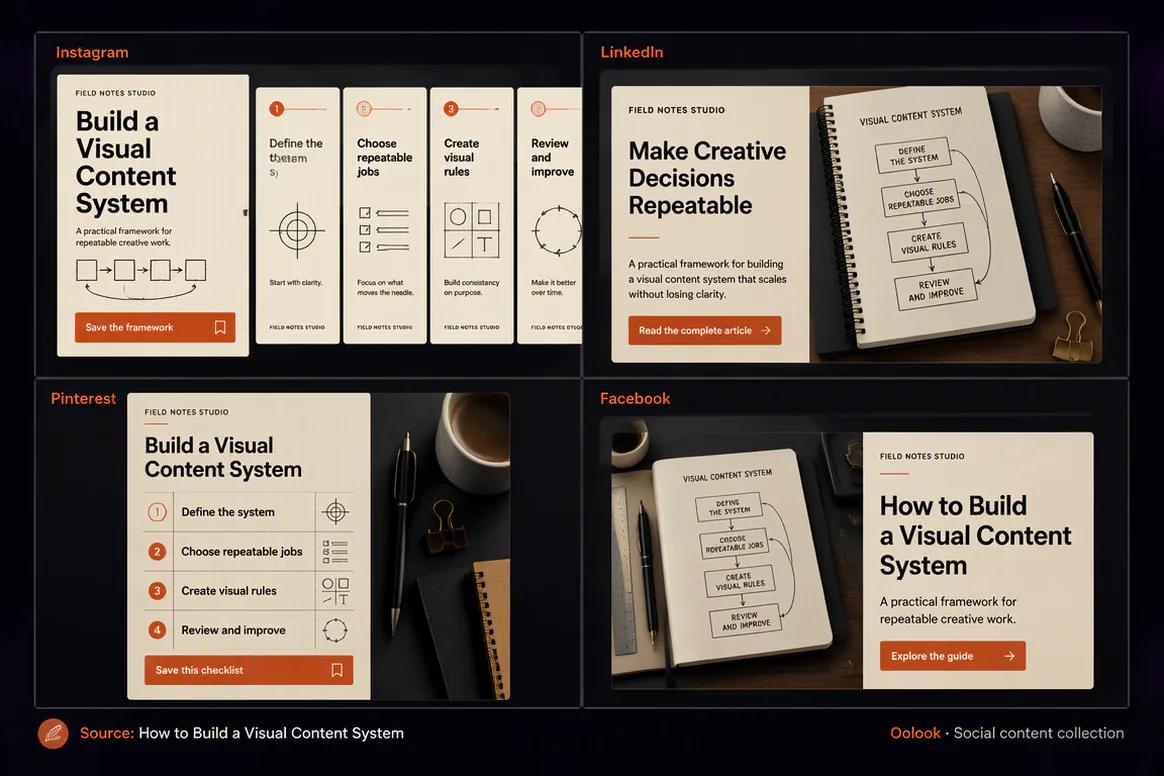
Article to Social

Prepare distinct Instagram, LinkedIn, Facebook, and Pinterest content from one source.

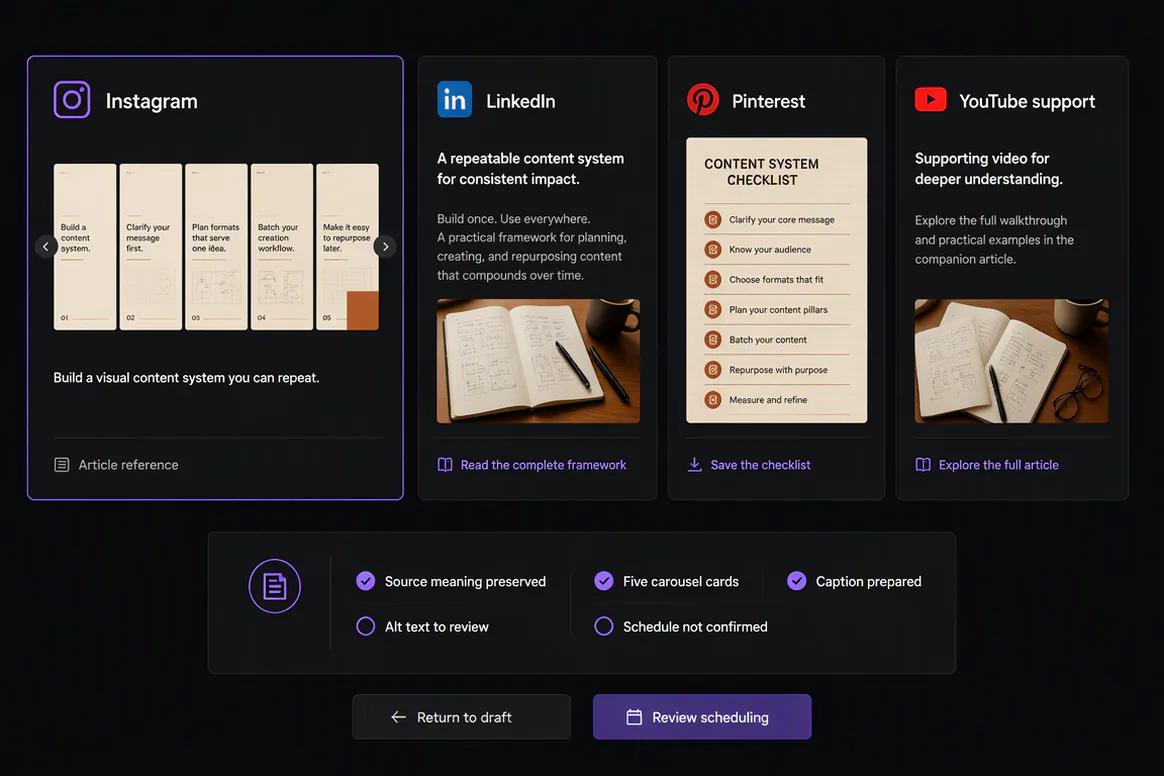
Oolook displaying a collection of visual content summaries

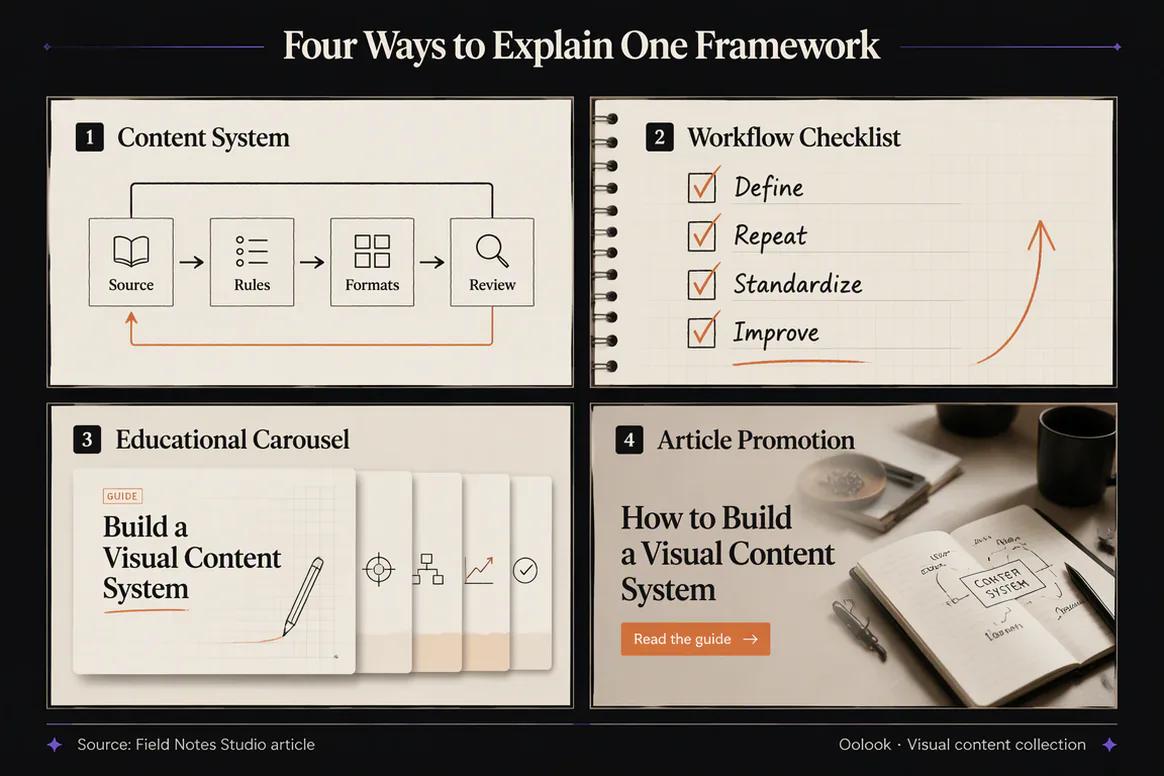
Visual Summary Collection

Create diagrams, checklists, carousel cards, and promotion visuals linked to the approved source.

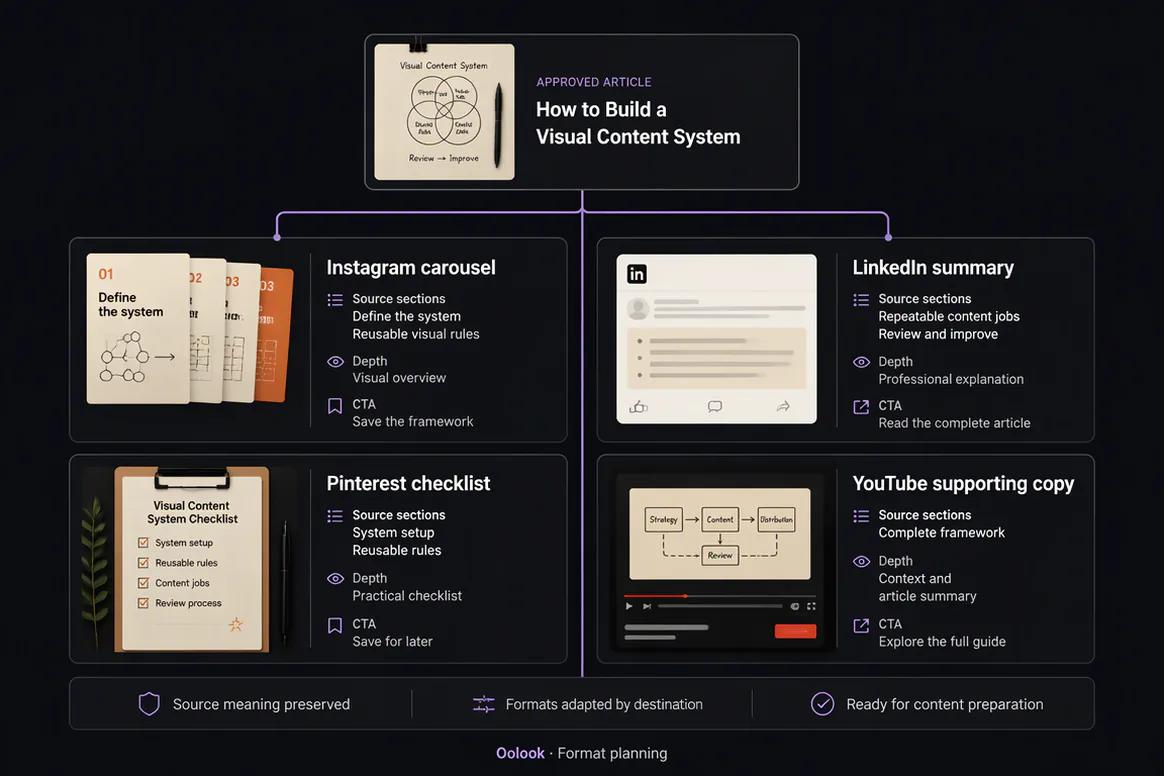
Oolook displaying the complete content-repurposing workflow

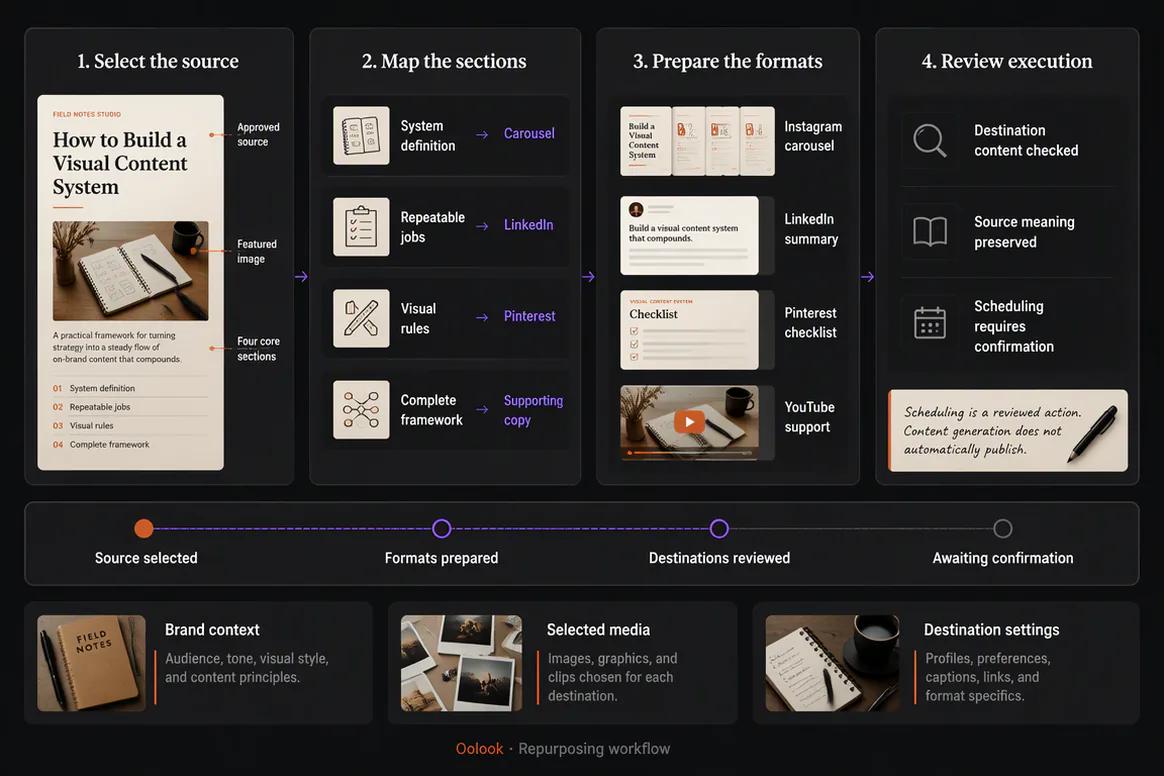
Complete Repurposing Workflow

Select the source, map formats, create destination drafts, review fidelity, and prepare publishing.

Oolook Copilot in action

How Oolook Copilot Repurposes Approved Content

Keep the source, new objective, brand context, requested formats, and supported actions visible.

01

Provide the source

Choose an approved article, campaign, update, event, topic, or media asset.

02

Define the new objective

State the audience, destinations, formats, message, and desired call to action.

03

Prepare the variations

Create the required captions, carousel structure, visual assets, and destination drafts.

04

Review and confirm

Check source fidelity, brand alignment, destination fit, and timing before execution.

Built for Content Repurposing

Repurpose Content Into Several Marketing Formats

Exact generation, destination, and publishing capabilities depend on the current Oolook product and supported social-network APIs.

Article to social

Turn approved article material into platform-aware captions and visual content.

Topic to carousel

Convert a useful topic into a coordinated multi-card explanation.

Campaign to variants

Create several distinct posts around one approved campaign objective.

Event to recap

Reuse verified event information and approved media in follow-up content.

Practical marketing jobs

Use Oolook for Recurring Content Repurposing

Extend the value of approved content while preserving accuracy and destination relevance.

Turn an article into social content

Create a carousel from a business topic

Adapt a product update for social platforms

Turn an event into recap content

Create variations from a campaign idea

Prepare follow-up content from available results

One connected workspace

Everything Connected to Content Repurposing

Keep the source, brand context, creative assets, destination drafts, publishing records, and available results together.

Brand Kit

Use available audience, positioning, writing preferences, visual direction, topics, and calls to action.

Oolook Copilot

Inspect available workspace information and prepare supported marketing actions for review.

Creative applications

Generate captions, images, coordinated carousels, moodboards, and other supported assets.

Media Library

Find, organize, process, and reuse uploaded and generated assets inside the selected brand.

Controlled publishing

Prepare drafts, validate supported requirements, schedule content, and monitor publication states.

Available reporting

Review accessible profile and post information from supported connected networks.

Why Oolook

Replace Copy-and-Paste Repurposing With Format-Aware Content

Oolook connects the source, brand context, creative production, reusable media, destination preparation, publishing, and available reporting.

Workflow
Disconnected tools
Oolook
Source context
Copied into a separate writing or creative tool
Kept inside the selected brand workspace
Brand guidance
Repeated manually for every new output
Reused from available Brand Kit information
Creative assets
Downloaded, duplicated, and moved between tools
Found and reused through the Media Library
Destinations
Identical content is copied everywhere
Each destination can be reviewed independently
Execution
Final drafts move into another scheduler
Supported actions continue into controlled publishing

Step-by-step guide

How to Repurpose Content With AI

Follow a controlled workflow from approved source material to destination-specific execution.

  1. 1

    Select the correct brand workspace

    Use the workspace containing the relevant Brand Kit, source material, media, profiles, drafts, and reports.

  2. 2

    Choose the approved source

    Choose an approved article, campaign, product update, event, topic, or other source containing the facts and ideas to preserve.

  3. 3

    Define the new marketing objective

    State the audience, message, destinations, formats, timing, and desired call to action.

  4. 4

    Prepare the required formats

    Create the captions, images, carousels, media variations, or destination drafts required by the objective.

  5. 5

    Review accuracy and brand alignment

    Check claims, meaning, tone, visual direction, product details, and source fidelity.

  6. 6

    Review every destination

    Inspect the caption, media, profile, date, time, timezone, and supported platform settings.

  7. 7

    Confirm and monitor

    Approve supported actions and follow their publication states and available results.

Frequently asked questions

Your Content Repurposing Questions, Answered

What is AI content repurposing?+

AI content repurposing uses AI assistance to adapt approved source material into new formats, lengths, structures, or destination-specific drafts.

Can Oolook repurpose an article?+

Yes. Approved article material can be used to prepare supported captions, carousels, visuals, and destination-specific social content.

Can Oolook turn a topic into a carousel?+

Yes. Oolook supports coordinated multi-card carousel generation from topics, references, websites, platforms, and Brand Kit context.

Can Oolook reuse existing images?+

Yes. Approved uploaded, generated, and processed assets can be found and reused through the Media Library.

Will every destination receive identical copy?+

No. Oolook supports independently editable destination content and platform-specific settings where currently available.

Can repurposed content be scheduled?+

Eligible destination drafts can continue into supported scheduling, validation, publishing, retries, and status monitoring.

Should repurposed content be reviewed?+

Yes. Review source fidelity, factual accuracy, brand alignment, visual details, and destination fit before publication.

Does Copilot publish without confirmation?+

No. Supported workspace changes are presented for confirmation before execution.

Start with Oolook

Turn Approved Content Into More Useful Marketing Formats

Connect source material, Brand Kit context, captions, images, carousels, destination drafts, and controlled publishing.