Oolook for Product Launch Content

Create Product Launch Content With AI

Turn approved product information into announcement, education, feature, use-case, reminder, and launch-day content connected to your brand workspace.

Oolook Copilot

Campaign preparation

Working in: Alder & Form
Ask anything
This is a fictional demonstration. Actual output depends on the selected workspace, approved source information, and supported destinations.
Create a launch sequencePrepare product visualsExplain product benefits

Supported actions are prepared for review and confirmation. Publishing capabilities and formats depend on current Oolook availability and the destination network.

AI product launch content creation

Build the Launch Narrative Before Publishing the Announcement

Connect verified product details, customer context, creative assets, destination drafts, publication timing, and available follow-up information.

Start with product truth

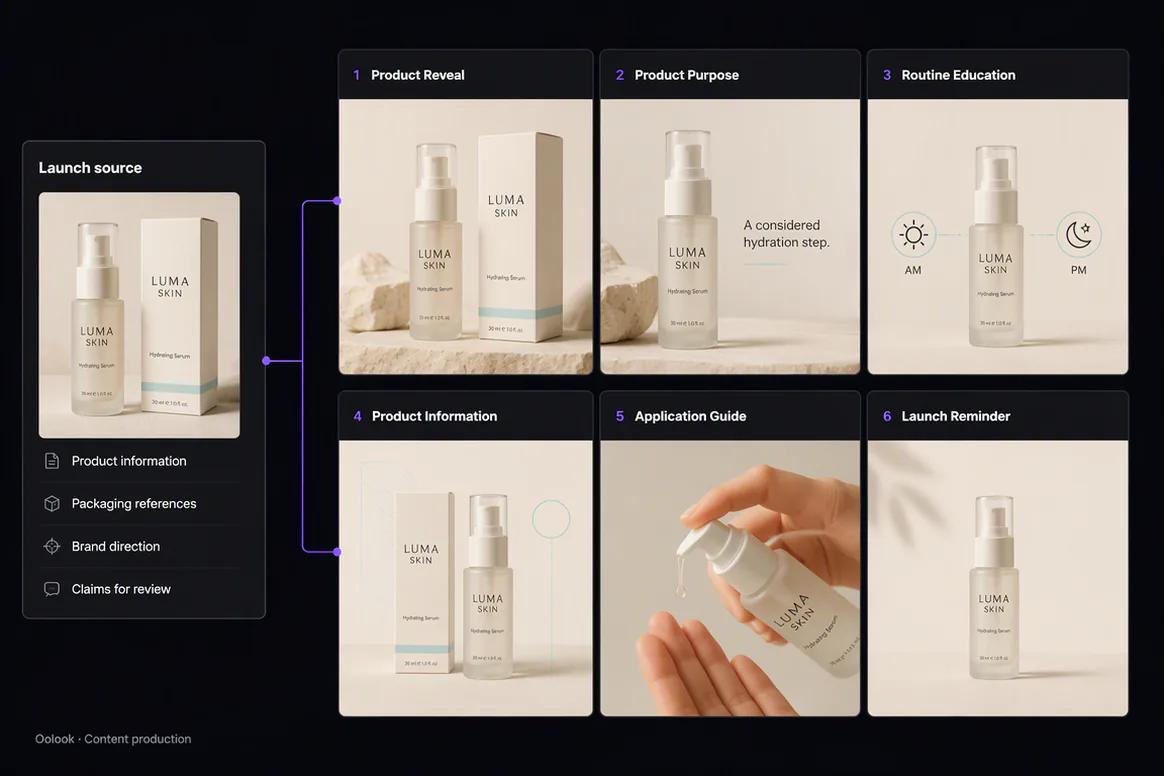
Organize Approved Features, Benefits, and Constraints

Give Copilot verified product information, intended customers, differentiators, availability, references, destinations, and claims that require review.

  • Separate verified facts from marketing interpretation
  • Define the intended customer and use case
  • Identify approved product imagery
  • Keep unsupported claims out of the campaign
Verified product launch information organized in Oolook

Create the launch narrative

Move From Announcement to Product Education

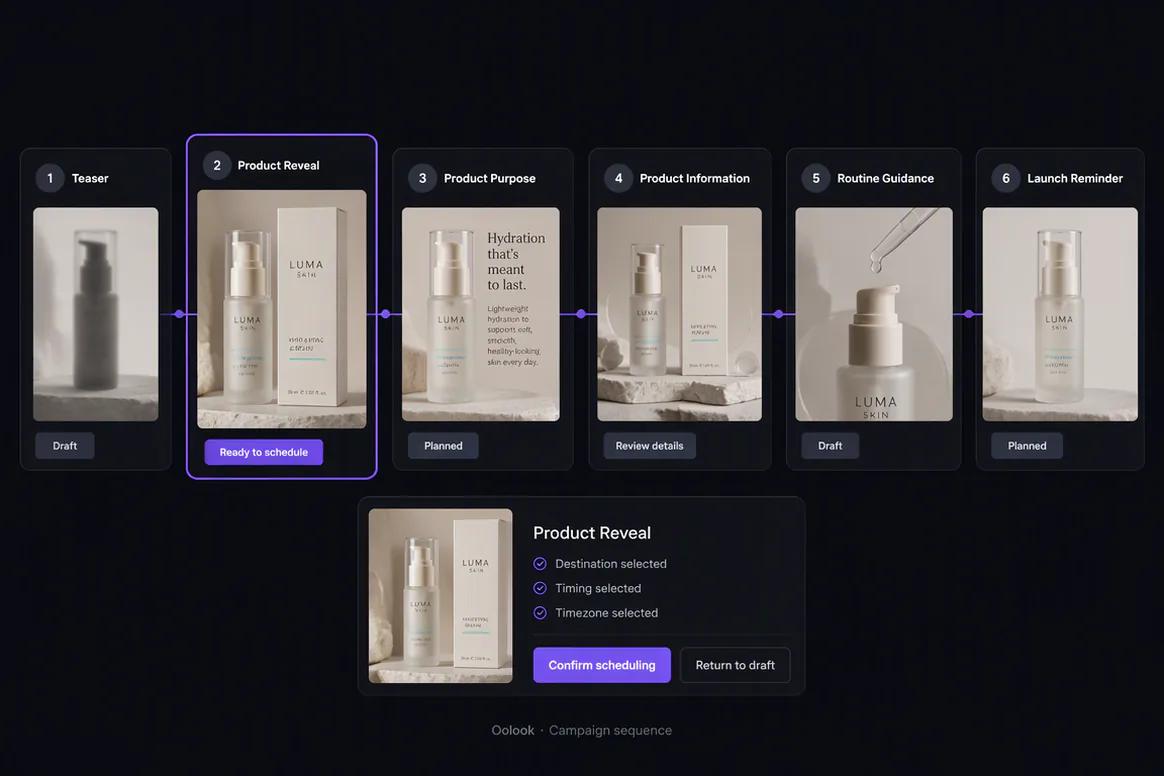
Prepare a connected sequence that introduces the product, explains its value, demonstrates use cases, addresses questions, and reinforces the launch.

  • Create the initial product announcement
  • Explain relevant features and benefits
  • Prepare use-case and educational content
  • Create reminder and launch-day posts
Product launch content sequence created in Oolook

Prepare accurate creative

Create Visual Assets Without Losing Product Accuracy

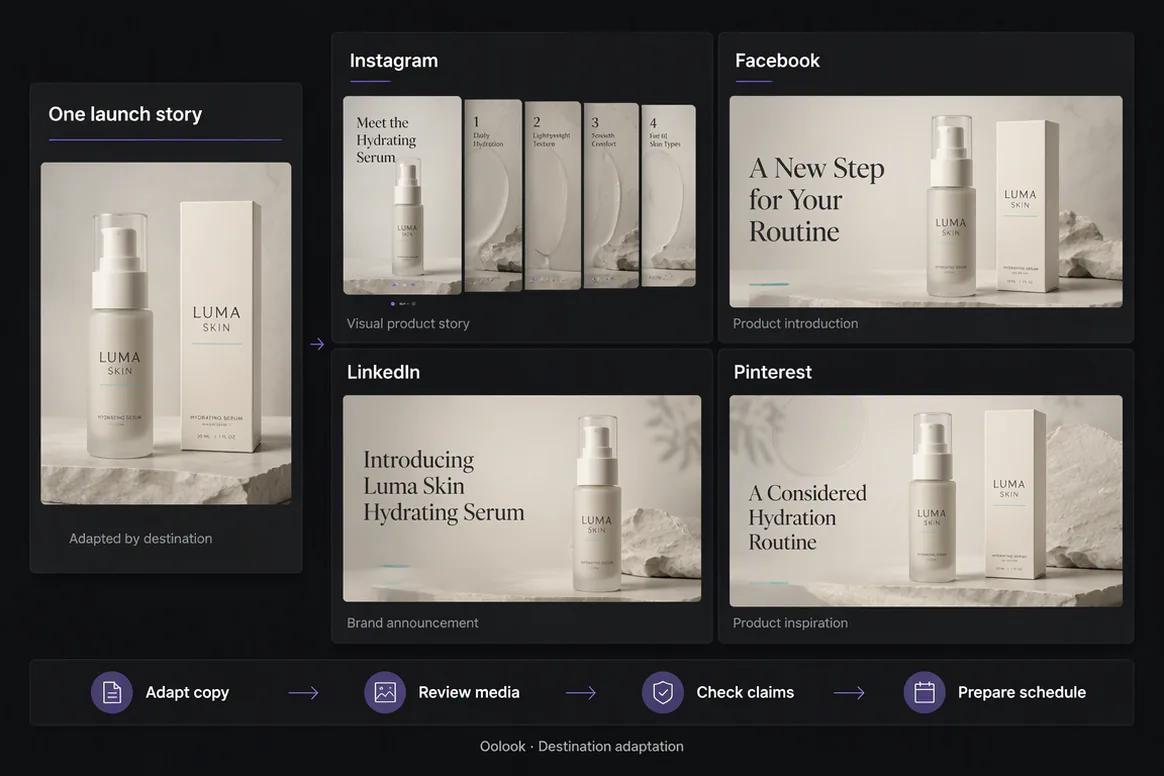
Use approved product references and existing photography when preparing images, carousels, or processed campaign assets.

  • Reuse approved product photography
  • Generate supporting creative with references
  • Create coordinated product carousels
  • Review every generated product detail
Product launch images and carousel content prepared in Oolook

Launch and continue

Publish the Sequence and Prepare Follow-Up Content

Review the complete destination actions, monitor publication states, and use available information to prepare a grounded follow-up.

  • Schedule eligible launch content
  • Monitor publication and attention-required states
  • Review available profile and post metrics
  • Prepare product education follow-up content
Product launch publishing and available performance review

Product launch examples

Turn Approved Product Information Into a Complete Launch

Connect product truth, campaign creative, education, destination adaptation, launch timing, and review.

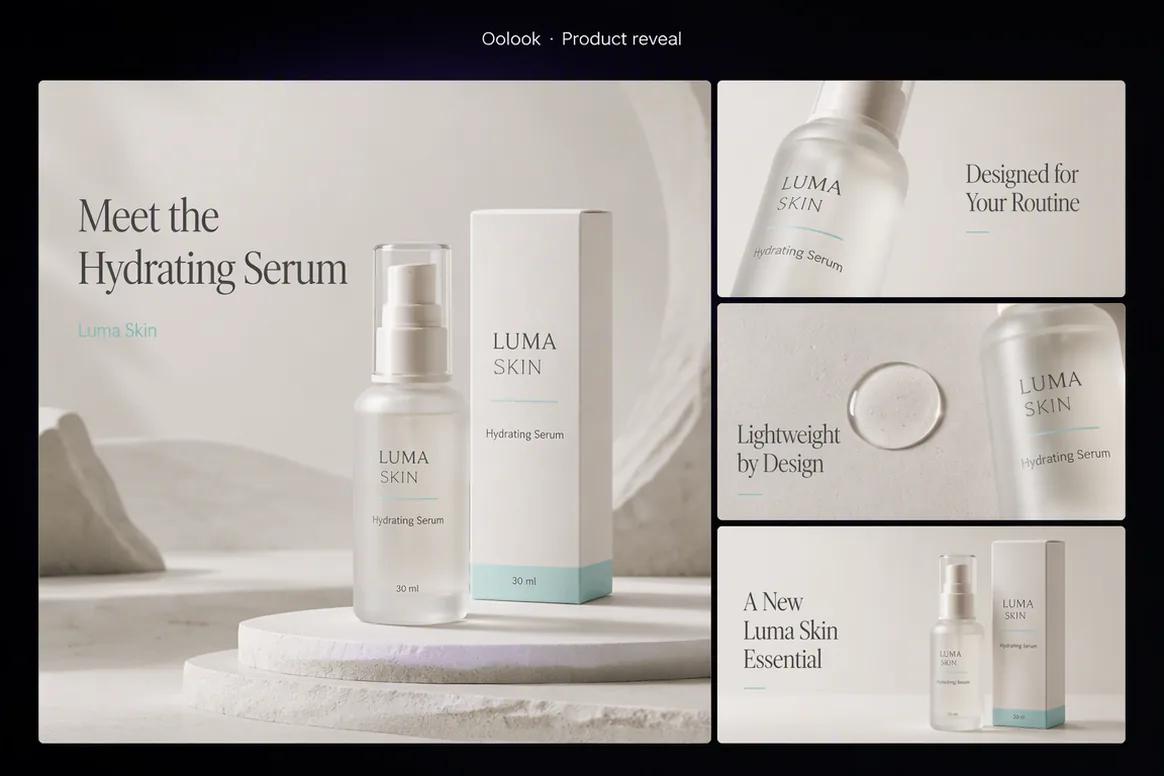
Oolook displaying a completed beauty product reveal

Product Reveal

Introduce the approved product through accurate packaging, reviewed claims, and coordinated launch creative.

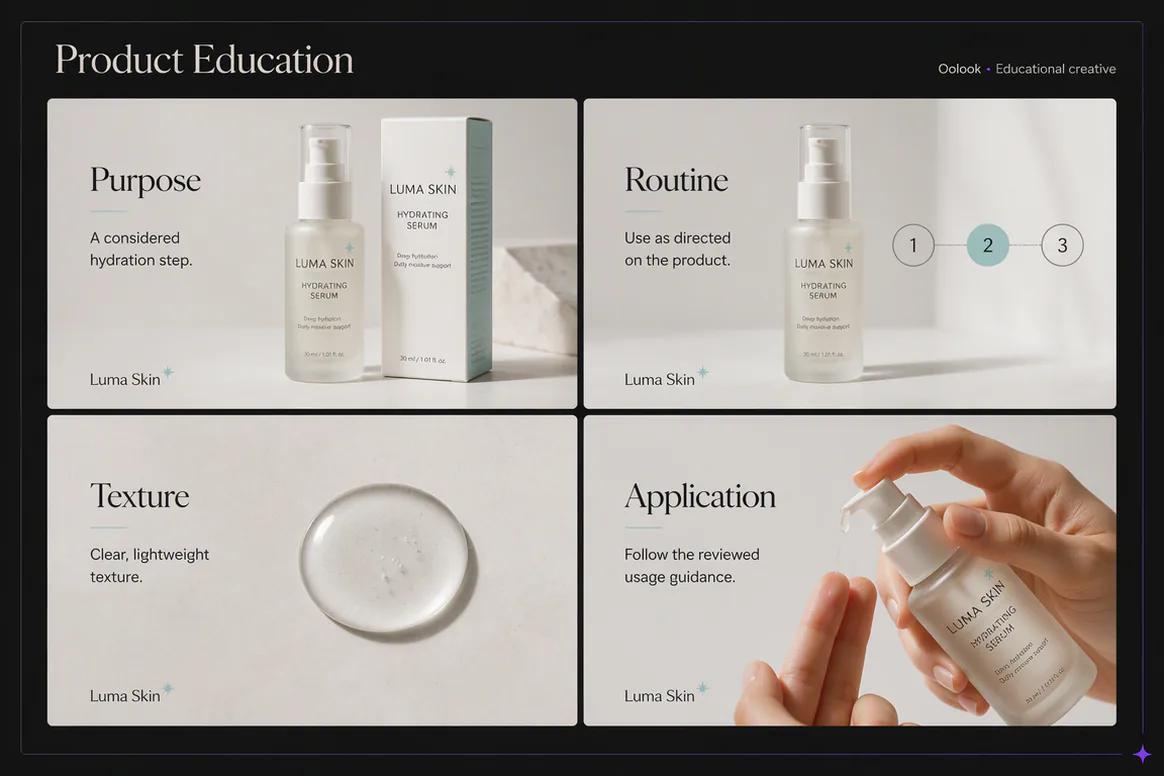
Oolook displaying product feature and benefit education

Feature and Benefit Education

Explain the approved product purpose, benefit, texture, and usage without unsupported claims.

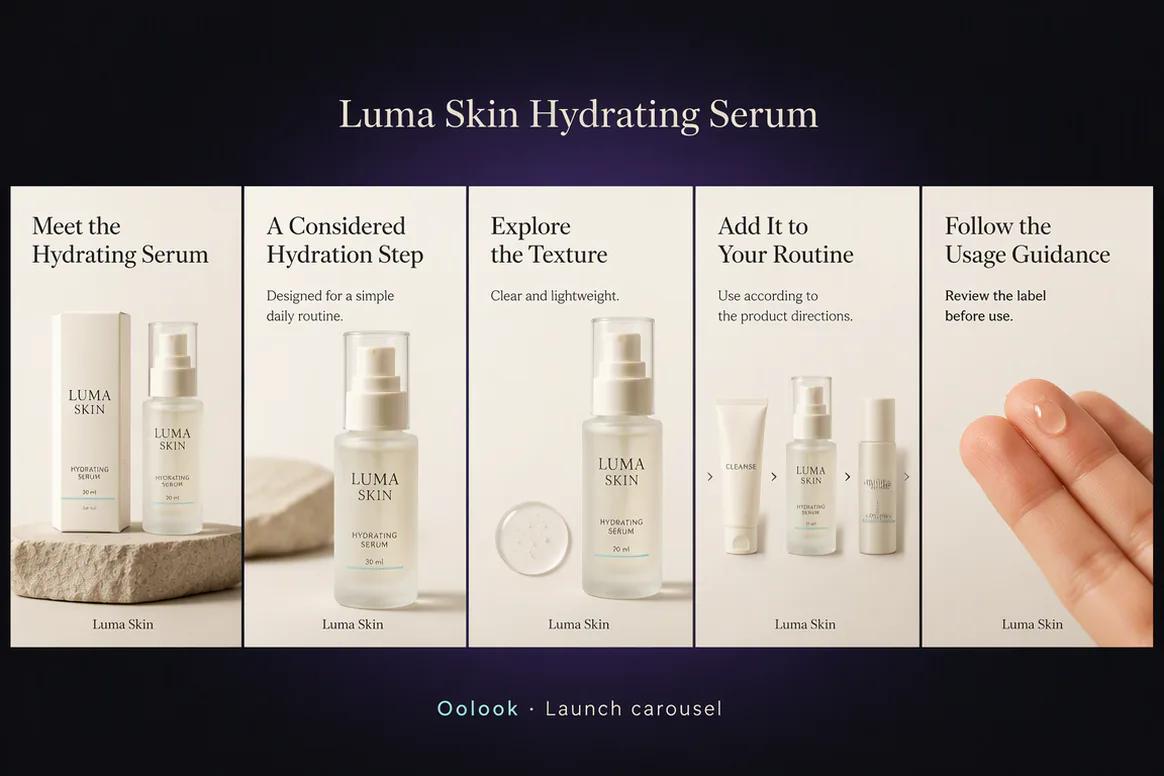
Oolook displaying a coordinated product launch carousel

Launch Carousel

Turn the approved product record into a structured introduction, education, routine, and guidance sequence.

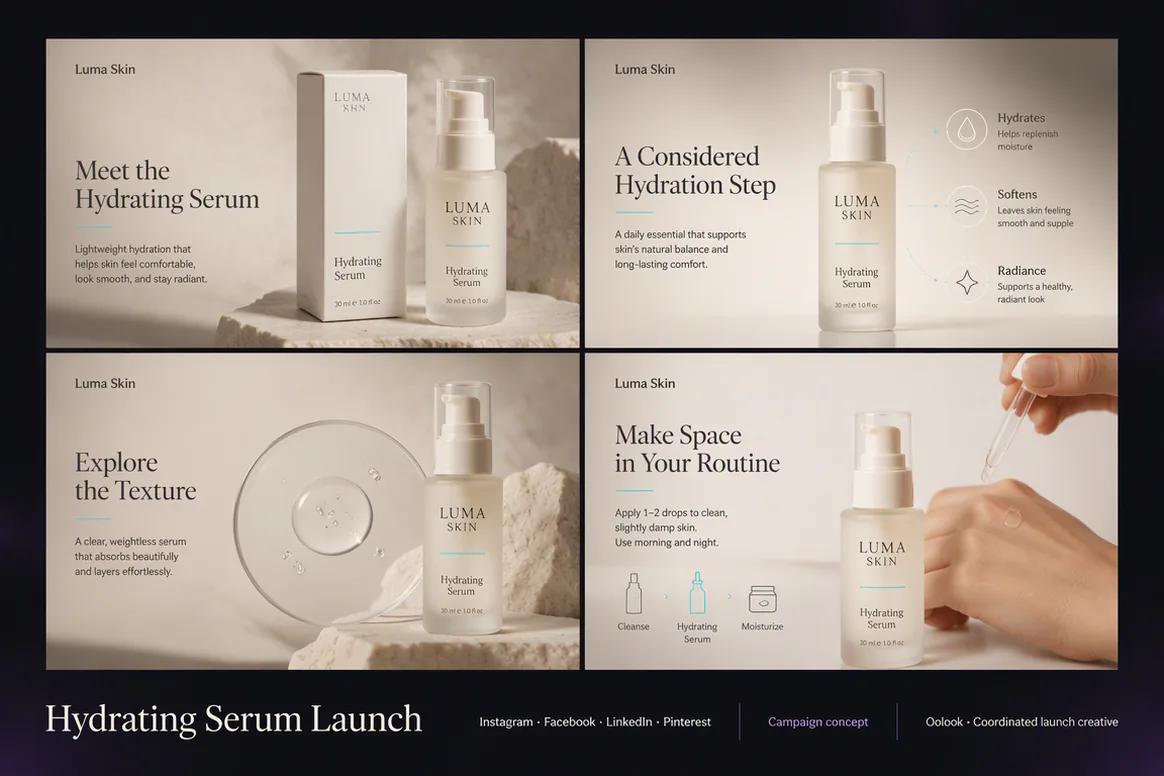
Oolook displaying a complete product launch campaign

Complete Launch Campaign

Bring the product reveal, education, ingredient story, routine content, and destination drafts together.

Oolook Copilot in action

How Oolook Copilot Supports a Product Launch

Keep product truth, campaign messaging, creative production, and execution connected.

01

Provide approved product information

Add verified features, benefits, use cases, customer context, availability, references, and constraints.

02

Prepare the launch sequence

Create announcement, education, feature, use-case, reminder, and launch-day content.

03

Adapt the destinations

Review platform-specific copy, media, profiles, settings, and timing.

04

Review and confirm

Verify product accuracy before executing any supported action.

Built for Product Launch Content

Create Content for Every Stage of the Product Launch

Exact formats, models, destination settings, publishing behavior, and metrics depend on current Oolook availability.

Launch announcements

Introduce the product using verified information and approved positioning.

Feature education

Explain relevant features without making unsupported claims.

Use-case content

Show how the product fits recognizable customer situations.

Launch follow-up

Continue with questions, education, reminders, and approved observations.

Practical marketing jobs

Use Oolook for Recurring Product Launch Work

Keep the launch campaign connected to verified product information and approved creative assets.

Announce a new product

Launch a new collection

Explain key product features

Create a product education carousel

Prepare launch reminders

Create post-launch follow-up content

One connected workspace

Everything Connected to the Product Launch

Keep product information, brand guidance, creative assets, publishing records, and available reporting together.

Brand Kit

Use available audience, positioning, writing preferences, visual direction, topics, and calls to action.

Oolook Copilot

Inspect available workspace information and prepare supported campaign actions for review.

Creative applications

Generate captions, images, coordinated carousels, moodboards, and other supported campaign assets.

Media Library

Find, organize, process, and reuse uploaded and generated assets inside the selected brand.

Controlled publishing

Prepare drafts, validate supported requirements, schedule content, and monitor publication states.

Available reporting

Review accessible profile and post information from supported connected networks.

Why Oolook

Replace Disconnected Handoffs in Product Launch Content

Oolook connects the objective, brand context, content production, reusable media, destination preparation, publishing, and available reporting.

Workflow
Disconnected tools
Oolook
Campaign brief
Copied into separate writing and creative tools
Connected to the selected brand workspace
Brand context
Repeated manually for every content asset
Reused from available Brand Kit information
Creative
Copy and visuals are produced independently
Captions, images, and carousels stay connected
Publishing
Final assets move into another scheduling product
Destination drafts continue into controlled execution
Follow-up
Results remain separate from the next action
Available reporting can inform follow-up content

Step-by-step guide

How to Create Product Launch Content With AI

Follow a controlled workflow from the objective to destination-specific execution and review.

  1. 1

    Select the correct brand workspace

    Use the workspace containing the relevant Brand Kit, media, connected profiles, drafts, and reports.

  2. 2

    Define the campaign objective

    Specify the approved product facts, intended customer, launch objective, destinations, timing, source material, and claims requiring verification.

  3. 3

    Prepare the content sequence

    Give each post a clear role while keeping the central message, offer, and visual direction consistent.

  4. 4

    Create or select campaign media

    Generate new images or carousels, process an existing asset, or reuse approved Media Library content.

  5. 5

    Adapt every destination

    Review the caption, media, profile, and supported platform-specific settings independently.

  6. 6

    Confirm publishing actions

    Inspect the destination, content, media, date, time, timezone, and supported settings before execution.

  7. 7

    Review available results

    Use accessible profile and post information to prepare a grounded follow-up action.

Frequently asked questions

Your Product Launch Content Questions, Answered

What is AI product launch content creation?+

It uses AI assistance to prepare launch copy, creative assets, campaign sequences, destination drafts, and publishing actions from approved product information.

Can Oolook create a complete launch sequence?+

Oolook can prepare announcement, educational, feature, use-case, reminder, and follow-up content around a product launch.

Can Oolook create product launch images?+

Yes. Oolook supports image generation with prompts, references, aspect ratios, model controls, and multiple outputs.

Can Oolook create product carousels?+

Yes. Oolook supports coordinated multi-card carousel generation using approved product information and Brand Kit context.

Can I reuse approved product photography?+

Yes. Approved uploaded, generated, and processed assets can be organized and reused through the Media Library.

Are generated product images always accurate?+

No. Generated product details must be reviewed against approved references before publication.

Can Oolook schedule launch content?+

Eligible destination drafts can continue into supported scheduling, validation, and publication-status monitoring.

Does Oolook guarantee product launch sales?+

No. Oolook supports marketing execution but does not guarantee traffic, leads, conversions, or revenue.

Start with Oolook

Turn Approved Product Information Into a Launch Campaign

Connect product truth, Brand Kit context, creative production, destination drafts, controlled publishing, and follow-up content.