Oolook for Brand-Consistent Content

Create More Consistent Marketing Content With AI

Connect reusable Brand Kit context to captions, images, carousels, media, social publishing, and SEO content while keeping every output reviewable.

Oolook Copilot

Brand-aware content preparation

Working in: Alder & Form
Ask anything
Brand details shown here are fictional. Actual output uses available information from the selected Brand Kit.
Apply our brand voiceUse our visual directionReview brand alignment

Supported actions are prepared for review and confirmation. Publishing capabilities and formats depend on current Oolook availability and the destination network.

Brand-consistent AI content

Use One Source of Brand Context Across Marketing Workflows

Keep available identity, audience, positioning, writing guidance, visual direction, topics, references, and calls to action connected to daily execution.

Structure the brand context

Define the Guidance Behind the Content

Use the Brand Kit to organize the available information that should guide supported writing, creative, media, social, and SEO workflows.

  • Capture identity, audience, and positioning
  • Store reusable writing preferences
  • Organize visual direction and references
  • Keep calls to action and topics available
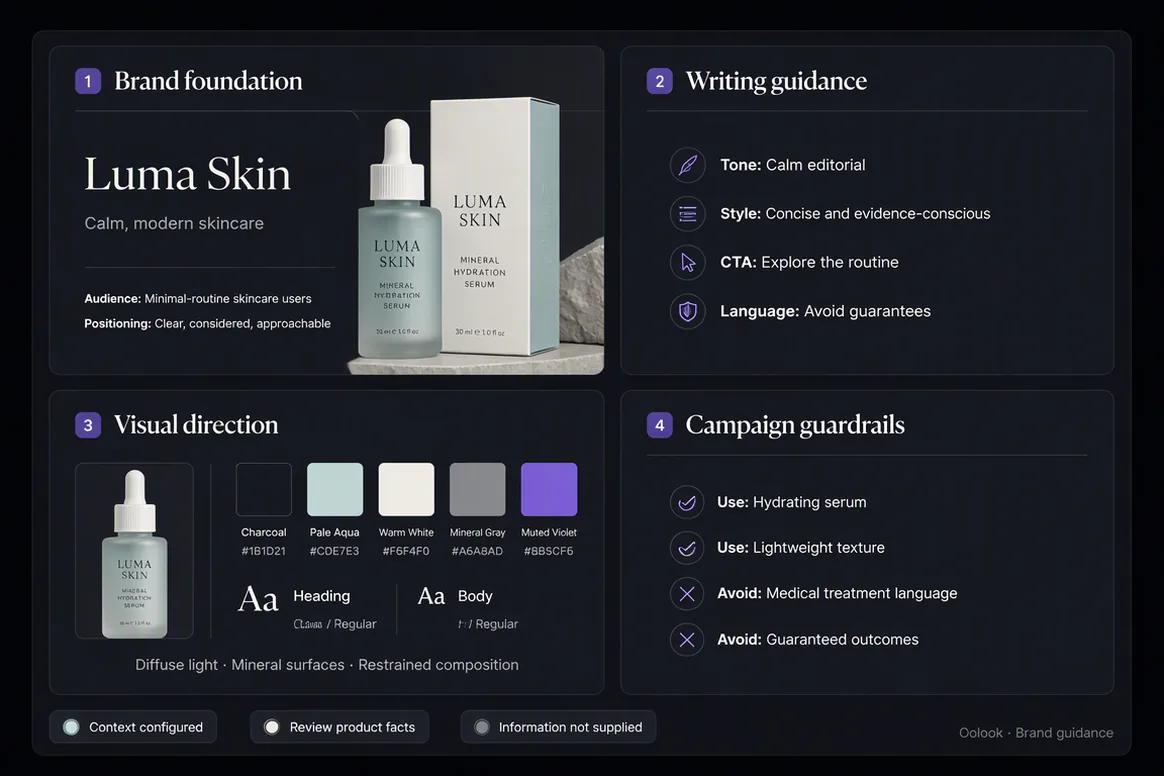
Structured Brand Kit guidance for consistent marketing content

Guide copy and messaging

Carry Writing Preferences Into Supported Content

Use available tone, language, messaging, topic, and call-to-action guidance when preparing captions, campaign drafts, and SEO content.

  • Prepare captions using available brand guidance
  • Keep campaign messaging connected to positioning
  • Use approved calls to action
  • Review every factual and brand claim
Brand writing preferences applied to marketing content

Guide visual production

Connect Visual Direction to Images and Carousels

Use available colors, references, visual characteristics, and campaign context when preparing supported creative assets.

  • Use approved visual references
  • Generate campaign images where appropriate
  • Create coordinated carousel content
  • Save approved outputs to the Media Library
Brand visual direction applied to campaign assets

Review before execution

Keep Human Review Inside the Brand Workflow

Brand context can guide generation, but every output still needs review for accuracy, quality, consistency, and destination fit.

  • Review copy against the intended voice
  • Check generated visual details
  • Inspect destination-specific drafts
  • Confirm supported actions before execution
Brand-consistent marketing content reviewed before publishing

Brand consistency examples

Carry One Brand System Across Every Marketing Format

Use structured brand guidance across captions, visual production, social destinations, and SEO content while preserving human review.

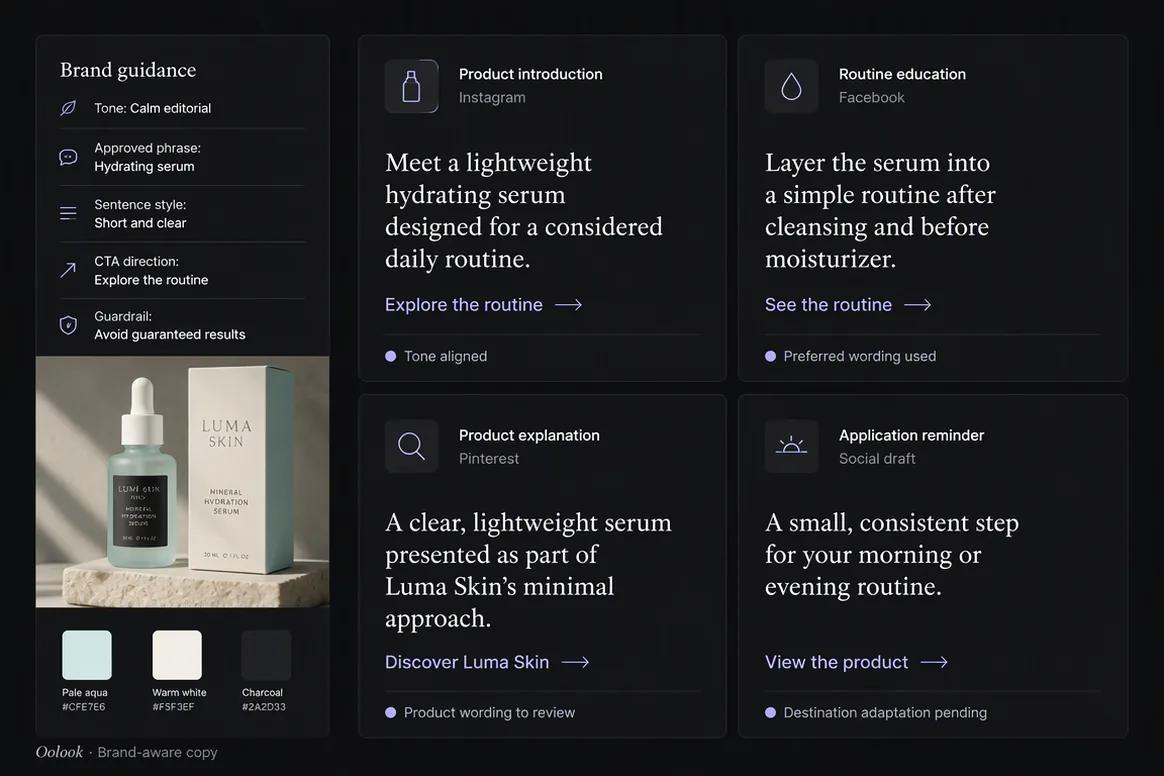
Oolook displaying a collection of brand-consistent captions

Consistent Campaign Copy

Apply approved tone, terminology, messaging, and calls to action across distinct content jobs.

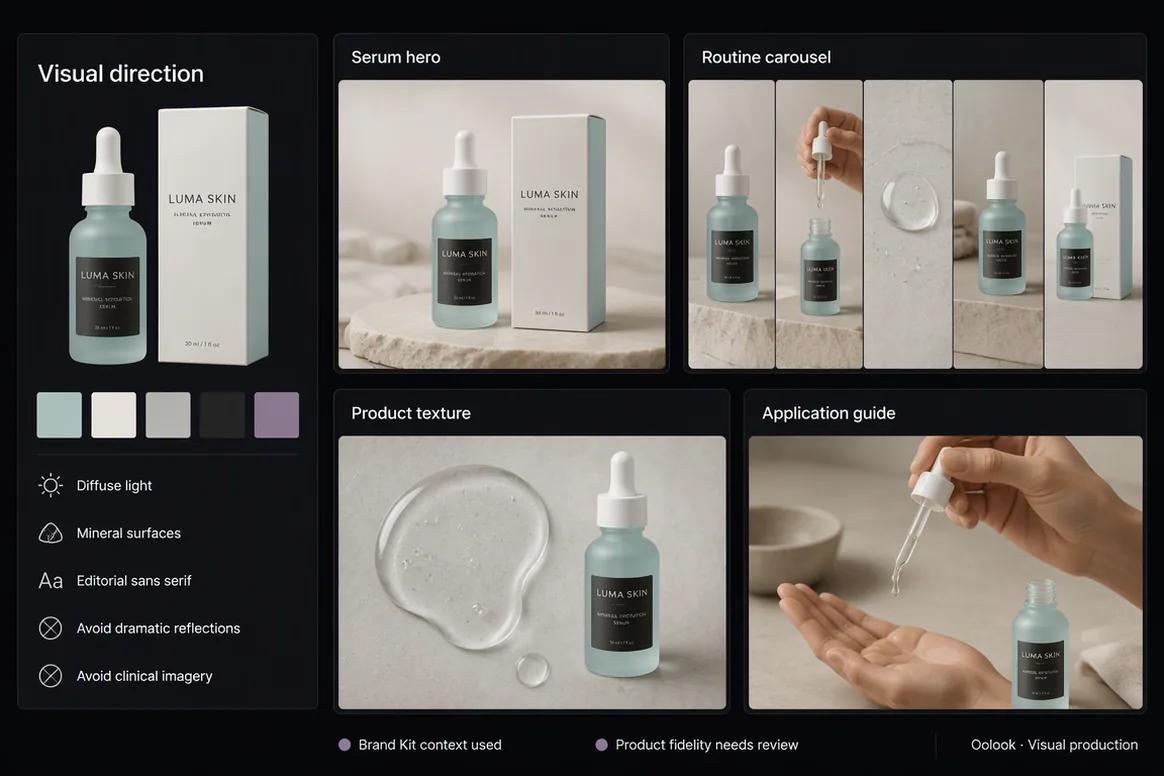
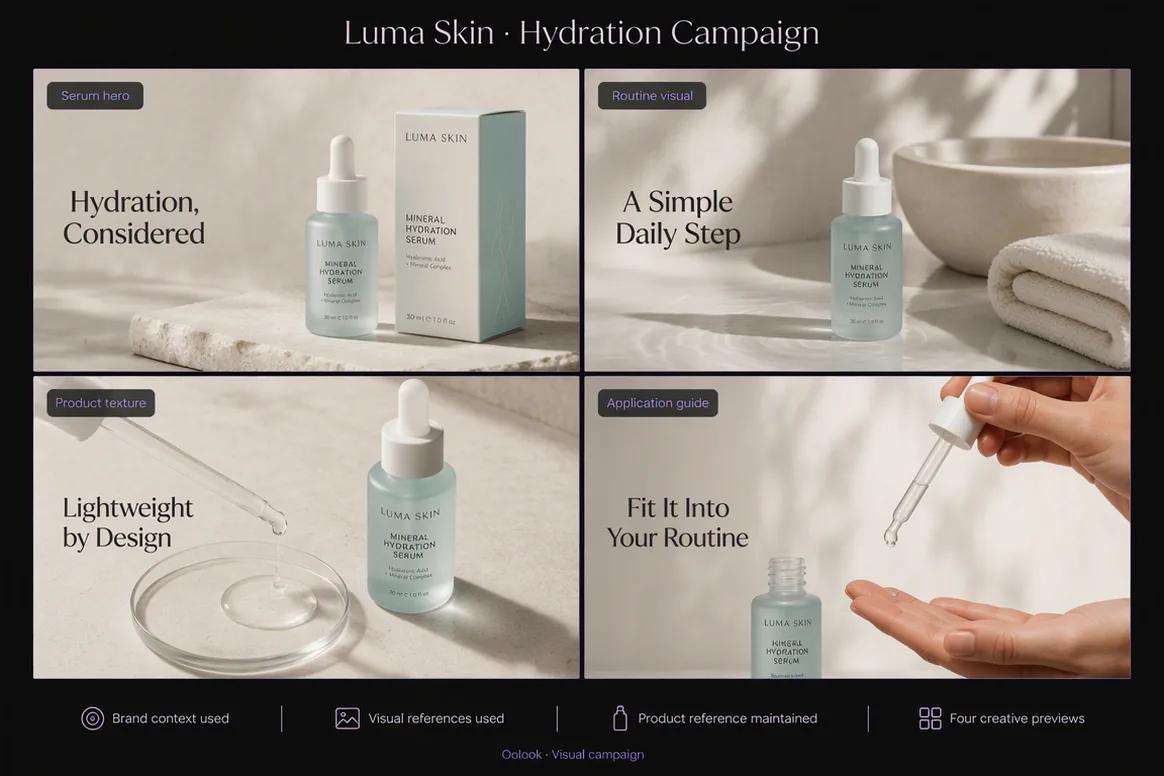
Oolook displaying a coordinated brand-consistent visual campaign

Consistent Visual Direction

Carry approved palette, product treatment, photography, and typography across campaign assets.

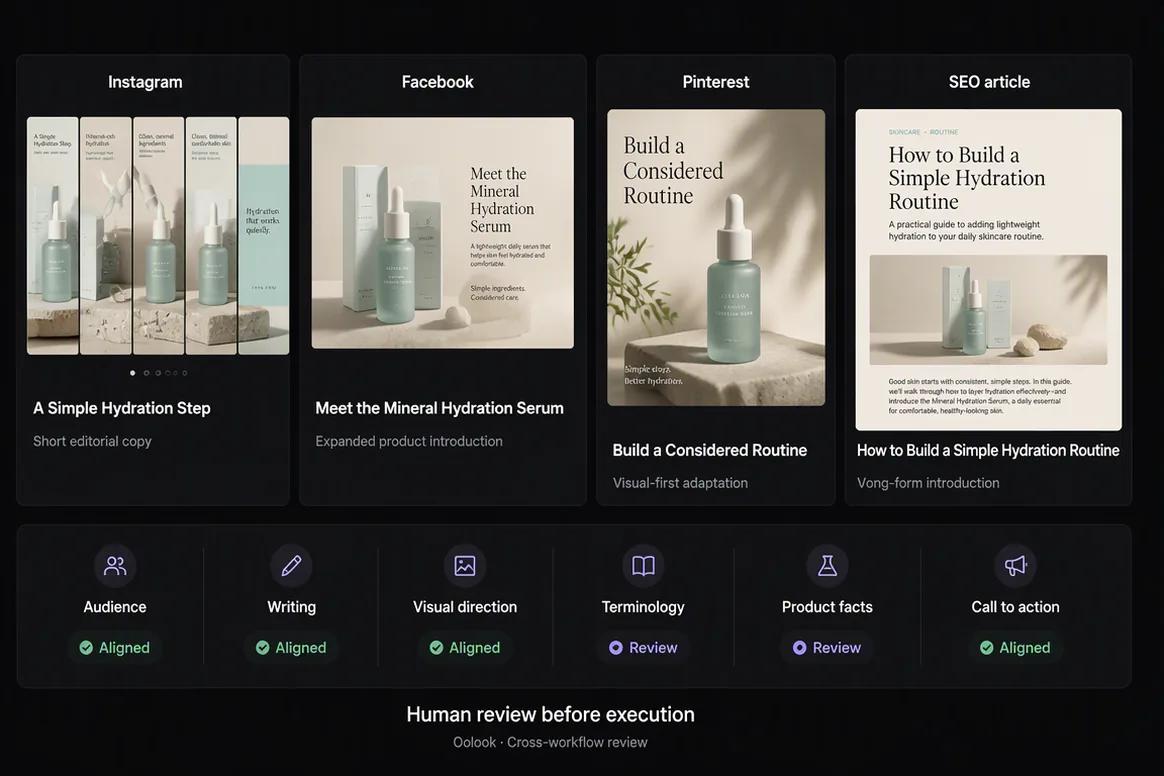
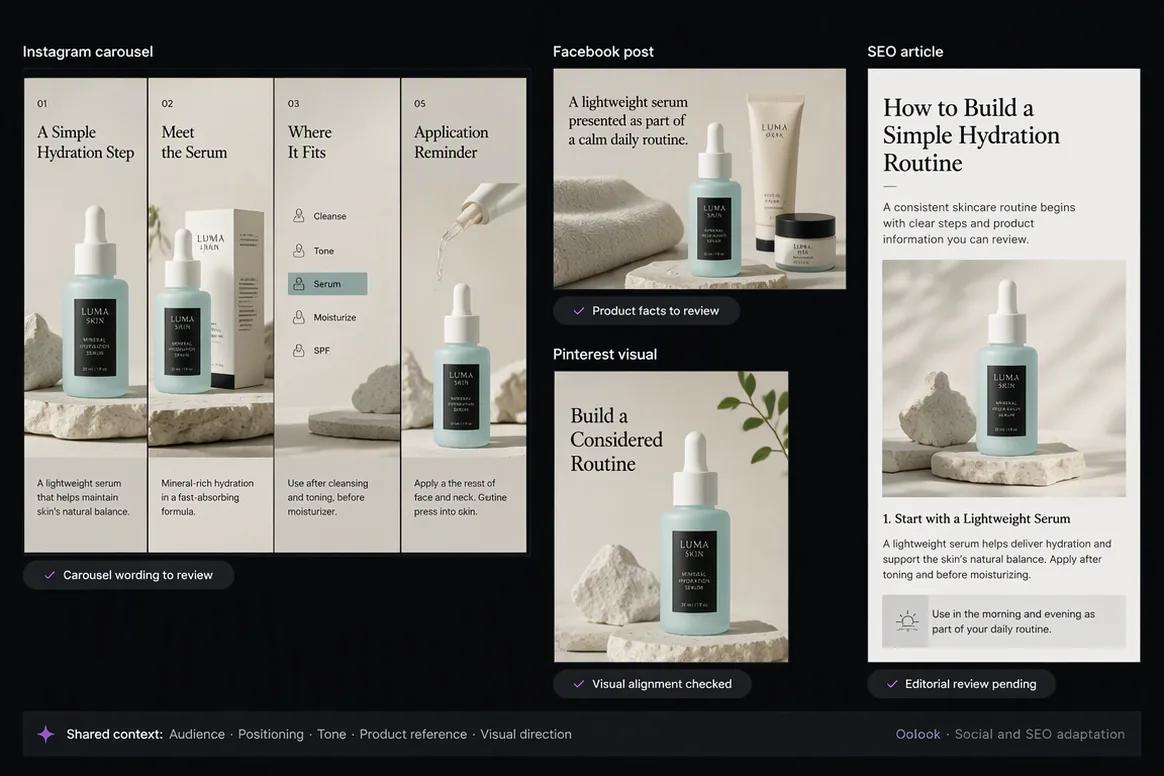
Oolook displaying consistent social and SEO content

Social and SEO Consistency

Use the same audience, positioning, product truth, and writing guidance across several formats.

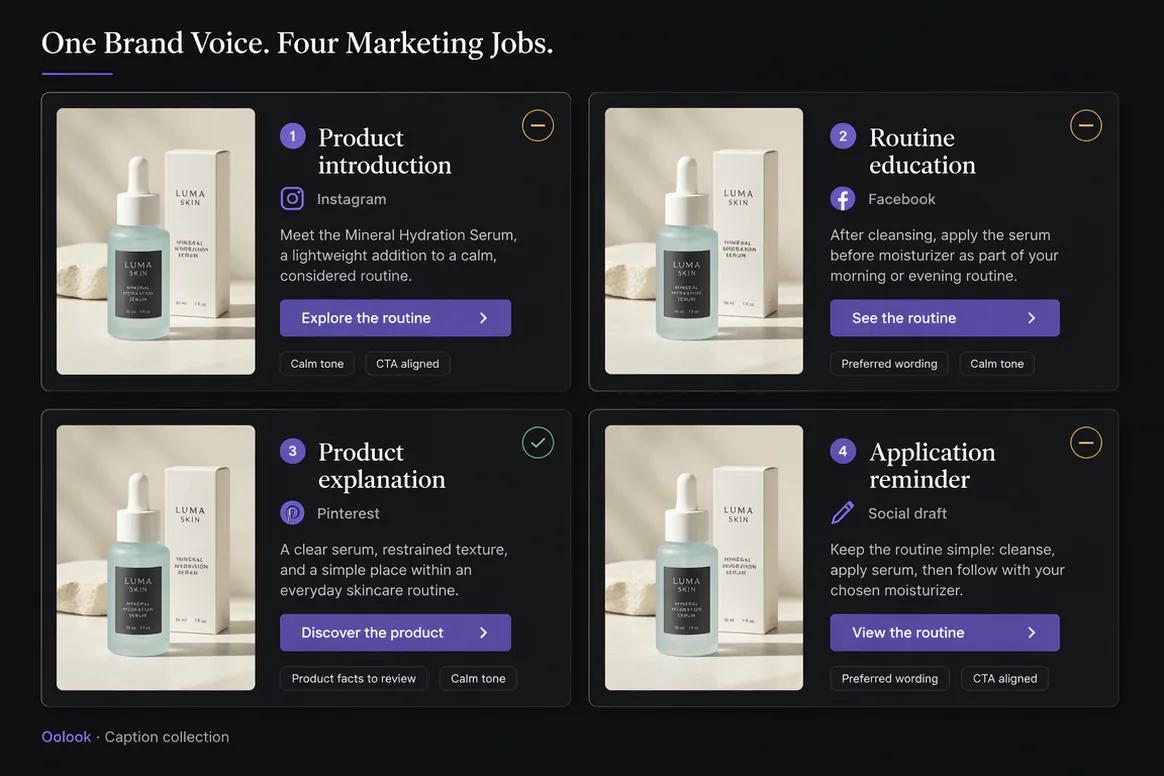
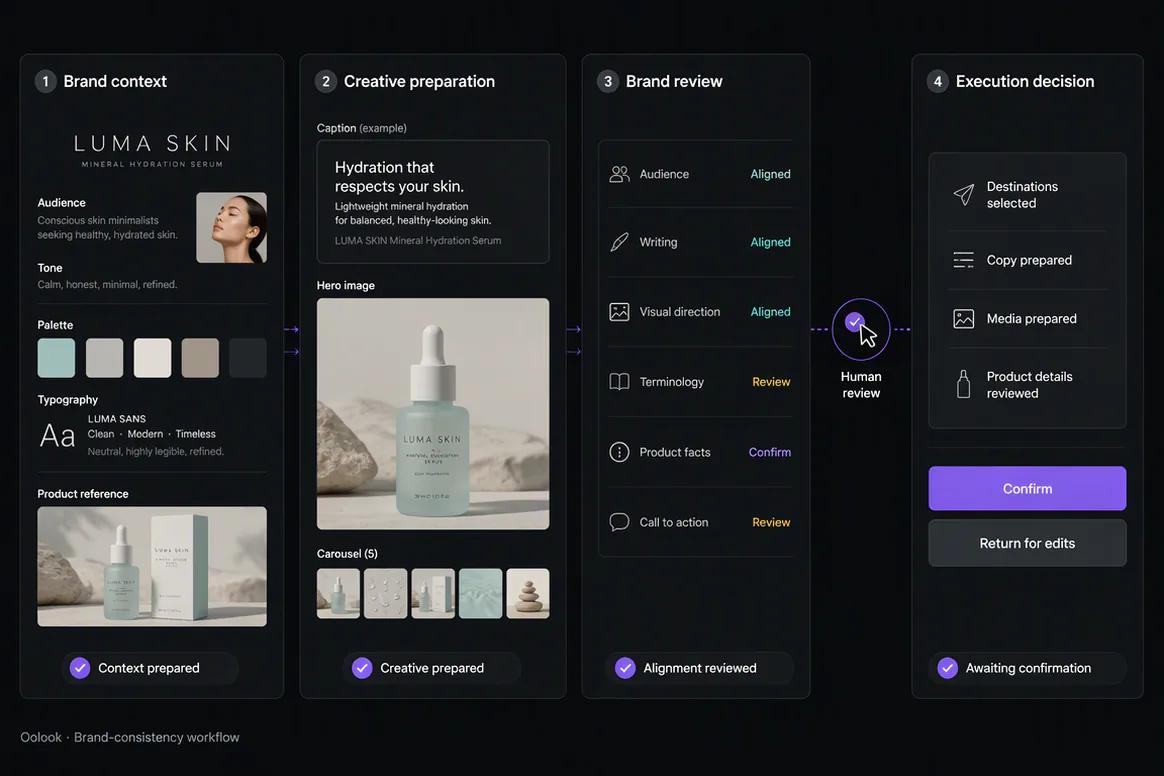
Oolook displaying the complete brand-consistency workflow

Brand-Consistency Workflow

Connect Brand Kit context, content creation, review, destination preparation, and confirmation.

Oolook Copilot in action

How Oolook Copilot Uses Brand Context

Keep the selected workspace and its available Brand Kit information connected to the request.

01

Select the brand

Open the workspace containing the correct Brand Kit, media, profiles, content, and reports.

02

Describe the objective

State the campaign, audience, destinations, formats, timing, and approved source material.

03

Prepare the content

Use available brand context to create the required copy, creative assets, or destination drafts.

04

Review and confirm

Inspect accuracy and brand alignment before approving any supported action.

Built for Brand-Consistent Content

Apply Brand Context Across Different Marketing Formats

The exact Brand Kit fields used depend on the current Oolook application and workflow.

Social captions

Guide editable copy with available audience, positioning, writing, and call-to-action context.

Marketing images

Use available visual direction and references in supported image workflows.

Social carousels

Connect brand context to a coordinated multi-card narrative.

SEO articles

Reuse relevant audience, positioning, writing, and topic context in supported article workflows.

Practical marketing jobs

Use Brand Context Across Recurring Marketing Work

Keep consistency connected to execution instead of leaving the Brand Kit as a static document.

Create a brand-aware social campaign

Prepare captions in the intended voice

Guide image and carousel generation

Adapt one message for several platforms

Create a brand-aware SEO article

Keep multiple brands correctly separated

One connected workspace

Everything Connected to Brand-Consistent Execution

Keep brand guidance connected to the applications and records used to prepare, publish, and review marketing content.

Brand Kit

Use available audience, positioning, writing preferences, visual direction, topics, and calls to action.

Oolook Copilot

Inspect available workspace information and prepare supported marketing actions for review.

Creative applications

Generate captions, images, coordinated carousels, moodboards, and other supported assets.

Media Library

Find, organize, process, and reuse uploaded and generated assets inside the selected brand.

Controlled publishing

Prepare drafts, validate supported requirements, schedule content, and monitor publication states.

Available reporting

Review accessible profile and post information from supported connected networks.

Why Oolook

Replace Repeated Brand Prompts With Reusable Context

Oolook connects the source, brand context, creative production, reusable media, destination preparation, publishing, and available reporting.

Workflow
Disconnected tools
Oolook
Source context
Copied into a separate writing or creative tool
Kept inside the selected brand workspace
Brand guidance
Repeated manually for every new output
Reused from available Brand Kit information
Creative assets
Downloaded, duplicated, and moved between tools
Found and reused through the Media Library
Destinations
Identical content is copied everywhere
Each destination can be reviewed independently
Execution
Final drafts move into another scheduler
Supported actions continue into controlled publishing

Step-by-step guide

How to Create Brand-Consistent Content With AI

Follow a controlled workflow from approved source material to destination-specific execution.

  1. 1

    Select the correct brand workspace

    Use the workspace containing the relevant Brand Kit, source material, media, profiles, drafts, and reports.

  2. 2

    Choose the approved source

    Choose the approved brief, product information, article, campaign, or media that the new content must represent.

  3. 3

    Define the new marketing objective

    State the audience, message, destinations, formats, timing, and desired call to action.

  4. 4

    Prepare the required formats

    Create the captions, images, carousels, media variations, or destination drafts required by the objective.

  5. 5

    Review accuracy and brand alignment

    Check claims, meaning, tone, visual direction, product details, and source fidelity.

  6. 6

    Review every destination

    Inspect the caption, media, profile, date, time, timezone, and supported platform settings.

  7. 7

    Confirm and monitor

    Approve supported actions and follow their publication states and available results.

Frequently asked questions

Your Brand-Consistent Content Questions, Answered

What is brand-consistent AI content?+

It is AI-assisted content guided by reusable brand information such as audience, positioning, writing preferences, visual direction, topics, and calls to action.

How does Oolook support brand consistency?+

Oolook connects structured Brand Kit information to supported Copilot, caption, image, carousel, media, social, and SEO workflows.

Can Brand Kit context guide captions?+

Yes. Available audience, positioning, writing, topic, and call-to-action information can guide supported caption workflows.

Can Brand Kit context guide visual content?+

Available colors, references, visual direction, and campaign context can guide supported image, carousel, and moodboard workflows.

Can I manage separate brand identities?+

Yes. Oolook uses separate brand workspaces. Current workspace and collaboration limits depend on the selected plan.

Does the Brand Kit guarantee every result is on-brand?+

No. Brand Kit context guides supported workflows, but every output should still be reviewed for quality, accuracy, and brand alignment.

Can Copilot use the Brand Kit?+

Yes. Copilot can inspect available Brand Kit information inside the selected workspace.

Does Copilot publish without approval?+

No. Supported workspace changes are presented for confirmation before execution.

Start with Oolook

Connect Your Brand Guidance to Daily Marketing Execution

Bring Brand Kit context, Copilot, creative production, reusable media, controlled publishing, and SEO content together.