Oolook for Customer Story Content

Turn Approved Customer Stories Into Marketing Content

Transform verified customer information into a structured story, social captions, quote-led visuals, carousels, article material, and destination-specific drafts.

Oolook Copilot

Campaign preparation

Working in: Alder & Form
Ask anything
This is a fictional demonstration. Actual output depends on the selected workspace, approved source information, and supported destinations.
Create a customer storyPrepare a quote-led carouselRepurpose an approved case study

Supported actions are prepared for review and confirmation. Publishing capabilities and formats depend on current Oolook availability and the destination network.

AI customer story content

Create Credible Proof Without Inventing Customer Results

Connect approved customer information, verified outcomes, quotes, brand guidance, creative assets, destination drafts, publishing, and follow-up.

Verify the source

Start With Approved Customer Information

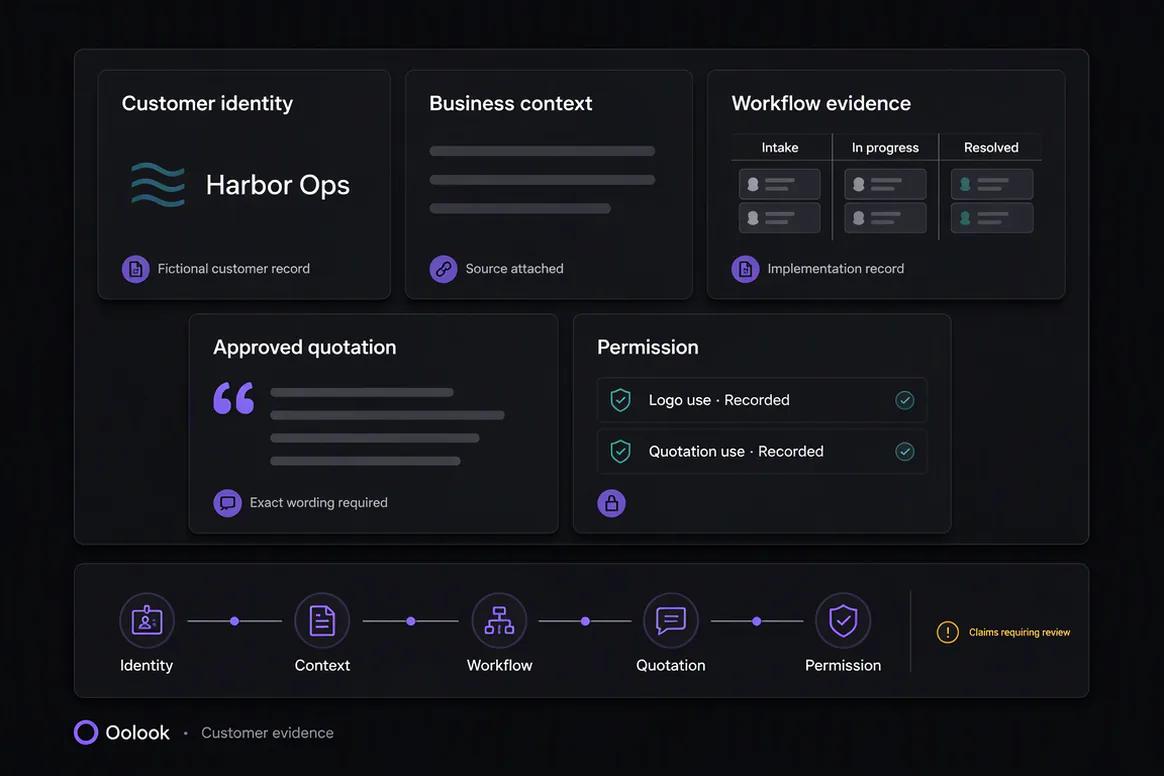
Use an approved case study, interview, testimonial, quote, project summary, or customer record as the factual basis.

  • Confirm customer permission and attribution
  • Separate verified results from interpretation
  • Identify approved quotes and assets
  • Avoid inventing metrics or outcomes
Approved customer information selected for marketing content

Structure the story

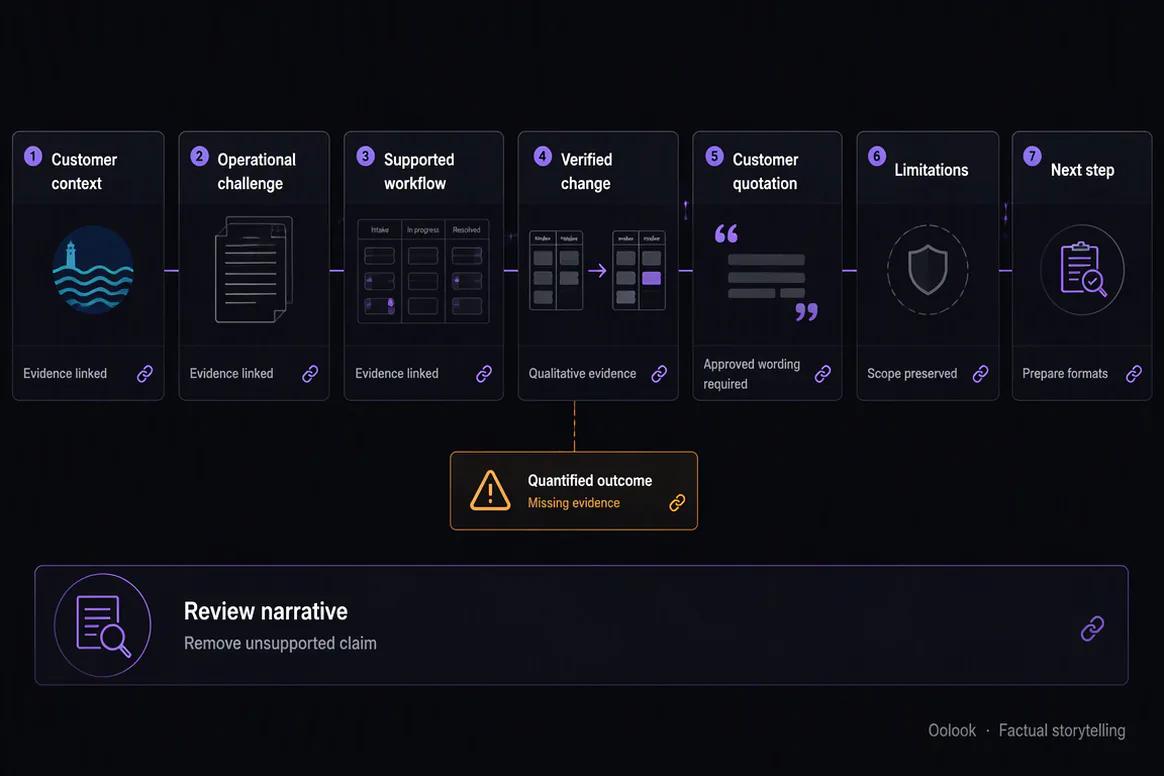
Build a Clear Problem, Action, and Outcome Narrative

Organize the story around the customer's initial situation, relevant challenge, approved action, and verified result.

  • Introduce the customer accurately
  • Explain the approved problem or objective
  • Describe the relevant action or workflow
  • Use only verified outcomes and quotes
Customer story structured around problem action and verified outcome

Create supporting formats

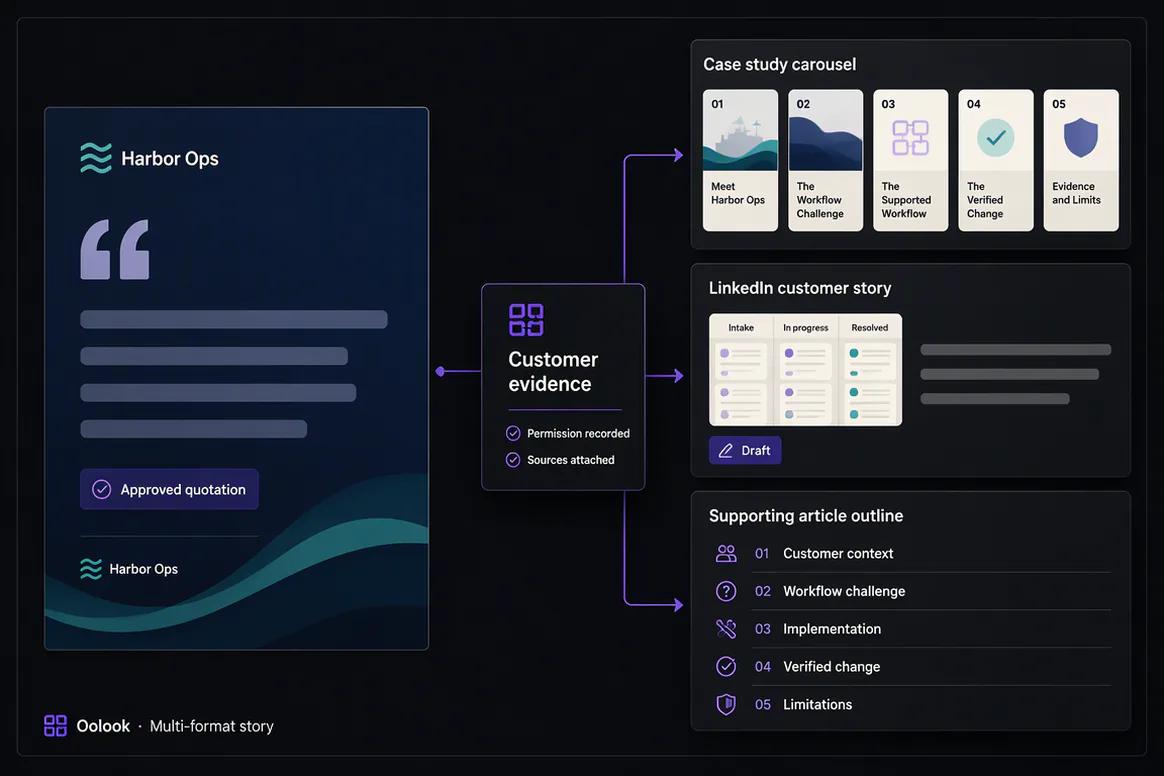
Prepare Social Posts, Quote Visuals, and Carousels

Turn the approved narrative into destination-aware content while preserving the customer’s meaning, attribution, and verified evidence.

  • Create editable customer-story captions
  • Build a coordinated case-study carousel
  • Create quote-led supporting visuals
  • Prepare article or case-study material
Customer story captions quote visuals and carousel content in Oolook

Publish and reuse

Connect the Approved Story to Campaign Distribution

Review each destination action, monitor publication states, and keep approved customer-story assets available for future campaigns.

  • Prepare destination-specific drafts
  • Schedule eligible customer-story content
  • Review available post information
  • Reuse approved story assets in later campaigns
Approved customer story published and reused through Oolook

Customer story examples

Turn Approved Customer Evidence Into Credible Content

Connect permission, attribution, verified facts, approved quotations, social formats, article content, and review.

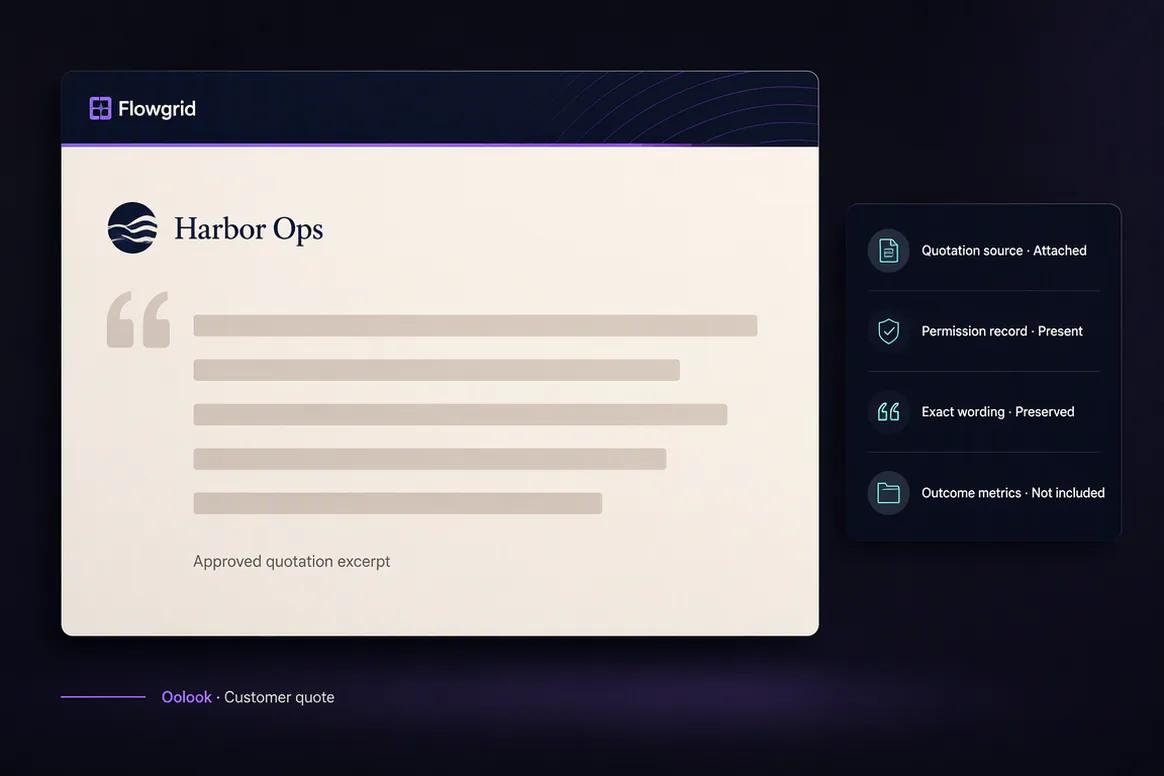
Oolook displaying an approved customer quote visual

Customer Quote Visual

Present the approved quotation, customer attribution, company, logo, and permission state.

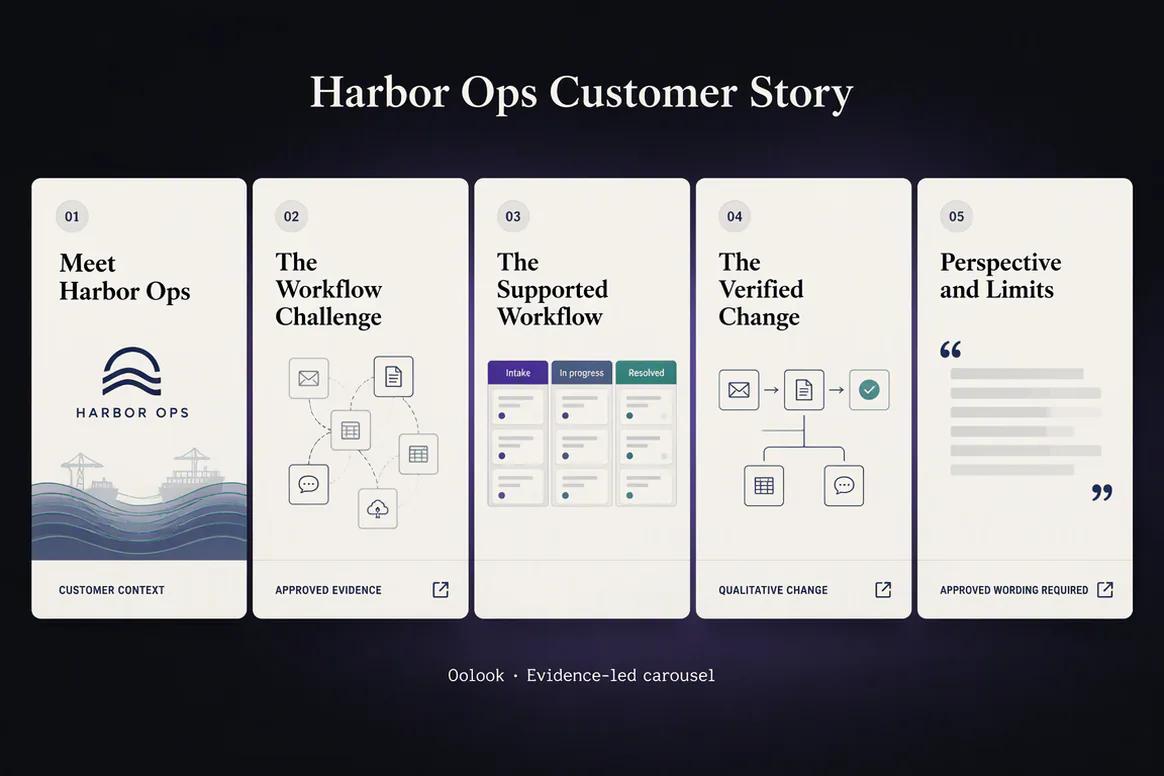
Oolook displaying a customer case-study carousel

Customer Story Carousel

Structure the approved customer context, challenge, workflow, and verified change.

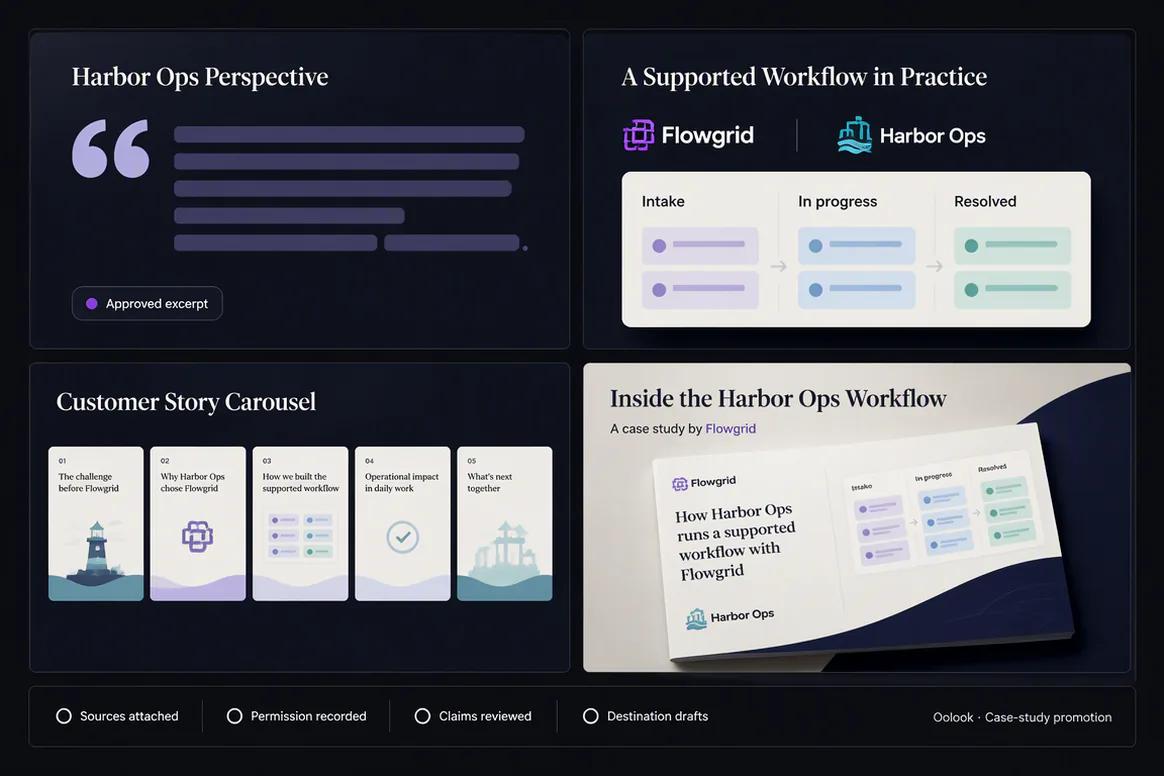
Oolook displaying a customer case-study promotion set

Case-Study Promotion Set

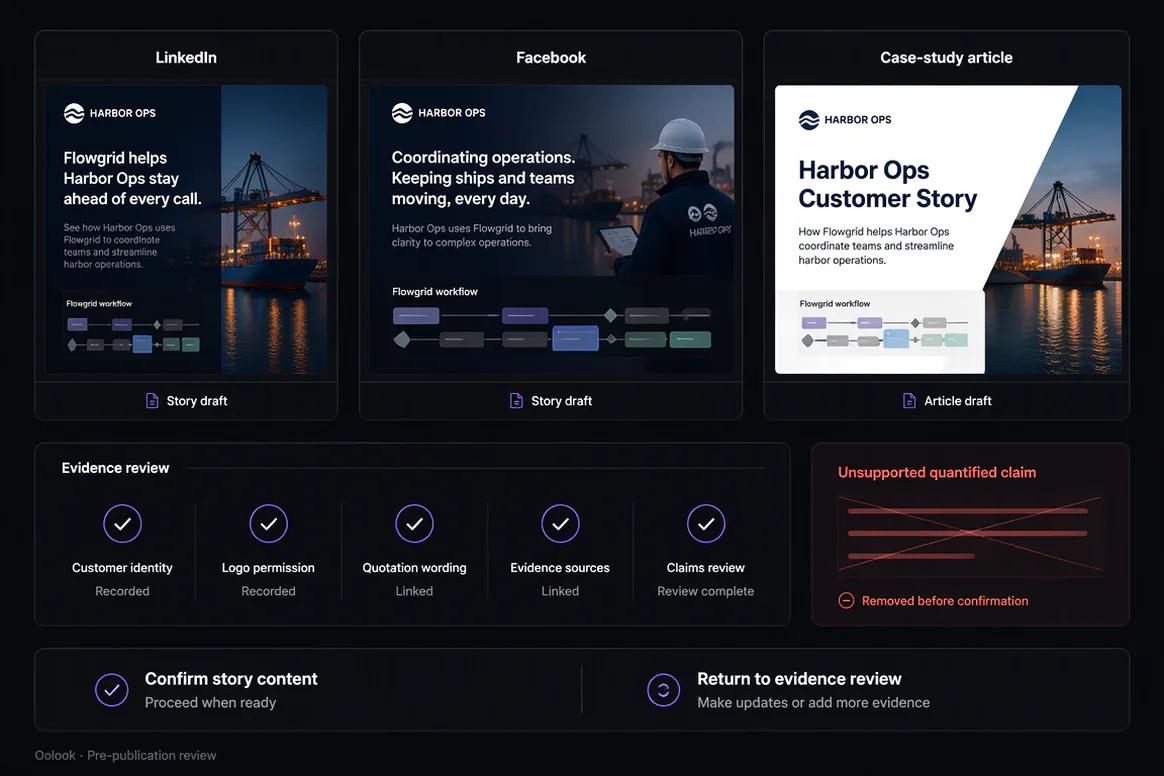
Combine the quote visual, LinkedIn story, carousel summary, and article promotion.

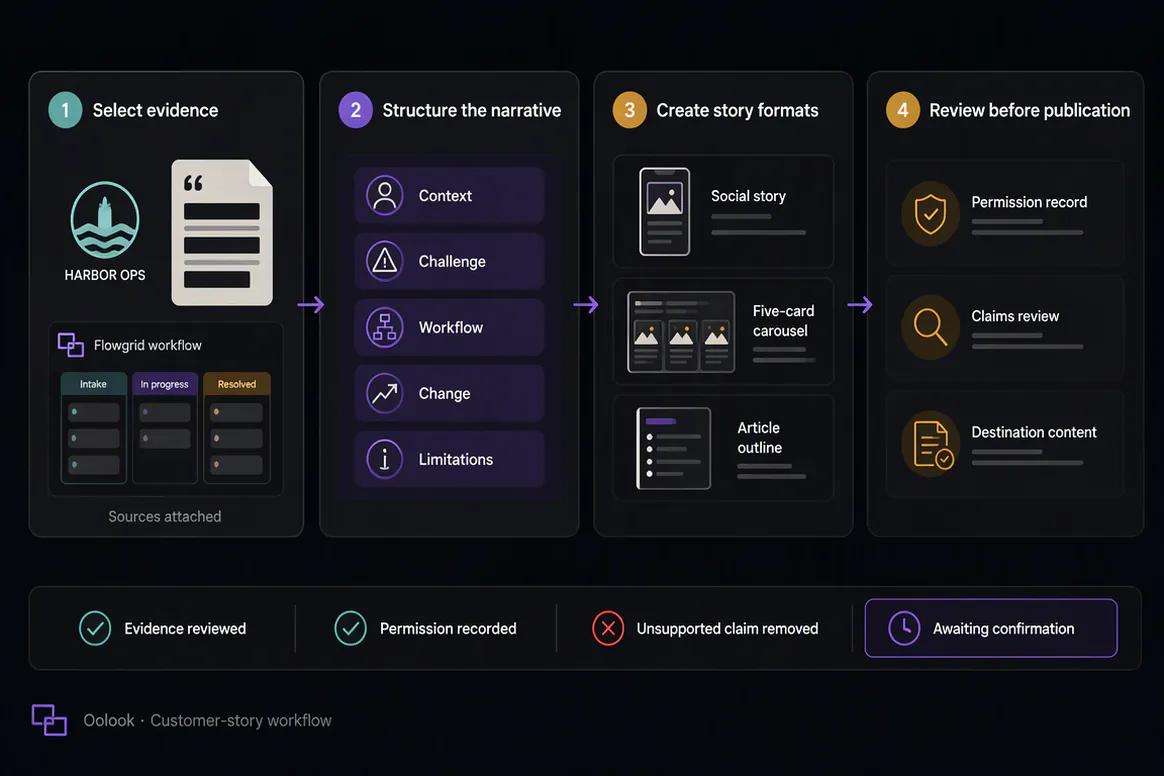
Oolook displaying the complete customer-story workflow

Complete Customer Story Workflow

Select evidence, structure the narrative, create formats, and review permissions and claims.

Oolook Copilot in action

How Oolook Copilot Supports Customer Story Content

Keep the approved source, customer attribution, verified evidence, formats, and supported actions visible.

01

Provide the approved story

Choose a verified interview, testimonial, quote, case study, project summary, or customer record.

02

Identify the evidence

Separate approved facts, quotes, outcomes, dates, and assets from unsupported assumptions.

03

Prepare the formats

Create the narrative, captions, carousel structure, visuals, article material, and destination drafts.

04

Review and confirm

Check permission, attribution, accuracy, customer meaning, destination settings, and timing.

Built for Customer Story Content

Turn an Approved Customer Story Into Several Formats

Customer permission, attribution, factual accuracy, and brand review remain required regardless of format.

Customer-story posts

Prepare platform-aware social copy around an approved customer narrative.

Quote-led visuals

Create supporting visual assets using approved customer quotes.

Case-study carousels

Structure the problem, action, and verified outcome across coordinated cards.

Article material

Develop the approved story into longer case-study or article content.

Practical marketing jobs

Use Oolook for Recurring Customer Story Work

Keep every output grounded in customer permission and verified evidence.

Turn a testimonial into social content

Create a quote-led carousel

Repurpose an approved case study

Prepare a customer project story

Create supporting case-study visuals

Adapt one story for several platforms

One connected workspace

Everything Connected to Customer Story Content

Keep the approved source, attribution, brand context, creative assets, destination drafts, publishing records, and available reporting together.

Brand Kit

Use available audience, positioning, writing preferences, visual direction, topics, and calls to action.

Oolook Copilot

Inspect available workspace information and prepare supported content actions for review.

Creative applications

Generate captions, images, coordinated carousels, moodboards, and other supported assets.

Media Library

Find, organize, process, and reuse approved uploaded and generated assets.

Controlled publishing

Prepare drafts, validate supported requirements, schedule content, and monitor publication states.

Available reporting

Review accessible profile and post information from supported connected networks.

Why Oolook

Replace Disconnected Case-Study Repurposing With One Workflow

Oolook connects approved source information, brand context, creative production, reusable media, destination preparation, publishing, and available reporting.

Workflow
Disconnected tools
Oolook
Source information
Copied manually into separate writing and creative tools
Kept inside the selected brand workspace
Brand guidance
Repeated for every new content asset
Reused from available Brand Kit information
Creative production
Copy and visuals are produced independently
Captions, images, and carousels remain connected
Publishing
Approved content moves into another scheduler
Destination drafts continue into controlled execution
Follow-up
Performance remains separated from future content
Available reporting can inform the next action

Step-by-step guide

How to Create Customer Story Content

Follow a controlled workflow from approved source information to destination-specific content and review.

  1. 1

    Select the correct brand workspace

    Use the workspace containing the relevant Brand Kit, source information, media, profiles, drafts, and reports.

  2. 2

    Choose the approved source

    Choose a customer-approved case study, interview, testimonial, quote, project summary, or verified record.

  3. 3

    Define the audience objective

    State what the audience should understand, why it matters, which destinations are required, and what should happen next.

  4. 4

    Prepare the content structure

    Organize the central message, supporting points, examples, visual direction, and final call to action.

  5. 5

    Create or select the media

    Generate new creative or reuse approved assets already stored in the Media Library.

  6. 6

    Review every destination

    Inspect the copy, media, profile, date, time, timezone, and supported platform settings.

  7. 7

    Confirm and monitor

    Approve supported actions, follow publication states, and review available results.

Frequently asked questions

Your Customer Story Content Questions, Answered

What is AI customer story content?+

It is AI-assisted marketing content created from approved customer interviews, testimonials, quotes, case studies, project summaries, or verified records.

Can Oolook create content from a testimonial?+

Yes. An approved testimonial can be adapted into captions, quote visuals, carousels, and longer content.

Can Oolook create a customer case-study carousel?+

Yes. Oolook can structure approved problem, action, and outcome information into a coordinated multi-card carousel.

Will Oolook invent customer results?+

It should not. Every metric, quote, result, date, and attribution must be checked against the approved customer source.

Do I need customer permission?+

Customer permission, appropriate attribution, and any required legal or brand review should be completed before publication.

Can approved customer media be reused?+

Yes. Approved images, videos, documents, quotes, and generated outputs can be organized through the Media Library.

Can customer-story content be scheduled?+

Eligible destination drafts can continue into supported scheduling, validation, publishing, retries, and status monitoring.

Does Copilot publish without confirmation?+

No. Supported workspace changes are presented for confirmation before execution.

Start with Oolook

Turn Verified Customer Evidence Into Credible Marketing Content

Connect approved stories, attribution, Brand Kit context, captions, quote visuals, carousels, articles, and controlled publishing.